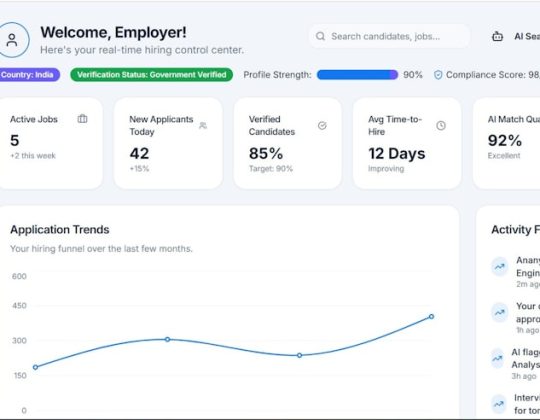




LegalOne, Clio, and LEAP are serious options for law firms that want tighter control over matters, billing, documents, and client communication. Clio is widely known, with the company stating that its platform serves more than 150,000 legal professionals [source: Clio]. LEAP is often chosen by firms that want matter management with strong document automation. LegalOne is usually considered by teams that need structured legal operations, compliance support, and organized case workflows.
TLDR: LegalOne, Clio, and LEAP all help law firms reduce manual admin, but they suit different types of practices. For example, a 12-person firm issuing 250 invoices a month could save around 10 to 15 hours if billing, time entries, and reminders move from spreadsheets into one system. Clio is strong for broad practice management, LEAP stands out for document-heavy legal work, and LegalOne fits firms that want more controlled legal process management. The best choice depends less on brand and more on how the firm works each day.

What These Platforms Are Really Solving
Legal practice management software exists because law firms lose time in small, repeated tasks. Time recording. Client intake. Matter updates. Billing checks. Document storage. Deadline tracking. None of these tasks feel huge alone. Together, they drain the week.
The catch is that bad software can make the same problems look tidier without truly fixing them. A system should not just store files. It should reduce missed steps, cut duplicate typing, and make work easier to check.
LegalOne, Clio, and LEAP sit in the same broad category, but they do not feel the same in daily use. Their differences matter most when staff are under pressure.
Clio: Strong All-Round Practice Management
Clio is often a good fit for small and mid-sized firms that want one central system for core operations. It covers case management, client intake, time tracking, invoicing, payments, calendars, and reporting. Its main strength is breadth.
Many firms also like Clio because it connects with common tools. Email, accounting, document storage, and payment tools can often be tied into the workflow. That matters if a practice already uses cloud systems and does not want to rebuild everything from scratch.
- Best for: general practice firms, growing firms, and teams that want flexible setup.
- Key strengths: billing, intake, client communication, integrations, and reporting.
- Possible concern: costs can rise as firms add users, features, and connected services.
Honestly, it feels like some firms underestimate the setup work. Clio is clean, but it still needs careful configuration. Matter types, templates, permissions, and billing rules should be built properly from day one.
LEAP: Built for Document-Heavy Legal Work
LEAP is well known for combining practice management with legal document automation. That makes it useful for firms that produce high volumes of standard documents. Conveyancing, family law, wills, probate, and litigation teams may see clear value here.
LEAP’s appeal is practical. Lawyers and support staff can work from matter data and create documents with fewer manual edits. That saves time. It also reduces the risk of names, dates, and addresses being copied incorrectly.
Image not found in postmeta
- Best for: firms with repeatable document workflows.
- Key strengths: document production, matter data reuse, legal forms, and everyday case handling.
- Possible concern: users may need training before the system feels natural.
It drives me crazy when legal software turns document creation into a scavenger hunt. LEAP is trying to avoid that by keeping matter information close to the documents that depend on it. Still, firms should test their own templates before signing a long contract.
LegalOne: Process Control and Legal Operations
LegalOne is often viewed through a different lens. It can suit legal departments or law firms that care about structure, approvals, compliance, and workflow control. Where Clio feels broad and LEAP feels document-focused, LegalOne is more about organized legal process management.
This can be useful for teams that handle many requests from business units, outside counsel, or internal stakeholders. A legal team may need records of who approved what, when a matter changed status, and which tasks are still open.
- Best for: in-house legal teams, regulated firms, and practices with formal review steps.
- Key strengths: workflow control, matter oversight, compliance records, and task structure.
- Possible concern: it may feel too rigid for a small firm that mainly needs billing and calendars.
For a firm that handles 80 new matters a month, even a small improvement matters. If each matter saves 7 minutes during intake, that is more than 9 hours saved monthly. That is not flashy. It is just useful.
How to Compare Them Without Getting Distracted
Do not start with a feature list. Start with the work. A firm should map five common tasks and test each platform against them.
- Open a new matter and assign the right staff.
- Create a standard document using real client data.
- Record time from email, phone calls, and meetings.
- Send an invoice and track payment status.
- Run a report on open matters, revenue, or overdue tasks.
If a platform fails during these basic tests, the sales demo does not matter. Expect to waste time on cleanup later if the setup feels unclear at the start.
Which Platform Is the Best Fit?
Choose Clio if the firm wants a balanced, cloud-based system with strong billing, intake, and integrations. It is a safe shortlist option for many small and mid-sized practices.
Choose LEAP if the firm produces many legal documents and wants matter data to feed those documents with less copying and pasting.
Choose LegalOne if the team needs tighter process control, approval records, compliance tracking, and structured legal operations.

The right answer is not always the biggest name. It is the system staff will actually use every day. A serious buyer should ask for a trial, use real matters, involve support staff, and measure time saved. That is the only comparison that counts.