



Salesforce is usually the stronger choice for complex personal selling, while HubSpot is better for solo sellers and small teams that want speed without heavy setup. A personal seller who manages long relationships, custom sales stages, and detailed account plans will often outgrow HubSpot faster. A seller who needs clean follow-ups, simple pipeline tracking, email templates, and fast adoption will likely feel more productive in HubSpot from day one.
TLDR: Salesforce suits personal sellers with complex deals, multiple stakeholders, and strict reporting needs. HubSpot suits sellers who want a simpler CRM that helps them contact prospects, track conversations, and close deals with less admin time. For example, a five-person consulting sales team may save 6 to 8 hours per week in HubSpot because setup is lighter, while a 60-rep B2B sales team may gain better forecast accuracy in Salesforce by tracking 15 or more custom deal fields.
What Personal Selling Needs From a CRM
Personal selling depends on trust. The rep must remember calls, objections, personal preferences, timing, pricing concerns, and quiet buying signals. A CRM should reduce memory work, not add more clicking.
For most personal sellers, the core needs are clear:
- Contact history: calls, emails, meetings, notes, and tasks in one place.
- Pipeline control: clear stages, deal values, close dates, and next steps.
- Follow-up reminders: prompts before leads go cold.
- Email tools: templates, tracking, scheduling, and sequences.
- Reporting: visibility into win rates, cycle length, and activity volume.
- Mobile access: quick updates after meetings or calls.
Both Salesforce and HubSpot cover these basics. The real difference is how much structure the seller needs and how much setup the business can tolerate.

Salesforce for Personal Selling
Salesforce is built for depth. It gives sales teams strong control over data, process, permissions, workflows, approvals, and reporting. For personal selling, this matters when the sale is not simple. A rep may deal with procurement, finance, department heads, legal teams, and end users. Salesforce can map those relationships with precision.
Its account and opportunity management is especially strong. A seller can track buying committees, link contacts to opportunities, manage quotes, and build detailed forecasts. Managers can see which deals have weak next steps, missing decision makers, or stalled stages.
Salesforce also shines when personal selling blends with enterprise sales. A rep selling software to hospitals, manufacturers, banks, or large service firms may need custom objects, advanced reports, and strict approval rules. Salesforce handles that well.
The catch is the setup. Salesforce can feel heavy for a small personal seller who only wants to log calls and move deals forward. Simple changes may require an admin. A field update, page layout change, or report tweak can take longer than expected. It drives sellers crazy when logging one post-call note takes 10 extra seconds because the screen has too many required fields.
HubSpot for Personal Selling
HubSpot is easier to start with. Its interface feels clean, clear, and less demanding. That helps personal sellers who need to act fast. Contacts, companies, deals, emails, and tasks are easy to find. A seller can usually update a record without second-guessing where the information belongs.
HubSpot is strong for activity-based selling. Email tracking, meeting links, templates, snippets, call logging, and sequences are simple to use. This helps a rep maintain steady contact with prospects without drowning in manual work.
For a solo consultant, real estate advisor, insurance agent, agency owner, recruiter, or small B2B seller, HubSpot can feel like the practical choice. The CRM keeps the seller focused on conversations. It does not demand a large operations team just to stay organized.
Honestly, it feels like HubSpot respects the seller’s time better during early setup. A new pipeline, email template, or dashboard can often be created in minutes. That matters when the seller must spend the afternoon calling prospects rather than fixing CRM fields.
Still, HubSpot has limits. Advanced reporting and complex sales operations can become expensive or restrictive. Some teams also find that heavy customization is not as flexible as Salesforce. When deals involve many divisions, layered approvals, or large partner channels, HubSpot may start to feel too light.
Ease of Use
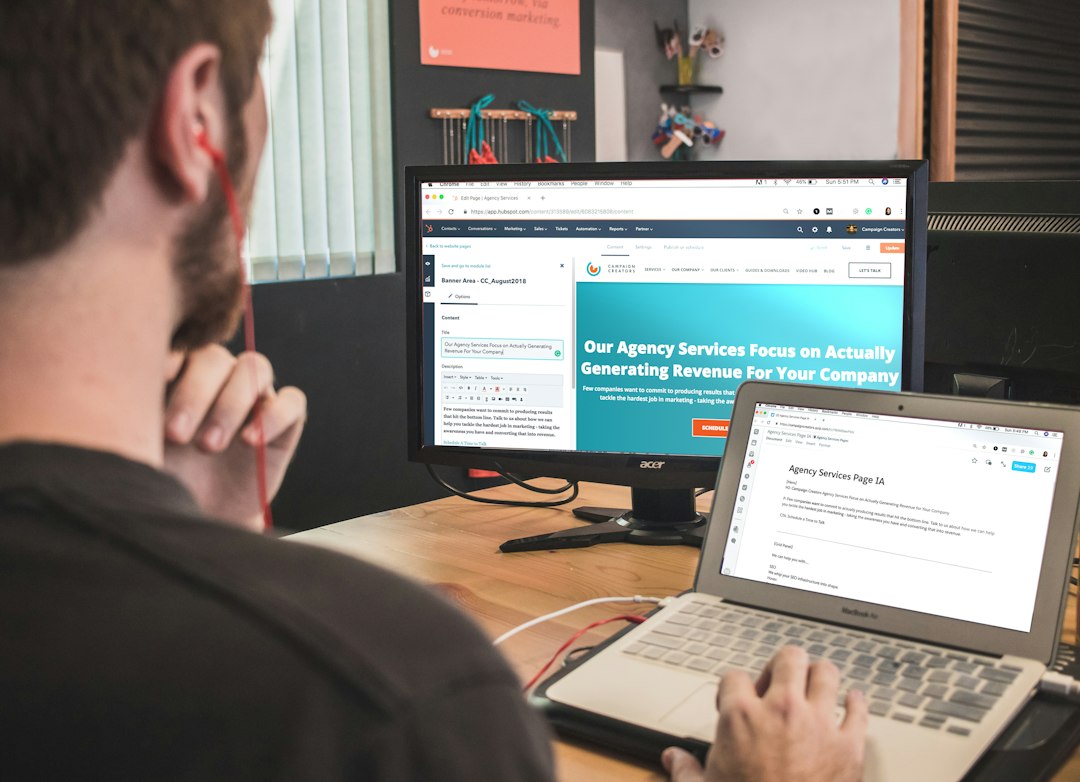
HubSpot wins on ease of use. Most personal sellers can understand the basics quickly. The system has fewer barriers between the seller and the next action. That is a big deal for adoption.
Salesforce has a steeper learning curve. It can be simple if configured well, but poor setup turns it into a daily chore. For personal selling, that risk matters. A rep who avoids the CRM will miss reminders, lose context, and damage buyer trust.
Customization and Sales Process Control
Salesforce wins on customization. It can match almost any sales process. Teams can create custom fields, objects, automation rules, approval paths, territory models, and report types. This makes it ideal for complex selling models.
HubSpot is customizable enough for many personal sellers. Deal stages, properties, lists, workflows, and dashboards cover most common needs. The issue appears when a company wants deep process rules or highly specific reporting logic.
Automation and Follow-Up
Both platforms help sellers follow up. HubSpot makes the basics easier. Sequences, task queues, email templates, and meeting links are simple and useful. A rep can build a follow-up flow and keep prospects warm with less effort.
Salesforce automation is powerful, especially with tools like Flow and Sales Engagement. Yet it often needs more planning. The result can be excellent, but small teams may need technical help to get there.
Reporting and Forecasting
Salesforce is better for serious forecasting. It gives managers more ways to inspect sales performance. Forecast categories, opportunity history, pipeline changes, stage movement, and custom reports offer deep insight.
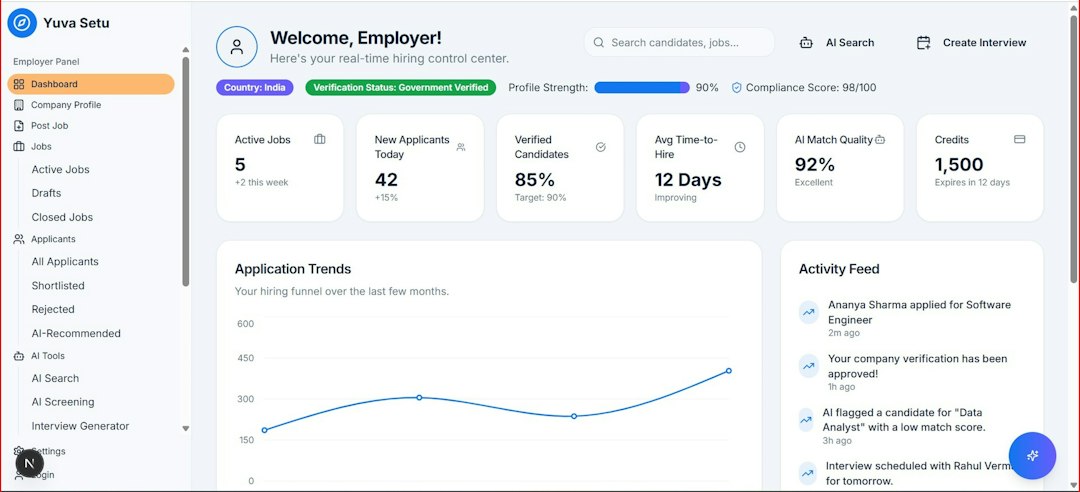
HubSpot reporting is easier to read and faster to build. For smaller teams, that may be enough. A sales manager can track calls, emails, meetings, deal value, and conversion rates without building a complex report structure.
Cost and Value
HubSpot often looks friendlier at the start. Its free CRM and lower entry barriers attract solo sellers and small teams. Costs rise as teams add automation, reporting, sales seats, and marketing features.
Salesforce usually requires a larger budget. Licenses, implementation, consulting, admin support, and integrations can add up. Yet for larger teams, the cost can be justified by stronger controls and better pipeline visibility.
The best value depends on sales complexity. If the CRM only needs to support calls, emails, meetings, and deals, HubSpot may offer better value. If the CRM must run a full sales operation with custom rules and layered reporting, Salesforce may be worth the expense.
Best Fit by Seller Type
- Solo personal seller: HubSpot is usually the better fit.
- Small service business: HubSpot works well, especially if follow-up speed matters.
- Mid-size B2B sales team: Either platform can work; sales process complexity should decide.
- Enterprise sales team: Salesforce is usually stronger.
- Relationship-heavy account management: Salesforce is stronger when accounts have many contacts and custom data needs.
- Fast outbound selling: HubSpot is easier for sequences, templates, and task handling.
Final Verdict
For managing personal selling, HubSpot is the better daily tool for simplicity, speed, and adoption. It helps sellers stay close to prospects without forcing too much admin work. That makes it ideal for small teams and individual relationship sellers.
Salesforce is the better strategic platform for complex personal selling. It supports deeper account planning, strict reporting, custom sales processes, and large sales teams. It is not always pleasant out of the box, but it becomes powerful when configured with care.
The practical choice is simple. If the seller needs to sell more and manage less software, HubSpot is safer. If the business needs detailed control over a serious sales machine, Salesforce is the stronger pick.
FAQ
Is Salesforce better than HubSpot for personal selling?
Salesforce is better for complex personal selling with long sales cycles, many stakeholders, and advanced reporting needs. HubSpot is better for simpler relationship selling and faster daily use.
Which CRM is easier for a solo seller?
HubSpot is usually easier for a solo seller. It has a cleaner setup, simple contact management, and useful email tools without heavy configuration.
Can HubSpot handle B2B personal selling?
Yes. HubSpot can handle many B2B personal selling needs, including pipelines, email tracking, meeting scheduling, tasks, and deal records. It may struggle with very complex sales operations.
Why do larger sales teams often choose Salesforce?
Larger teams often choose Salesforce because it supports advanced customization, permissions, forecasting, approvals, and detailed reporting. It fits structured sales organizations well.
Which platform helps with follow-ups better?
HubSpot is easier for basic follow-ups through tasks, sequences, email templates, and reminders. Salesforce can do more advanced automation, but it often needs more setup.
Which CRM gives better value?
HubSpot gives better value for small teams that need speed and simplicity. Salesforce gives better value for larger teams that need control, scale, and detailed sales data.