

BearVPN is a consumer VPN service aimed at people who want a simple way to mask their IP address, secure public Wi-Fi traffic, and access websites or apps with fewer location restrictions. This review looks at its features, privacy approach, pricing expectations, strengths, weaknesses, and alternatives so that readers can decide whether it fits their needs.
TL;DR: BearVPN appears best suited for casual users who want a straightforward VPN experience rather than advanced configuration. For example, a student using hotel or airport Wi-Fi several times per month may benefit from one-tap encryption and location switching. However, privacy-focused users should carefully check whether BearVPN publishes a clear no-logs policy, audit results, and detailed ownership information. If a user values independent audits or specialty servers, established alternatives may offer stronger reassurance.
What Is BearVPN?
BearVPN is positioned as a VPN tool for private browsing, safer internet access, and location flexibility. Like most VPNs, it creates an encrypted tunnel between the user’s device and a remote VPN server. Websites then see the VPN server’s IP address rather than the user’s real IP address, which can help reduce tracking and protect activity on unsecured networks.
The service’s main appeal is simplicity. Instead of overwhelming users with technical menus, BearVPN seems designed around fast connection, region selection, and basic privacy protection. That makes it potentially attractive to beginners, frequent travelers, and smartphone users who want a lightweight security layer.

Key Features
BearVPN’s feature set should be assessed based on the platform version being used, because mobile VPN apps and desktop VPN apps sometimes differ. In general, users should look for the following core features:
- Server location selection: A useful VPN should offer multiple countries or regions so users can choose a suitable virtual location.
- Encrypted connection: VPN encryption helps protect browsing traffic from local network snooping, especially on public Wi-Fi.
- One-tap connection: A simple interface is valuable for non-technical users who want protection without manual setup.
- Automatic connection: Some VPNs can activate automatically on unknown or unsecured networks.
- Kill switch: This feature blocks internet traffic if the VPN disconnects unexpectedly. It is especially important for privacy-conscious users.
- Streaming and browsing support: Some users want VPNs for video platforms, news sites, or region-specific services, though streaming access can change often.
BearVPN’s biggest advantage is likely convenience. If it connects quickly and maintains stable speeds, it can serve everyday browsing needs well. However, advanced users may want more details about protocol options, split tunneling, DNS leak protection, and server ownership.
Privacy and Logging
Privacy is the most important part of any VPN review. A VPN provider can technically see more traffic metadata than a local internet provider if safeguards are weak, so trust matters. BearVPN should be evaluated on whether it clearly explains what data is collected, how long it is stored, and whether it is shared with advertisers, analytics providers, or authorities when legally required.
A strong VPN privacy policy usually includes a no-logs commitment, meaning the provider does not store browsing history, destination IP addresses, DNS queries, or connection timestamps that can identify user activity. The best providers also publish independent security audits, transparency reports, and warrant canaries.
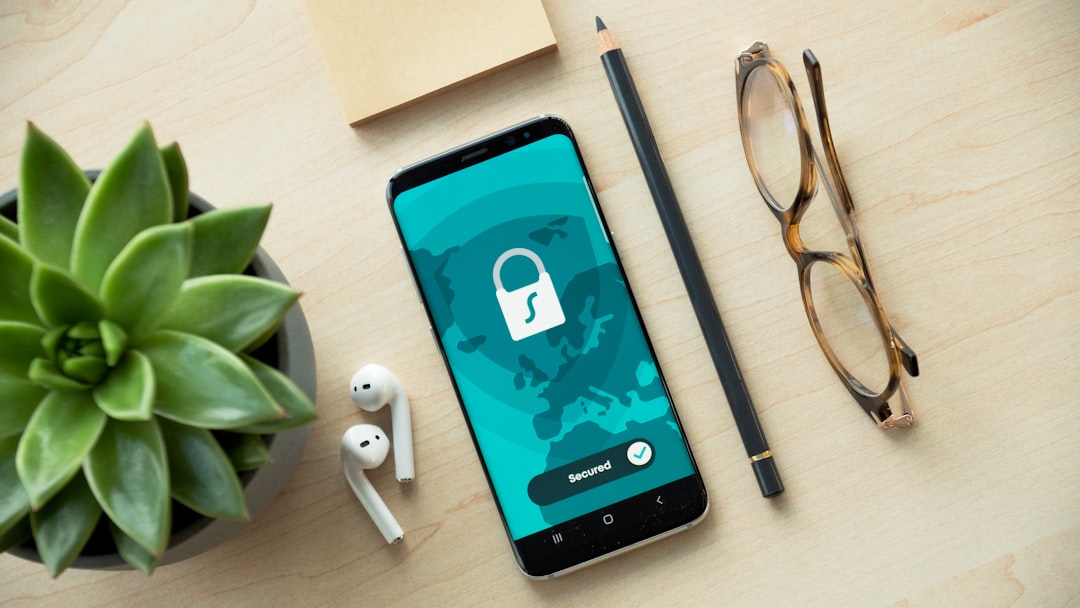
If BearVPN does not clearly provide these materials, privacy-focused users should be cautious. This does not automatically mean the VPN is unsafe, but it means there is less public evidence supporting its claims. For casual public Wi-Fi protection, that may be acceptable. For journalists, activists, crypto users, or people handling sensitive work, stronger documentation is recommended.
Performance and Speed
VPN speed depends on server distance, encryption overhead, network congestion, device performance, and the selected protocol. A nearby VPN server usually performs better than a server on another continent. For instance, a normal 100 Mbps home connection might drop to 70–90 Mbps on a good nearby VPN server, while a distant server could fall below 50 Mbps.
BearVPN should be judged through real-world tasks: loading websites, joining video calls, downloading files, and streaming HD video. If the app connects quickly and avoids frequent disconnects, it can be considered reliable for everyday use. If speeds fluctuate heavily during peak hours, users may prefer a VPN with a larger server network and proven infrastructure.
Pricing and Value
BearVPN’s pricing may vary by platform, region, promotional offer, and subscription length. Many VPNs use monthly, annual, and sometimes lifetime-style plans, with annual plans usually offering the lowest average monthly cost. Users should check the official app listing or website for current prices before subscribing.
When evaluating value, price alone should not be the only factor. A cheap VPN can be expensive in practice if it lacks security, has slow servers, or collects too much data. A fair assessment should include:
- Monthly cost compared with established competitors
- Number of supported devices per account
- Refund policy or free trial availability
- Server coverage and connection reliability
- Privacy proof, such as audits or transparency reports
If BearVPN offers a free version, users should examine its limitations. Free VPN plans often include ads, limited locations, speed caps, or data limits. A free plan can be useful for testing, but it should not be assumed to provide the same privacy quality as a reputable paid service.
Pros and Cons
Pros
- Beginner-friendly interface that may suit casual users
- Useful for public Wi-Fi and basic IP masking
- Potentially convenient mobile experience for travel and everyday browsing
- May offer quick location switching depending on the app version
Cons
- Privacy details may need closer inspection before trusting it with sensitive activity
- Independent audits may not be clearly available, depending on the provider’s disclosures
- Streaming support can be inconsistent, as platforms frequently block VPN IPs
- Advanced features may be limited compared with larger VPN brands
Best BearVPN Alternatives
Several alternatives may be better depending on the user’s main priority:
- NordVPN: A strong all-around choice with fast speeds, many servers, specialty options, and independent audits.
- Surfshark: Often attractive for families or multi-device households because it commonly supports unlimited device connections.
- Proton VPN: A privacy-focused provider from the team behind Proton Mail, with a reputable free plan and strong transparency.
- Mullvad: Excellent for privacy enthusiasts because it allows anonymous account creation and simple flat pricing.
- Windscribe: A flexible option with a generous free plan and advanced customization features.

Final Verdict
BearVPN may be a practical option for users who need a simple VPN for everyday browsing, public Wi-Fi protection, and basic location switching. Its value depends heavily on its actual privacy policy, connection stability, platform support, and current subscription pricing. For casual users, ease of use may be enough. For users who require verified privacy protections, audited policies, advanced security tools, or consistently strong streaming performance, more established VPN providers may be safer choices.
Overall, BearVPN should be treated as a convenience-first VPN unless it provides clear evidence of strong privacy practices. Before paying, users should test speed, read the privacy policy, confirm refund terms, and compare it with trusted alternatives.
FAQ
Is BearVPN safe to use?
BearVPN may be safe for basic browsing and public Wi-Fi protection if it uses strong encryption and does not leak DNS or IP data. However, users should review its privacy policy and look for independent audits before relying on it for sensitive activity.
Does BearVPN keep logs?
This depends on the provider’s published policy. A trustworthy VPN should clearly state whether it stores browsing history, IP addresses, timestamps, or device identifiers. If the policy is vague, users should proceed cautiously.
Can BearVPN unblock streaming services?
It may work with some platforms, but streaming access is never guaranteed. Services such as Netflix, Hulu, and BBC iPlayer regularly block VPN servers, so performance can change over time.
Is BearVPN free?
BearVPN may offer free or trial access depending on the platform and region. Users should check current listings and examine whether the free version includes ads, data caps, slower speeds, or fewer locations.
What is the best BearVPN alternative?
The best alternative depends on priorities. NordVPN is strong overall, Surfshark is good for many devices, Proton VPN suits privacy-focused users, and Mullvad is ideal for anonymity-minded users.