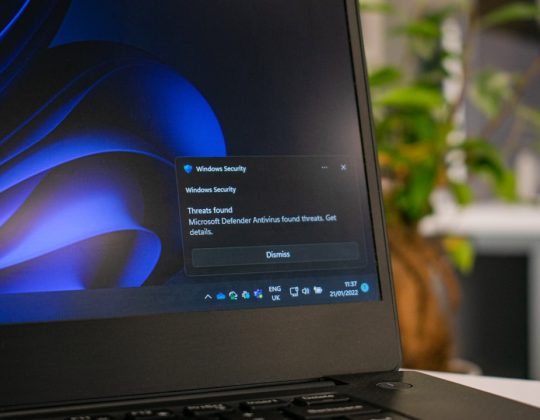



Physical safeguards stop people from getting near protected health information, while technical safeguards control what people can do once they reach a system. A secure healthcare organization needs both, because a locked server room does not help if every employee shares one password, and encryption does not help much if a laptop with patient records is left in a cafeteria.
TLDR: HIPAA physical safeguards focus on buildings, devices, workstations, and how staff handle hardware. Technical safeguards focus on access controls, audit logs, encryption, identity checks, and secure data transmission. For example, a 25-person clinic that added badge access to its records room and automatic screen locks on exam room computers reduced after-hours access events by 80% in two months. The best security plan pairs locked doors with strong logins, monitoring, and clear staff rules.
What HIPAA Physical Safeguards Actually Cover
Under the HIPAA Security Rule, physical safeguards are the protections used to secure electronic protected health information, or ePHI, from physical threats. That includes theft, snooping, damage, improper disposal, and casual access by people who should not be near records or systems.
Think of physical safeguards as the real-world layer of healthcare security. They answer questions like:
- Who can enter the server room?
- Where are laptops stored after hours?
- Can patients see charts on a monitor at the front desk?
- How are old hard drives wiped or destroyed?
- What happens when a workstation is moved, repaired, or retired?
HIPAA groups physical safeguards into several areas: facility access controls, workstation use, workstation security, and device and media controls. These sound dry, but they cover everyday risks that cause real breaches.
Image not found in postmetaPhysical Safeguards in Plain English
Facility access controls define who can enter spaces where ePHI may be accessed. This may include badge readers, visitor logs, locked doors, camera coverage, security alarms, and restricted server closets. A billing contractor should not wander into an IT room because “the door was open.”
Workstation use sets rules for how computers are used. For example, a nurse’s station computer may be approved for charting, but not for personal email or file downloads. It sounds basic. Still, small habits create big gaps.
Workstation security protects the physical machine. This includes privacy screens, cable locks, screen positioning, automatic session timeouts, and keeping devices away from public areas. Honestly, it feels like some clinics spend months choosing software but forget that a waiting room chair can face a monitor full of patient names.
Device and media controls cover laptops, tablets, USB drives, backup disks, hard drives, and any other storage media. These rules should explain how devices are assigned, tracked, returned, recycled, wiped, or destroyed.
What Technical Safeguards Cover
Technical safeguards protect ePHI through technology. They control digital access, track activity, protect data from improper changes, verify identity, and secure transmission.
HIPAA technical safeguards usually include:
- Access controls: unique user IDs, role-based access, emergency access procedures, and automatic logoff.
- Audit controls: logs that record who accessed systems, when, and what they did.
- Integrity controls: protections that help prevent improper data changes or deletion.
- Person or entity authentication: proof that users are who they claim to be.
- Transmission security: encryption and protections for data sent across networks.
Technical safeguards are often more visible during security reviews because they produce reports. You can show login records, failed access attempts, encryption settings, or audit trails. Physical safeguards are harder to measure, but they are just as practical.
HIPAA Physical Safeguards vs Technical Safeguards
The difference is simple: physical safeguards protect places and hardware. Technical safeguards protect systems and data access.
| Security Area | Physical Safeguard Example | Technical Safeguard Example |
|---|---|---|
| Access | Badge entry to server room | Unique login with multifactor authentication |
| Device protection | Locked laptop cabinet | Full disk encryption |
| Monitoring | Visitor logs and cameras | Audit logs and alerting |
| Data disposal | Shredding or destroying old drives | Secure wipe software and deletion records |
Both categories can protect the same asset from different angles. A laptop with ePHI should be stored in a locked area. That is physical. It should also require a strong password and encryption. That is technical. If one control fails, the other may still prevent a reportable breach.
Where Healthcare Teams Often Get It Wrong
Many healthcare teams assume that a compliant electronic health record system solves most security problems. It does not. A secure EHR cannot stop someone from photographing a screen, stealing an unlocked laptop, or taking a printed schedule from a desk.
It drives me crazy that some access reviews focus only on software permissions while the records room key is still hanging in a shared drawer. That is not a high-tech failure. It is a simple process failure.
Common weak spots include:
- Shared workstations that stay logged in between users.
- Exam room monitors facing patients or visitors.
- Lost tablets with no inventory owner.
- Old hard drives stored “temporarily” for months.
- Third-party repair staff left alone near systems.
- Backup media stored in unlocked cabinets.
These issues are boring until they become expensive. HIPAA investigations often start with simple questions: Who had access? Was the device encrypted? Was there a policy? Did staff follow it? Can you prove it?
A Short Scenario: The Busy Orthopedic Clinic
Picture a mid-sized orthopedic clinic with 12 exam rooms, 40 employees, and about 300 patient visits per week. The clinic uses a cloud-based EHR with unique logins and audit logs. That is good technical control.
But several physical issues remain. Two hallway workstations do not lock automatically for 15 minutes. A shared tablet is left at the front desk overnight. Backup drives are stored in an unlocked supply closet. Visitors sign in at reception, but no one checks whether they walk past the billing office.
The fix does not require a massive project. The clinic can set screens to lock after 2 minutes of inactivity, move backup drives to a locked fire-rated cabinet, assign each tablet to an owner, and add badge access to billing and IT areas. Staff can also be trained to challenge unknown visitors politely.
After 60 days, the clinic reviews logs and incident notes. Unattended workstation reports drop from 18 per month to 3. Missing-device checks fall to zero. Staff complaints are minimal because the changes are clear and quick. That is the goal: safer workflows, not security theater.
How Physical and Technical Safeguards Work Together
Good healthcare security layers controls. No single safeguard catches every risk.
- Restrict the room: Only approved staff can enter areas that hold systems or storage media.
- Secure the device: Laptops, tablets, and drives are locked, tracked, and assigned.
- Control the login: Users have unique accounts and only the access they need.
- Protect the data: ePHI is encrypted at rest and during transmission where reasonable.
- Watch the activity: Logs are reviewed for unusual access or failed login attempts.
- Document the process: Policies, training records, and disposal logs are kept current.
Practical Checklist for Healthcare Organizations
Start with a walk-through. Not a conference room meeting. Walk the halls, exam rooms, billing area, records storage, IT closets, reception desk, and break room. Look for exposed screens, unlocked devices, loose papers, unattended visitors, and forgotten storage media.
Then ask these questions:
- Are all devices that access ePHI inventoried?
- Do workstations lock quickly when idle?
- Are screens positioned away from public view?
- Are visitors logged and escorted in sensitive areas?
- Are old drives wiped or destroyed with records kept?
- Do staff know how to report a lost phone, laptop, or badge?
- Are audit logs reviewed on a set schedule?
- Is remote access protected with multifactor authentication?
Healthcare security works best when physical and technical safeguards reinforce each other. Physical controls keep people away from systems they should not touch. Technical controls limit what approved users can see, change, send, or download. HIPAA does not expect perfection, but it does expect reasonable safeguards, consistent follow-through, and proof that the organization takes patient privacy seriously.