


Automatic app translation has become a core part of modern software localization, especially for teams that release products across multiple countries, languages, and app stores. Instead of manually copying strings into spreadsheets, development and localization teams now rely on connected tools that extract text, translate it with machine translation or human review, test it in context, and push updates back into the app. The most accurate workflows usually combine automation, translation memory, terminology management, machine translation, and human quality assurance.
TLDR: The best tools for automatically and accurately translating apps are usually translation management systems, machine translation engines, computer assisted translation tools, and localization QA platforms. Popular options include Lokalise, Phrase, Crowdin, Transifex, Smartling, DeepL, Google Cloud Translation, Microsoft Translator, and Amazon Translate. For the highest accuracy, companies typically use machine translation for speed, then apply translation memory, glossaries, in context review, and human editing before release.
Why Automatic App Translation Needs More Than Machine Translation
Many people assume automatic app translation means sending every string to a machine translation engine and publishing the results immediately. In practice, accurate app localization is more complex. Apps contain buttons, menus, error messages, onboarding screens, push notifications, legal notices, subscription text, and support content. Each piece of text has a different context, tone, character limit, and technical requirement.
For example, a short English word such as “Save” could mean saving a file, saving money, or saving a setting. Without context, even a strong machine translation tool may choose the wrong meaning. That is why professional localization workflows use several tools together. A machine translation engine provides the first draft, while a localization platform manages files, context, screenshots, glossaries, translation memory, and review.
Translation Management Systems
A translation management system, often called a TMS, is usually the center of an app translation workflow. It connects developers, translators, reviewers, product managers, and automated translation engines in one place. Instead of emailing files back and forth, the team can manage every language, string, version, and approval status from a single dashboard.
Common TMS tools used for app localization include:
- Lokalise: Popular with mobile and web app teams because it integrates with GitHub, GitLab, Bitbucket, Figma, Android, iOS, and over the air content delivery. It supports machine translation, screenshots, translation memory, and collaborative review.
- Phrase: A strong platform for software localization, string management, translation memory, terminology, automation, and developer friendly workflows. It is often used by companies with frequent release cycles.
- Crowdin: Widely used for apps, games, websites, open source projects, and SaaS products. It supports machine translation, community translation, screenshots, workflows, and integrations with repositories.
- Transifex: Designed for continuous localization, especially for digital products that update often. It helps teams translate content, manage resources, and automate delivery.
- Smartling: Often used by larger organizations that need automation, translation services, workflow control, quality checks, and analytics across multiple digital channels.
- POEditor: A simple and practical option for teams that manage localization files such as JSON, XML, strings, PO, and XLIFF formats.
These tools do not simply translate words. They organize the entire process. They help prevent duplicate work, keep terminology consistent, assign review tasks, and make sure translations are ready before a release deadline.
Machine Translation Engines
Machine translation is the technology that automatically generates translated text. It is useful for producing fast first drafts, translating large volumes of strings, and supporting many languages quickly. The quality of machine translation has improved significantly because of neural machine translation and large language model based systems.
Common machine translation tools include:
- DeepL: Known for fluent translations in many European and major world languages. It is often preferred when natural sounding output is important.
- Google Cloud Translation: Supports a very large number of languages and can be integrated directly into apps, localization platforms, and custom workflows.
- Microsoft Translator: Offers broad language support, enterprise integration, and customization options through Microsoft Azure.
- Amazon Translate: A cloud based neural machine translation service often used by teams already working within AWS infrastructure.
- Modern AI language models: These can help with tone adaptation, rewriting, glossary enforcement, and context aware translation when properly controlled and reviewed.
Machine translation is fast, but it is not always perfect. It may misunderstand context, mistranslate placeholders, ignore brand tone, or create awkward user interface text. For this reason, professional teams often use it as a starting point rather than the final step.
Computer Assisted Translation Tools
Computer assisted translation tools, known as CAT tools, help human translators work faster and more consistently. Unlike raw machine translation, CAT tools focus on memory, terminology, editing, and quality. They store previously approved translations so that repeated or similar strings can be reused.
For app translation, CAT features are extremely useful because interface text often repeats across screens. Words such as Settings, Continue, Cancel, Subscribe, and Try again may appear many times. Translation memory ensures that these phrases remain consistent across the entire app.
Common CAT tools and CAT style environments include:
- memoQ: A professional translation environment with translation memory, terminology, project management, and quality checks.
- Trados Studio: A widely used CAT tool in the translation industry, especially for larger localization teams and language service providers.
- Wordfast: A flexible CAT tool used by many translators and agencies.
- MateCat: A web based CAT tool that combines translation memory and machine translation support.
Many modern TMS platforms also include CAT functions, so some teams do not need a separate CAT tool. The important features are translation memory, glossary support, segment editing, comments, status tracking, and quality control.
Developer Tools for Extracting and Managing App Strings
Before an app can be translated, its text must be separated from the code. This process is called internationalization, often shortened to i18n. Internationalization prepares the app so it can support different languages, date formats, currencies, plural rules, and reading directions.
Developers commonly use platform specific resource systems, such as:
- Android string resources: Text is stored in XML files such as
strings.xml, allowing separate files for each locale. - Apple localization files: iOS apps often use
.strings,.stringsdict, and XLIFF files for translation and plural handling. - JSON and YAML files: Many cross platform and web based apps store translation keys in structured files.
- gettext PO files: Common in many software projects and supported by numerous localization tools.
- i18next: A popular JavaScript internationalization framework used in web, React Native, and Node based apps.
- ICU MessageFormat: A robust format for handling plurals, gender, variables, and complex language rules.
These developer tools make automation possible. Once strings are managed properly, the app can connect to a translation platform, send new text for translation, and receive completed translations without manual file handling.
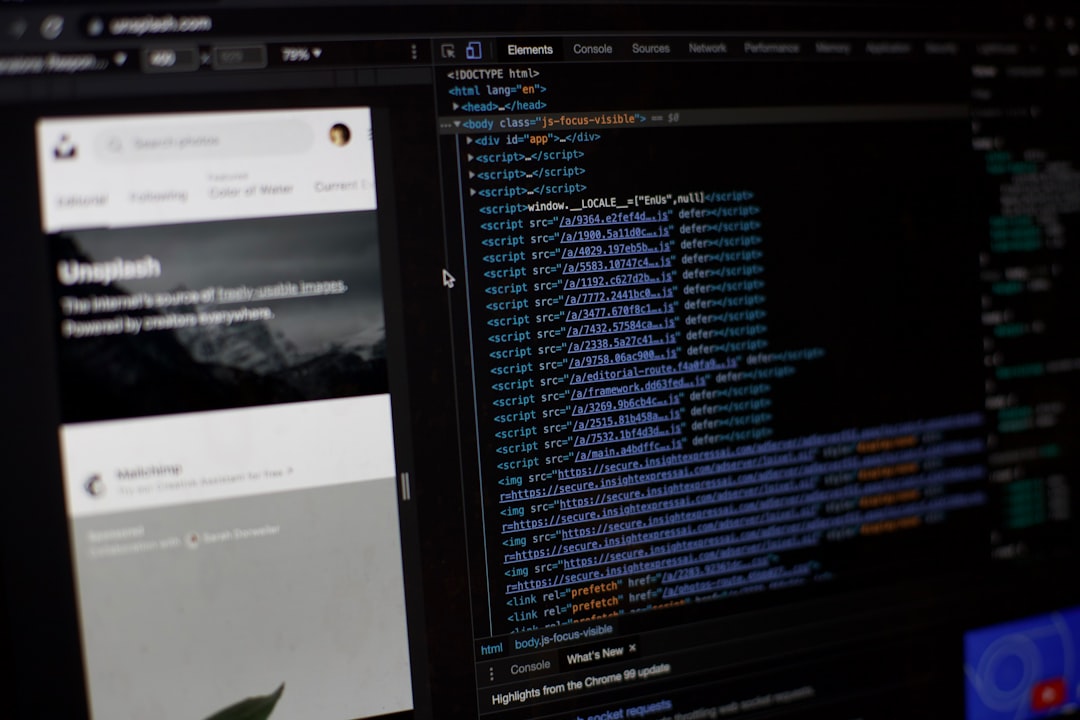
In Context Translation and Screenshot Tools
One of the biggest challenges in app translation is lack of context. Translators may see a short string such as “Open” without knowing whether it refers to opening a menu, an account, a file, or a store. In context translation tools solve this by showing where each phrase appears in the interface.
Many localization platforms allow teams to upload screenshots and connect text strings to visual elements. Some tools also offer live preview environments where translators can see the app screen while editing. This improves accuracy because translators can judge space limits, button size, tone, and meaning.
In context features are especially important for mobile apps, where screen space is limited. A translation that is technically correct may still be unusable if it is too long for a button or wraps awkwardly across several lines.
Terminology and Glossary Tools
Accurate app translation depends heavily on consistent terminology. A glossary tells translators and machine translation systems how specific words should be translated. This is important for product names, feature names, subscription terms, technical labels, and brand language.
For example, a company may want the term “workspace” translated differently from “project”, even if both terms seem similar. A glossary prevents inconsistency and reduces confusion for users. Many platforms, including Lokalise, Phrase, Crowdin, Smartling, memoQ, and Trados, include terminology management features.
Some advanced systems can automatically check whether approved terms have been used correctly. If a translator uses a non approved term, the tool can flag it before publication.
Localization Quality Assurance Tools
Even after translation, apps need quality checks. Localization quality assurance, or LQA, focuses on errors that can damage the user experience. These include missing translations, broken placeholders, inconsistent terminology, punctuation errors, layout problems, untranslated text, and incorrect numbers or dates.
Common QA tools and processes include:
- Built in TMS quality checks: Many platforms automatically detect missing variables, mismatched tags, length issues, and inconsistent translations.
- Verifika: A dedicated translation QA tool that checks bilingual files for formatting, terminology, numbers, punctuation, and consistency issues.
- Xbench: A popular QA and terminology checking tool used by translators and localization teams.
- Automated UI testing: Tools such as Appium, XCTest, and Espresso can help verify that localized screens still work correctly.
- Pseudo localization: A testing method that expands and alters text to reveal layout problems before real translation begins.
Quality assurance is essential because a single broken placeholder can crash a screen or make a sentence unreadable. For example, if a variable such as {username} is changed incorrectly, the app may fail to display the user’s name.
Over the Air Translation Delivery Tools
Some localization platforms support over the air translation delivery. This allows teams to update translated content without submitting a completely new app version to an app store. It can be useful for correcting small translation mistakes, updating interface text, or adding new languages quickly.
However, teams still need to follow app store rules and technical best practices. Core app functionality, legal text, and sensitive purchase information should be handled carefully. Over the air updates work best when combined with approval workflows and version control.
How Teams Choose the Right Tool
The best tool depends on the size of the app, number of languages, release frequency, budget, and need for human review. A small startup may choose a lightweight platform with machine translation and GitHub integration. A global company may need a full enterprise TMS with vendor management, analytics, permissions, advanced QA, and custom automation.
Strong app translation workflows usually include the following:
- Internationalized code so text is separated from logic.
- A TMS to manage strings, languages, reviews, and integrations.
- Machine translation for quick first drafts.
- Translation memory to reuse previously approved content.
- Glossaries to protect terminology and brand voice.
- In context review using screenshots or live previews.
- Automated QA to catch technical and linguistic errors.
- Human review for quality, tone, cultural fit, and sensitive content.

Can App Translation Be Fully Automatic?
App translation can be highly automated, but full automation is not always the safest option. Machine translation can produce good results for simple strings, help articles, and repetitive content. However, human review is still recommended for important screens such as onboarding, payments, privacy notices, error messages, and marketing copy.
The most reliable approach is human in the loop automation. In this model, tools handle repetitive and technical tasks, while human experts review content that requires judgment. This gives teams speed without sacrificing accuracy.
Conclusion
Automatic app translation works best when several specialized tools are combined into a structured localization workflow. Translation management systems organize the process, machine translation engines provide speed, CAT tools improve consistency, developer frameworks prepare the app for multiple languages, and QA tools protect the final user experience. For accurate results, the strongest teams do not rely on one tool alone. They combine automation with context, terminology, testing, and expert review so users in every language receive a smooth and trustworthy app experience.
FAQ
What is the best tool for translating an app automatically?
There is no single best tool for every app. Platforms such as Lokalise, Phrase, Crowdin, Transifex, and Smartling are commonly used because they combine string management, machine translation, translation memory, review workflows, and integrations.
Is machine translation accurate enough for app localization?
Machine translation can be accurate for many simple strings, especially when supported by glossaries and translation memory. However, human review is recommended for important user flows, legal text, payments, brand messaging, and culturally sensitive content.
Which machine translation engine is best for apps?
DeepL, Google Cloud Translation, Microsoft Translator, and Amazon Translate are all widely used. The best choice depends on target languages, integration needs, cost, customization options, and the desired writing style.
What is translation memory?
Translation memory is a database of previously approved translations. It helps teams reuse existing translations, reduce costs, improve consistency, and speed up future app releases.
Why are screenshots important in app translation?
Screenshots give translators visual context. They show where a string appears, how much space is available, and what the text actually means within the user interface.
Can translations be updated without releasing a new app version?
Some platforms support over the air translation updates, which can change certain app text without a full app store release. Teams should still use approval workflows and follow platform rules carefully.
What is the most accurate app translation workflow?
The most accurate workflow combines internationalized code, a translation management system, machine translation, translation memory, glossaries, in context review, automated QA, and human editing before publication.