

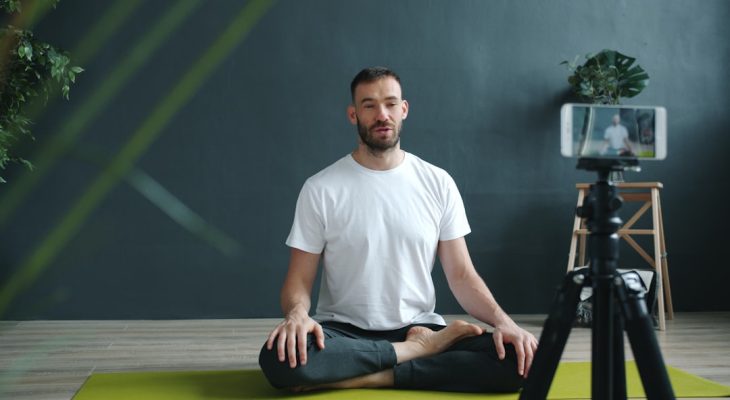
Creating videos should feel exciting. Not terrifying. Yet for many people, hitting the record button triggers nerves, blank minds, and awkward pauses. That is where teleprompter software steps in. Tools like Parrot Teleprompter help you speak smoothly, stay on script, and deliver your message with real confidence.
TLDR: Teleprompter software helps you record videos without forgetting what to say. It displays your script clearly while you look at the camera. Tools like Parrot Teleprompter are simple, affordable, and great for creators, teachers, and business owners. If you want to sound confident and natural, a teleprompter app can make a huge difference.
Let’s break it down in a fun and simple way.
What Is Teleprompter Software?
Teleprompter software displays your script on a screen. The text scrolls at a steady speed. You read it while looking directly at the camera.
No paper notes. No memorizing long paragraphs. No sticky notes taped to your laptop.
It feels like having a helpful assistant right in front of you.
Modern teleprompter apps work on:
- Smartphones
- Tablets
- Laptops
- Desktop computers
Some even work with professional camera setups.

Why Creators Love Tools Like Parrot Teleprompter
Let’s be honest. Not everyone is comfortable improvising on camera.
Even experienced creators forget lines. It happens all the time.
Here is why teleprompter apps are loved by so many:
- Less stress. You always know what to say next.
- Fewer retakes. Smooth delivery saves time.
- Better structure. Your message is clear and organized.
- Professional vibe. No rambling or awkward pauses.
Tools like Parrot Teleprompter are especially known for being simple. No complicated menus. No steep learning curve. Just open the app, paste your script, and start recording.
How It Helps You Feel Confident on Camera
Confidence is not magic. It is preparation.
When you know what you are going to say, your body relaxes. Your voice steadies. Your eye contact improves.
Teleprompter software helps you:
- Stay focused. No guessing your next sentence.
- Maintain eye contact. You look at the camera, not down at notes.
- Control pacing. Adjust scrolling speed to match your voice.
- Reduce filler words. Fewer “um” and “uh.”
This creates a powerful impression. Viewers trust speakers who appear calm and clear.
Key Features to Look For
Not all teleprompter apps are the same. Some are basic. Others are packed with features.
Here is what really matters:
- Adjustable scrolling speed – Match your natural rhythm.
- Text size control – Make it comfortable to read.
- Remote control compatibility – Hands-free operation.
- Mirroring mode – For professional glass teleprompter rigs.
- Video recording integration – Record inside the app.
Parrot Teleprompter, for example, allows easy script editing and works smoothly with smartphone setups. It is ideal for beginners.
Who Should Use Teleprompter Software?
You might think teleprompters are only for news anchors. Not true.
They are perfect for:
- YouTubers creating tutorials or reviews
- Coaches recording online courses
- Entrepreneurs filming marketing videos
- Teachers preparing lessons
- Podcasters who also record video
- Social media creators on TikTok, Instagram, or LinkedIn
If you speak on camera regularly, this tool can transform your workflow.
Popular Teleprompter Tools Compared
There are several options available today. Here is a simple comparison chart to help you see the differences quickly.
| Tool | Best For | Ease of Use | Video Recording | Price Range |
|---|---|---|---|---|
| Parrot Teleprompter | Beginners and mobile creators | Very Easy | Limited or paired with device camera | Low to Moderate |
| BIGVU | Social media creators | Easy | Yes | Moderate |
| Teleprompter Premium Apps | Professional presenters | Moderate | Yes | Moderate to High |
| Desktop Teleprompter Software | Studio setups | Moderate | Depends on setup | Varies |
If you are just starting, simple is better. Complicated tools can create more stress than confidence.
Tips for Using a Teleprompter Naturally
Here is the secret. Do not just read.
Instead, perform with intention.
Try these tips:
- Write like you speak. Short sentences. Simple words.
- Add pauses. Break up long paragraphs.
- Practice once or twice. Get comfortable with the flow.
- Smile. It changes your tone instantly.
- Slow down. Rushing looks nervous.
A teleprompter should support you. Not replace your personality.
Common Mistakes to Avoid
Even with great software, mistakes happen.
Watch out for these:
- Scrolling too fast. You will sound robotic.
- Writing huge blocks of text. Hard to read smoothly.
- Never looking up. Keep your eyes engaged.
- Using overly complex language. Simple works best.
Remember. Viewers connect with humans. Not perfect robots.

How Teleprompter Software Improves Productivity
Time is valuable. Especially for content creators.
Without a teleprompter:
- You forget lines.
- You re-record multiple times.
- You ramble off-topic.
- You spend hours editing mistakes.
With a teleprompter:
- You stay on message.
- You finish faster.
- You edit less.
- You publish sooner.
Consistency becomes easier. And consistency builds audiences.
Is It Worth It?
Short answer. Yes.
Especially if you create content regularly.
Teleprompter apps are usually affordable. Some even have free versions. The return on investment comes quickly when:
- Your videos look more professional.
- You gain confidence.
- Your audience grows.
- Your message becomes clearer.
Sometimes, small tools create big upgrades.
Final Thoughts
Recording content should not feel scary. It should feel empowering.
Teleprompter software like Parrot Teleprompter gives you a safety net. It keeps your ideas organized. It helps you speak smoothly. And it allows your personality to shine through.
You still bring the passion. The energy. The knowledge.
The teleprompter just helps you deliver it without fear.
If you have been holding back from making videos because you worry about forgetting what to say, this might be your solution.
Open the app. Paste your script. Take a deep breath.
Hit record.
And speak with confidence.