




Cloud data management sounds fancy. It is not. It is simply the way a business stores, protects, moves, and uses data in the cloud. Think of it as a smart digital kitchen. Your data is the food. Your cloud platform is the fridge, pantry, stove, and recipe book all in one.
TLDR: Cloud data management helps companies keep data safe, organized, and ready to use. A good platform can cut storage waste, speed up reporting, and reduce risk. For example, a retail team with 2 million customer records might use cloud tools to clean duplicate data and improve campaign accuracy by 25%. The best strategy is simple: know your data, protect it, automate boring tasks, and check everything often.
What Is Cloud Data Management?
Cloud data management is the process of handling data in cloud systems. This includes storing it, backing it up, securing it, moving it, cleaning it, and analyzing it.
In the old days, companies kept most data on local servers. These servers lived in office rooms. They needed cooling, cables, updates, and lots of love. Now, many companies use cloud platforms. These platforms run on huge data centers managed by providers.
The cloud gives teams more flexibility. Need more space? Add it. Need less? Reduce it. Need data from another country? Access it with the right permissions. Easy.

Why Cloud Data Management Matters
Data grows fast. Very fast. Emails, sales records, website clicks, app logs, invoices, videos, and customer chats all create data. Without a plan, it becomes a messy garage. You know the screwdriver is in there. Somewhere.
Good cloud data management helps you:
- Find data faster. No more treasure hunts.
- Protect sensitive information. Customer trust matters.
- Reduce storage costs. Do not pay for digital junk.
- Support better decisions. Clean data gives better answers.
- Recover after problems. Backups are your safety net.
It also helps teams work together. Marketing, sales, finance, and support can all use shared data. But only if it is managed well.
Popular Cloud Data Management Platforms
There are many platforms. Each one has strengths. The right choice depends on your size, budget, skills, and goals.
1. Amazon Web Services
AWS is a giant in the cloud world. It offers tools for storage, databases, analytics, machine learning, and security. Services like Amazon S3 and Redshift are widely used.
AWS is powerful. It can also feel like a spaceship cockpit. Great for teams that need lots of control.
2. Microsoft Azure
Azure works well for companies already using Microsoft tools. It connects nicely with Windows Server, Microsoft 365, Power BI, and Teams.
Azure is popular with enterprises. It is strong in security, compliance, and hybrid cloud setups.
3. Google Cloud Platform
Google Cloud shines in analytics and artificial intelligence. BigQuery is a favorite for fast data analysis. It can handle huge datasets without much fuss.
If your team loves dashboards, machine learning, and speed, Google Cloud is worth a look.
4. Snowflake
Snowflake is built for cloud data warehousing. It works across major cloud providers. It is known for easy scaling and strong performance.
Many companies use it to bring data from different systems into one place.
5. Databricks
Databricks is popular for data engineering, analytics, and AI. It is based on Apache Spark. It helps teams work with big data and machine learning projects.
It is great for data scientists and engineers who want a flexible workspace.
Core Strategies for Managing Cloud Data
A platform is only a tool. Strategy is the plan. Buying cloud storage without a strategy is like buying a gym membership and never going. Nice idea. Little result.
Start With a Data Map
First, know what data you have. Where does it come from? Who uses it? Is it sensitive? Is it old? Is it duplicated?
Create a simple data map. It should show key systems, data owners, and data flows. This helps prevent confusion later.
Classify Your Data
Not all data is equal. A lunch menu is not the same as a credit card number.
- Public data: Safe to share.
- Internal data: For employees only.
- Confidential data: Needs strict control.
- Regulated data: Must follow legal rules.
Classification helps you set the right security and storage rules.
Use Data Governance
Data governance means setting rules for data. Who can access it? Who can change it? How long should it stay? What quality standards must it meet?
Governance may sound boring. But it saves everyone from chaos. It is the rulebook for your data playground.
Automate What You Can
Manual work gets old fast. It also causes mistakes. Use automation for backups, data movement, cleaning, alerts, and reports.
For example, a company can set a rule to move old log files to cheaper storage after 90 days. The team saves money. Nobody has to remember it. Beautiful.
Best Practices for Cloud Data Management
Here are the habits that keep cloud data happy, healthy, and useful.
1. Keep Security Front and Center
Security is not a sticker you add at the end. It must be part of the design.
- Use multi factor authentication.
- Encrypt data at rest and in transit.
- Give users only the access they need.
- Review permissions often.
- Monitor suspicious activity.
Small mistake, big headache. Do not let “everyone can access everything” become your company motto.
2. Build a Backup and Recovery Plan
Backups are boring until disaster hits. Then they become heroes in capes.
Define how often data is backed up. Decide how fast systems must recover. Test recovery steps. A backup that has never been tested is just a hopeful wish.
3. Watch Your Costs
Cloud costs can sneak up like a cat at midnight. Storage, queries, transfers, and idle resources can all add up.
Use cost dashboards. Set alerts. Delete unused data. Move cold data to lower cost storage. Tag resources by team or project. This makes billing easier to understand.
4. Clean Your Data
Dirty data causes bad decisions. Duplicate customers, missing fields, outdated emails, and strange formats create trouble.
Set quality rules. For example, customer email addresses must include an “@” symbol. Phone numbers must follow one format. Product names should match across systems.
Clean data is like clean socks. You notice when it is missing.
5. Make Data Easy to Find
Use a data catalog. This is like a library index for your cloud data. It helps users discover datasets, understand what they mean, and see who owns them.
A catalog can answer simple questions. What is this table? Is it trusted? When was it updated? Can I use it for reporting?
6. Plan for Compliance
Many industries have rules. Healthcare, finance, education, and retail all deal with sensitive data. Regulations may include privacy, retention, and audit requirements.
Do not guess. Work with legal, security, and compliance teams. Keep records. Track access. Store data in approved locations.
A Simple Use Case
Imagine a growing online store. It has customer data in its website, payment system, email tool, and support app. Reports take three days to prepare. Customer records are duplicated. Marketing sends the same coupon twice to some people. Awkward.
The store moves its data into a cloud warehouse. It builds automated pipelines. It removes duplicates every night. It adds dashboards for sales and inventory.
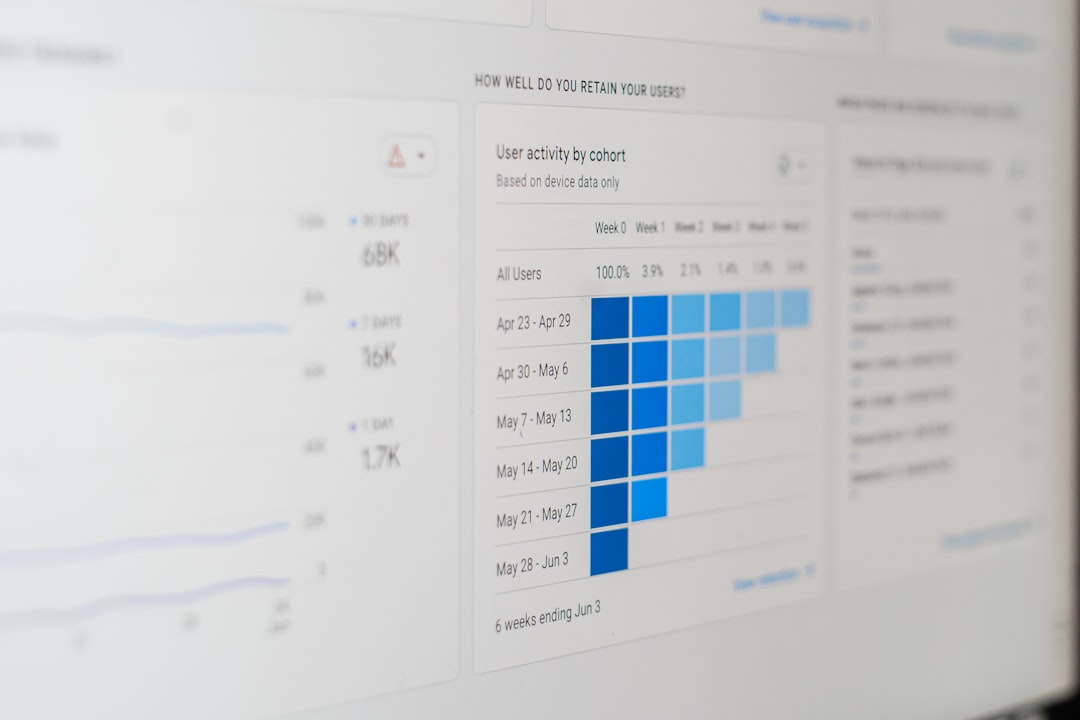
After three months, reporting time drops from three days to two hours. Duplicate customer records fall by 40%. Email campaigns improve because the team targets the right customers. Same data. Better management. Happier people.
Common Mistakes to Avoid
- Moving everything without a plan. That just creates cloud clutter.
- <strongIgnoring data ownership. Someone must be responsible.
- Skipping security reviews. Risk grows quietly.
- Forgetting cost controls. Surprise bills are not fun.
- Trusting bad data. Fast wrong answers are still wrong.
Final Thoughts
Cloud data management is not just an IT task. It is a business superpower. It helps teams move faster, spend smarter, and make better choices.
Start simple. Map your data. Protect it. Clean it. Automate routine jobs. Watch costs. Then improve step by step.
The cloud is not magic. But with the right platform, strategy, and best practices, it can feel pretty close.