



Choose ClickUp if you want one work hub with deep task controls; choose Monday if your team needs a cleaner visual planner that people adopt quickly. Both tools handle project planning, collaboration, dashboards, automations, and reporting. The better choice depends less on feature count and more on how much structure your team can tolerate before the tool starts feeling like homework.
TLDR: ClickUp is better for teams that want detailed planning, docs, goals, time tracking, and task hierarchy in one place. Monday is better for teams that value visual boards, simple project updates, and quick rollout. For example, a 12-person marketing team moving from spreadsheets might cut weekly status meetings from three to one with Monday, while a 30-person product team could reduce tool switching by 25% with ClickUp because docs, sprints, tasks, and dashboards sit together.
Quick Comparison
- Best for complex project planning: ClickUp
- Best for ease of use: Monday
- Best built-in documentation: ClickUp
- Best visual workflow experience: Monday
- Best for software and product teams: ClickUp
- Best for operations, marketing, and sales teams: Monday
ClickUp feels like a dense command center. Monday feels like a polished project board that grew into a work management suite. That simple difference shapes almost every part of the user experience.

Project Planning: ClickUp Goes Deeper
ClickUp is built for teams that need structure. You can break work into Spaces, Folders, Lists, tasks, subtasks, checklists, dependencies, milestones, goals, and custom fields. That sounds like a lot because it is. For project managers, this can be a gift. For casual users, it can feel like opening a cockpit.
The strength of ClickUp is its planning depth. A product team can track epics, sprints, bugs, feature requests, release notes, and team capacity without leaving the platform. Views include List, Board, Calendar, Gantt, Timeline, Table, Workload, and more. If one manager wants a Gantt chart and another wants a Kanban board, both can work from the same data.
The catch is that setup takes patience. Expect to waste time on permissions, fields, statuses, and views before everything feels right. A task can become overloaded with options, and new users may need training before they stop asking, “Where am I supposed to click?”
Monday takes a lighter approach. Its boards are built around rows, columns, statuses, owners, due dates, and automations. This is great for campaign calendars, client onboarding, event planning, content production, hiring pipelines, and weekly operations. You see what is happening quickly. You also spot stuck work faster because the visual status labels are hard to miss.
For heavy project planning, Monday can still do timelines, dependencies, dashboards, and workload views. Yet it does not feel as layered as ClickUp. That is good if you want clarity. It is limiting if your work has many nested parts.
Team Collaboration: Monday Feels Friendlier
Both tools allow comments, @mentions, file attachments, notifications, assignees, shared boards, and guest access. The difference is tone. Monday feels more approachable for cross-functional teams. A designer, salesperson, HR manager, and executive can usually understand a Monday board after a short walkthrough.
ClickUp collaboration is more powerful but busier. Comments can live inside tasks and docs. Whiteboards, chat-style updates, assigned comments, clips, proofing, and docs give teams several ways to work together. That can be useful. It can also create confusion when people are not sure whether the decision lives in a task comment, a doc, or a chat thread.
It drives me crazy that powerful tools often add five ways to say the same thing. ClickUp sometimes falls into that trap. Monday is less ambitious here, but that restraint helps teams stay aligned.

Interface and Learning Curve
Monday wins on first impressions. Its colorful boards, clean columns, and simple status updates make it easy to scan. You can build a useful workflow in under an hour if your process is simple. For teams that hate training sessions, that matters.
ClickUp has improved its interface, but it still asks more from users. There are more menus, more settings, and more ways to customize nearly everything. Power users will love this. Occasional users may complain. If your team already struggles to keep tasks updated, ClickUp will not magically fix that behavior.
A fair rule: Monday reduces friction; ClickUp increases control. Pick the one your team will actually use every day.
Automation and Integrations
Both platforms support automations such as status changes, due date reminders, task assignments, notifications, and recurring work. Monday makes automation especially easy with sentence-style recipes such as “When status changes to Done, notify manager.” This is friendly and quick.
ClickUp automations are strong too, especially when paired with its custom fields and task structure. Teams can create detailed internal systems, such as routing bug reports by severity or moving tasks through an approval chain. ClickUp also connects with popular tools like Slack, Google Drive, GitHub, Figma, Zoom, and calendar apps.
Monday also has a broad integration catalog. It fits well with CRM, marketing, operations, and support workflows. If your business already uses many separate apps, both tools can connect them. The real question is whether you want those apps feeding a simple visual board or a more detailed work operating system.
Reporting and Dashboards
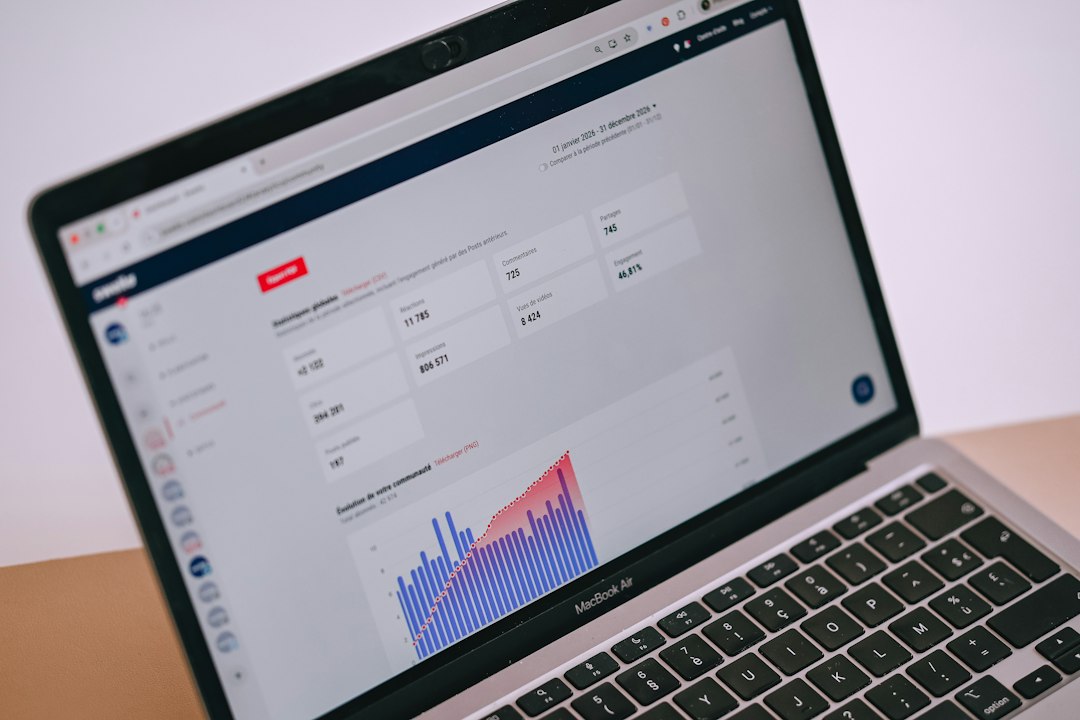
ClickUp dashboards can show task progress, time tracked, sprint velocity, workload, goals, overdue items, and custom widgets. This is useful for managers who need detailed reporting. The downside is setup time. Dashboards are only as good as the structure under them.
Monday dashboards are slick and easy to read. They work well for executives and clients who want simple charts, workload summaries, timelines, and budget snapshots. For operational reporting, Monday often feels cleaner. For granular reporting, ClickUp usually has the edge.
Pricing and Value
Pricing changes often, so check current plan pages before buying. In general, ClickUp tends to offer a broad feature set at lower entry levels. That can make it appealing for startups, agencies, and small product teams trying to replace several tools at once.
Monday can become more expensive as teams add advanced features, automation volume, dashboards, and enterprise controls. Still, many teams accept the cost because adoption is easier. A cheaper tool is not cheaper if nobody updates it.
Think of value this way: ClickUp may save money by replacing tools. Monday may save time by reducing confusion.
Best Use Cases
- Choose ClickUp for: software development, product roadmaps, sprint planning, agency delivery, documentation-heavy teams, complex workflows, and detailed task tracking.
- Choose Monday for: marketing calendars, sales pipelines, HR workflows, client onboarding, operations tracking, event planning, and executive reporting.
- Avoid ClickUp if: your team wants the simplest possible task board with minimal setup.
- Avoid Monday if: your projects need deep task nesting, technical planning, built-in docs, and advanced hierarchy.
Final Verdict
ClickUp is the stronger project planning tool for teams that need depth, customization, and one central workspace. It rewards teams that are willing to build a system and maintain it. If your work has many layers, ClickUp gives you room to organize them.
Monday is the stronger collaboration tool for teams that want clarity, speed, and broad adoption. It is easier to roll out across departments and less intimidating for non-technical users. People understand what needs to happen, who owns it, and what is stuck.
If you are choosing for a technical or operations-heavy team, start with ClickUp. If you are choosing for a mixed team that includes marketing, sales, HR, and leadership, start with Monday. The best tool is not the one with the longest feature list. It is the one your team opens every morning without sighing.