



The best website and content stack is the one that helps you publish faster, spot problems sooner, and stop hunting through ten tabs for one missing asset. A strong setup usually mixes a content management system, planning tool, design app, analytics platform, SEO tool, and social scheduler. Pick fewer tools than you think you need, then connect them well.
TLDR: If you manage a blog or content-heavy site, start with WordPress or Webflow, add Notion or Trello for planning, use Google Analytics 4 or Plausible for traffic, and track search with Ahrefs or Semrush. For example, a small marketing team publishing 12 posts per month can cut missed deadlines by 30% by moving briefs, drafts, approvals, and publish dates into one shared board. Add Buffer for social posts and Canva for quick graphics, and you have a practical system without a bloated budget.
1. WordPress
WordPress is still the default choice for many blogs, magazines, company sites, and resource hubs. It has a huge plugin library, strong theme support, and a familiar editor. If your team wants control over SEO, categories, authors, and custom page layouts, WordPress handles it well.
The annoying part is maintenance. Plugins clash. Updates break small things. Expect to spend real time on backups, security, and speed tuning unless you use managed hosting.
2. Webflow
Webflow is ideal when design quality matters and you do not want a developer for every layout change. Its visual builder gives teams precise control over pages, sections, and responsive behavior. It works well for marketing sites, landing pages, portfolios, and polished content hubs.
Its CMS is useful, but not as flexible as WordPress for complex publishing teams. Still, for brand-heavy sites, Webflow can save days of back-and-forth.
3. Ghost
Ghost is built for publishers, newsletters, and membership-driven content. It is clean, fast, and refreshingly focused. You get posts, tags, authors, email subscriptions, and paid memberships without packing your site with plugins.
Ghost is a smart fit for independent media brands, writers, and niche communities. If your content strategy includes free and paid posts, it deserves a close look.
4. Drupal
Drupal is powerful for large, structured websites. Universities, public agencies, and enterprise teams often use it because it handles complex permissions, content types, and multilingual setups.
It is not the easiest tool for beginners. Honestly, it feels like overkill for a simple blog. But for large content systems with strict rules, Drupal can be the right call.
5. Contentful
Contentful is a headless CMS. That means content is managed in one place and sent to websites, apps, screens, or other channels through APIs. It is useful for companies that publish the same content across many platforms.
Developers usually need to set it up, so it is not as plug-and-play as classic CMS tools. Once configured, though, it keeps content structured and reusable.
6. Sanity
Sanity is another headless CMS, but it stands out for custom editing experiences. Teams can build editorial screens that match how they actually work. Product pages, help centers, recipes, profiles, and documentation can all be modeled in detail.
Sanity is best when content has many relationships. For example, one author may appear across articles, videos, landing pages, and product guides.
7. Notion
Notion is a favorite for content planning because it mixes notes, databases, calendars, briefs, and checklists. A blog team can create one database with status, owner, keyword, due date, draft link, and publish URL.
It drives me crazy that large workspaces can get messy fast. Use templates and naming rules early. Otherwise, “final draft” turns into “final final v3” by Friday.
8. Trello
Trello is simple and visual. Cards move from Ideas to Briefing, Writing, Editing, Scheduled, and Published. That makes it easy for small teams to see what is stuck.
It is less powerful than Notion for content databases, but faster to learn. For freelancers, agencies, or early-stage blogs, that simplicity is a benefit.
9. Canva
Canva helps teams create blog graphics, social images, thumbnails, charts, and simple lead magnets. Non-designers can use brand kits, templates, and drag-and-drop editing to produce decent visuals quickly.
It will not replace a skilled designer for complex work. But for weekly content production, Canva keeps things moving.
10. Figma
Figma is better suited for website design, UI mockups, design systems, and collaborative reviews. Designers, writers, marketers, and developers can comment on the same file. That reduces the classic “which version is approved?” headache.
Use Figma when content and design need to be planned together, especially for landing pages, product pages, and interactive experiences.

11. Google Analytics 4
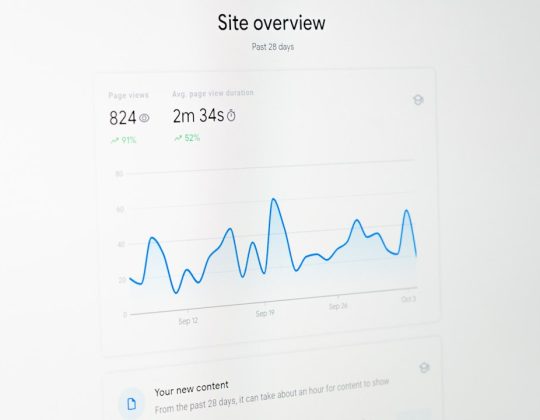
Google Analytics 4 tracks traffic sources, events, conversions, engagement, and user behavior. It helps answer practical questions. Which posts bring signups? Which channels send visitors who stay? Which pages lose people too quickly?
GA4 can feel confusing at first. Reports changed a lot from old Universal Analytics. Still, it is free and powerful, so most site owners should install it.
12. Plausible
Plausible is a privacy-friendly analytics tool with a clean interface. It shows page views, sources, countries, devices, goals, and top pages without making you dig through endless menus.
For many blogs, this is enough. If you want quick answers without a training course, Plausible is a strong option.
13. Ahrefs
Ahrefs is one of the best tools for SEO research. It helps with keyword ideas, backlink checks, competitor research, content gaps, broken links, and ranking tracking. For content teams, its keyword data can shape an editorial calendar for months.
A practical use case: find 50 keywords where competitors rank between positions 5 and 20, then build better guides around the strongest topics. That can uncover traffic you would otherwise miss.
14. Semrush
Semrush covers SEO, content research, rank tracking, technical audits, PPC data, and competitor analysis. It is broad, which is both useful and a little exhausting. There are many reports, and not all of them matter every week.
Use Semrush for site audits, keyword clusters, topic research, and content performance checks. Larger marketing teams often like it because it combines several research tasks in one platform.
15. Buffer
Buffer helps schedule and manage social posts across platforms. Instead of posting manually after every article goes live, you can queue launch posts, follow-up snippets, quote cards, and older evergreen pieces.
This matters because distribution is where many blogs fail. Publishing is only half the job. A post may need five to ten social touches over several weeks to gain traction.

How to Choose the Right Mix
- For a solo blogger: WordPress, Notion, Canva, Plausible, and Buffer are enough to start.
- For a small marketing team: Webflow or WordPress, Trello or Notion, Figma, GA4, Ahrefs, and Buffer work well.
- For a publisher: Ghost, WordPress, or Drupal paired with advanced analytics and SEO research is a safer setup.
- For a product company: Contentful or Sanity can keep content reusable across the website, app, and help center.
A Simple Stack That Works
If you want a practical setup, try this: WordPress for publishing, Notion for the editorial calendar, Canva for quick visuals, GA4 for performance data, Ahrefs for SEO planning, and Buffer for distribution. That gives you creation, tracking, and promotion without turning your workflow into a software museum.
The best tools reduce friction. They make ownership clear. They show what is working. Most of all, they help your team publish useful content on a steady schedule, without losing half the day to admin work.