
AI depth maps have become a practical bridge between flat photography and immersive visual editing. Instead of treating a portrait or product shot as a single layer, a depth map estimates how far every part of the image is from the camera, allowing editors to create realistic blur, lighting, parallax, 3D motion, and selective adjustments.
TLDR: AI depth maps turn ordinary 2D photos into editable spatial scenes by separating foreground, midground, and background based on estimated distance. For example, a portrait editor working on 100 headshots can use depth-aware blur to simulate a premium lens effect in minutes instead of manually masking every image. Since 2023, depth-based workflows have become more common in mobile portrait modes, social video edits, and 3D photo posts. The best tools vary by use case: some are ideal for professional retouching, while others focus on quick 3D effects or creative animation.
What Is an AI Depth Map?
An AI depth map is a grayscale image that represents the perceived distance of objects in a photo. Usually, lighter areas indicate subjects closer to the camera, while darker areas represent objects farther away. Artificial intelligence predicts this depth using visual cues such as edges, shadows, perspective, object size, facial structure, and scene composition.
Depth maps are especially valuable for portrait editing. A person’s face, hair, shoulders, and background rarely sit on the same visual plane. AI helps identify these layers, making it possible to apply background blur, relighting, 3D movement, fog, bokeh, and other effects with more realism than a simple cutout mask.

Why Depth Maps Matter for Portraits and Photo Editing
Traditional photo editing often depends on manual selections. An editor must isolate a subject, refine hair edges, mask the background, and adjust blur or lighting by hand. AI depth maps make this process faster because they estimate spatial separation automatically.
Common uses include:
- Portrait blur: Simulating shallow depth of field after the photo is taken.
- 3D photo effects: Creating parallax movement for social media, reels, and digital displays.
- Background replacement: Improving separation between subject and environment.
- Relighting: Applying light based on distance and facial structure.
- Selective editing: Adjusting only the foreground, background, or midground.
- Creative composites: Blending people into fantasy, cinematic, or commercial scenes.
For photographers, depth maps can reduce repetitive masking work. For designers, they add realism to static images. For social media creators, they make simple photos feel animated and dimensional.
7 Best AI Depth Map Tools
1. Adobe Photoshop
Adobe Photoshop remains one of the strongest options for professional depth-aware editing. Its Neural Filters, Lens Blur features, object selection tools, and depth-related workflows allow editors to create realistic subject separation and refined portrait effects.
Photoshop is best suited for professionals who need control over every detail. It can handle complex retouching, background adjustments, layered composites, and depth-based blur. The main drawback is that it requires editing experience and a paid subscription.
Best for: professional portrait retouching, commercial photography, advanced composites.
2. Adobe Lightroom
Adobe Lightroom is more streamlined than Photoshop but highly useful for photographers who want faster editing. Its AI masking tools can detect subjects, backgrounds, people, facial features, and objects. While it is not a pure depth map generator, its intelligent masking can approximate depth-based edits in a practical way.
Lightroom works well for batch portrait editing. A photographer can enhance faces, darken backgrounds, warm skin tones, and separate subjects visually without building complex masks from scratch.
Best for: photographers editing large portrait collections or event shoots.
3. Depthy
Depthy is a simple browser-based tool created for turning images and depth maps into 3D-style parallax photos. It allows users to upload an image with a depth map or generate a 3D motion effect from supported image data.
This tool is not as advanced as professional editing platforms, but it is useful for fast experiments. It works particularly well for artists and social media creators who want to see how depth-based animation works without learning complex software.
Best for: quick 3D photo previews, parallax experiments, lightweight creative effects.
4. LeiaPix Converter
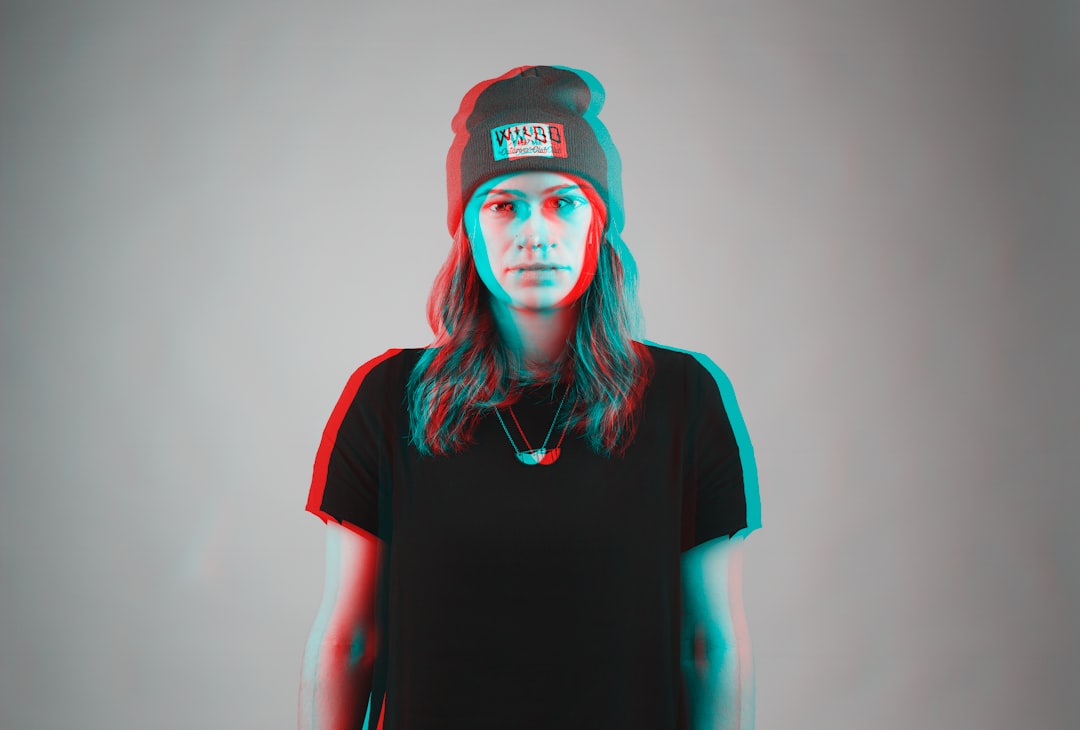
LeiaPix Converter is popular for transforming 2D images into animated depth-based visuals. It estimates depth and creates movement that makes a portrait or landscape feel three-dimensional. The interface is approachable, making it useful for creators who want eye-catching motion without technical setup.
Portraits with clean separation between the subject and background typically produce the best results. However, images with messy hair, crowded backgrounds, or transparent objects may require additional refinement.
Best for: animated social posts, 3D portraits, visual storytelling.
5. MiDaS
MiDaS, short for Monocular Depth Estimation, is an AI model known for estimating depth from a single image. It is often used by researchers, developers, and technical artists who want more direct access to depth prediction rather than a simplified editing interface.
MiDaS can produce impressive depth maps, especially for general scenes, portraits, objects, and interiors. Since it is more technical, it may require a local setup, coding environment, or integration into another creative pipeline.
Best for: developers, AI artists, technical workflows, custom depth map generation.
6. ZoeDepth
ZoeDepth is another advanced AI depth estimation model that has gained attention for producing detailed depth predictions from single images. It can be helpful when a project needs stronger depth consistency, especially for scenes where relative distance matters.
For portrait work, ZoeDepth may help generate nuanced separation between facial features, clothing, hair, and background. Like MiDaS, it is better suited to users comfortable with AI tools, model demos, or technical platforms.
Best for: accurate AI depth estimation, experimental editing, 3D preparation.
7. CapCut
CapCut is widely used for short-form video and social content. Its AI effects can simulate depth, portrait separation, background blur, and 3D-style motion. While it does not offer the same professional control as Photoshop, it makes depth-inspired effects accessible to a large audience.
CapCut is especially useful for turning portraits into moving edits. A creator can add zoom, background motion, blur, and subject emphasis with minimal effort. It is a strong choice for social media workflows where speed matters more than pixel-level precision.
Best for: short videos, social media portraits, fast mobile-friendly effects.
How to Choose the Right Tool
The best AI depth map tool depends on the goal. A professional retoucher may prefer Photoshop because it provides deep control and high-quality output. A wedding photographer handling hundreds of images may choose Lightroom for efficiency. A social creator may prefer LeiaPix Converter or CapCut for animated results.
When comparing tools, editors should consider:
- Output quality: Clean hair edges and accurate subject separation matter most for portraits.
- Control: Professional work often needs adjustable masks, layers, and blur strength.
- Speed: Batch workflows benefit from automation and presets.
- Export options: Some projects need still images, while others need video or 3D files.
- Ease of use: Technical models may be powerful but harder to learn.
Tips for Better AI Depth Map Results
AI depth tools perform best when the original image has clear visual structure. Portraits with good lighting, visible edges, and separation between the subject and background usually produce more accurate depth maps. Busy backgrounds, motion blur, reflective surfaces, and hair blending into the environment can confuse AI models.
For better results, editors often use these practices:
- Choose clean portraits with strong contrast between the subject and background.
- Avoid overly cluttered scenes when generating parallax or 3D movement.
- Refine masks manually when working on commercial or print-quality images.
- Use subtle blur because excessive background blur can look artificial.
- Check edges carefully, especially around hair, glasses, hands, and shoulders.
The Future of AI Depth Maps
AI depth mapping is likely to become a standard part of everyday image editing. Smartphones already use depth estimation for portrait mode, and editing apps increasingly apply similar technology after capture. As AI models improve, depth maps will become cleaner, faster, and more useful for 3D displays, augmented reality, ecommerce previews, and cinematic photo animation.
The most important shift is creative flexibility. A flat image no longer has to stay flat. With the right depth map, a portrait can gain realistic blur, motion, atmosphere, and dimension long after the camera shutter closes.
FAQ
What is an AI depth map used for?
An AI depth map is used to estimate distance in a 2D image. It helps create portrait blur, 3D effects, parallax movement, relighting, background separation, and selective photo edits.
Are AI depth maps accurate?
They can be highly useful, but they are not always perfect. Accuracy depends on image quality, lighting, subject separation, and the complexity of the scene.
Which tool is best for professional portrait editing?
Adobe Photoshop is generally the best choice for professional portrait editing because it offers detailed control over masks, layers, blur, and retouching.
Which tool is easiest for 3D photo effects?
LeiaPix Converter and CapCut are among the easiest options for quick 3D-style portrait effects and social media animations.
Can a depth map be created from any photo?
In most cases, yes. AI tools can estimate depth from a single image, although clean portraits with visible separation produce better results than crowded or blurry scenes.
Do AI depth maps replace manual editing?
They reduce manual work but do not fully replace skilled editing. Professional results often require manual refinement, especially around hair, glasses, and complex backgrounds.