

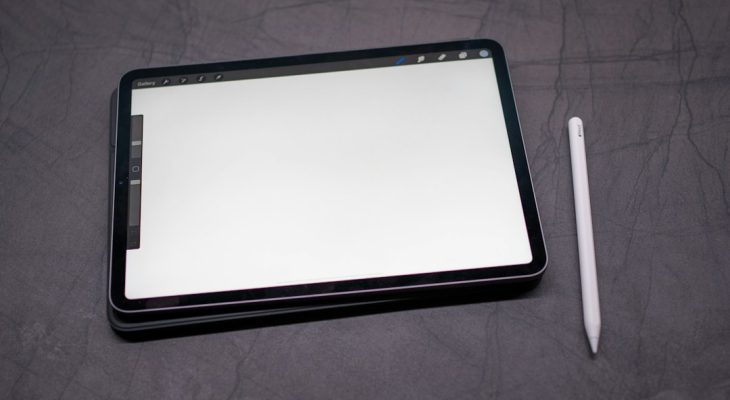
Procreate is the best overall iPad drawing app, but Simply Draw is the better first stop if you are truly learning from zero. Sketchbook sits in the middle: quick, clean, and low pressure. Procreate is sold as a paid iPad app for sketching, painting, and illustration on the App Store [source: Apple App Store], while Simply Draw focuses more on lessons and practice. If your goal is skill-building, not just owning fancy brushes, the best choice depends on how much guidance you need.
TLDR: Pick Simply Draw if you want step-by-step drawing lessons and get stuck staring at a blank canvas. Pick Sketchbook if you want a simple free-form sketchpad for daily practice, like 15 quick hand studies before work. Pick Procreate if you are ready to make finished art, comics, portraits, or social media pieces. A smart 30-day plan would be 60% Simply Draw, 20% Sketchbook, and 20% Procreate until your hand control improves.
Quick comparison
- Best for total beginners: Simply Draw
- Best free sketching feel: Sketchbook
- Best for serious digital art: Procreate
- Best for lessons: Simply Draw
- Best brush system: Procreate
- Lowest pressure app: Sketchbook
Simply Draw: best if you need a teacher
Simply Draw is built for people who say, “I can’t draw,” and mean it. It gives you guided exercises, simple prompts, and a clear path. That matters. Most beginners do not need 200 brushes. They need to know why their cat looks like a potato.
The app works best when you want structure. You follow lessons, copy shapes, and build confidence in small steps. It is less about making gallery-ready art and more about learning how to see. Lines, angles, spacing, and proportion get repeated until they stop feeling weird.
The catch is… the app can feel a bit boxed in. If you already draw often, you may outgrow it quickly. You may want more freedom, better layers, and stronger export tools. Still, for a nervous beginner, that box can be useful. It keeps you from wandering around menus for 20 minutes and calling it “practice.”
Best for: kids, adults starting from scratch, casual learners, and anyone who wants a course-like path.
Sketchbook: best for relaxed daily practice
Sketchbook feels close to a real sketchpad. Open it, choose a pencil, and draw. That sounds small, but it is a huge deal. Many art apps make you fight the interface before you draw your first line.
Sketchbook is great for warmups. Gesture drawing, doodles, thumbnails, character ideas, furniture sketches, and rough portraits all fit here. Its clean layout helps you stay focused. You can sketch without feeling like every piece must become a masterpiece.
It also has solid brushes, layers, rulers, and basic tools. For many learners, that is enough. You can practice shading, line weight, and form without paying attention to advanced features you do not need yet.
Honestly, it feels like Sketchbook should get more credit. It is not as flashy as Procreate, and it does not hold your hand like Simply Draw. But as a daily sketch habit tool, it is hard to dislike.
Best for: casual sketchers, students, note doodlers, concept roughs, and people who want fewer distractions.
Image not found in postmetaProcreate: best for finished artwork
Procreate is the app most people picture when they think of iPad art. It has powerful brushes, layers, masks, blending, color tools, animation features, and time-lapse recording. It can take you from a messy sketch to a polished poster.
For learning, Procreate is both amazing and annoying. The brush engine is excellent. The Apple Pencil response feels smooth. You can zoom, undo, resize, paint, and experiment fast. But beginners can get lost. Expect to waste time on brush hunting if you do not set limits early.
A good starter setup is simple:
- Use one pencil brush for sketching.
- Use one inking brush for clean lines.
- Use one soft brush for shadows.
- Use three layers: sketch, line art, color.
That is enough for your first month. The rest can wait. Procreate becomes much better once you stop treating it like a brush store.
Best for: illustrators, tattoo artists, comic creators, portrait artists, designers, and learners who want room to grow.
Which app teaches drawing best?
If we are talking about teaching, Simply Draw wins. It gives you exercises and direction. That is what most beginners need. Drawing is not only hand movement. It is observation. A guided app can train that faster than random doodling.
Sketchbook does not teach much by itself. It gives you space to practice. That is useful, but you need your own plan. Try this: draw 10 circles, 10 boxes, 10 simple objects, and one face every day. Keep it ugly. Ugly practice still counts.
Procreate teaches through making. You learn by solving problems. Why does the shadow look muddy? Why is the eye too high? Why does the hair look like noodles? These questions are frustrating, but they are useful.
Best choice by user type
- Total beginner: Start with Simply Draw for 2 to 4 weeks.
- Returning artist: Use Sketchbook to rebuild your sketch habit.
- Ambitious beginner: Use Simply Draw and Procreate together.
- Budget-conscious learner: Try Sketchbook first.
- Future illustrator: Buy Procreate once you can draw basic forms with confidence.
Final recommendation
Use Simply Draw to learn the basics, Sketchbook to practice without pressure, and Procreate to create finished art. They are not really enemies. They solve different problems.
If you only want one app, choose based on your current skill. Nervous beginner? Simply Draw. Casual sketcher? Sketchbook. Serious about digital art? Procreate. The app matters, but the habit matters more. Twenty focused minutes a day will beat a perfect tool you never open.