



Pick InVideo if you want fast social videos with more creative control; pick Pictory if you turn scripts, blog posts, webinars, or podcasts into polished videos at scale. Both tools solve the same painful problem: making video without opening a heavy editor. That matters because 91% of businesses used video as a marketing tool in 2024, according to Wyzowl [source: Wyzowl].
TLDR: InVideo is better for creators who want punchy YouTube Shorts, TikToks, ads, and branded social clips with lots of stock footage and editing options. Pictory is better for educators, coaches, podcasters, and bloggers who need to convert long text or long recordings into short videos quickly. For example, a creator repurposing a 1,500-word blog post into five LinkedIn clips may finish faster in Pictory, while a small brand making 10 product promos for Instagram may prefer InVideo. If your priority is speed plus polish, choose Pictory; if your priority is style plus flexibility, choose InVideo.
Quick verdict: who should use each tool?
InVideo feels like a modern AI video maker built for marketers and social creators. You can start with a text prompt, script, template, or idea, then shape the final video with stock clips, voiceovers, music, captions, transitions, and brand assets. It is more flexible, but that also means more decisions.
Pictory is more focused. It excels at turning written content and longer videos into shorter, captioned clips. If you already have a blog post, webinar, Zoom recording, course lesson, or podcast transcript, Pictory can save hours. It is less flashy than InVideo, but often more efficient.
Ease of use
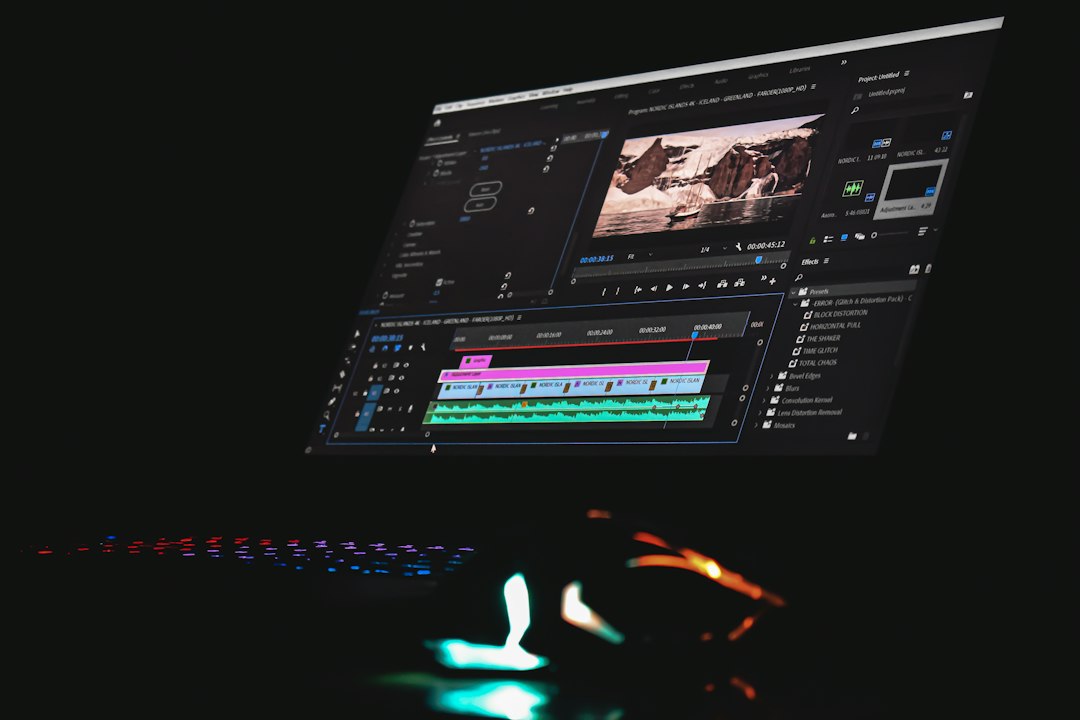
Pictory wins for simplicity. Its workflow is clear: paste a script, enter a URL, upload a video, or use text. The tool then breaks content into scenes, adds visuals, and creates captions. You review, swap clips, adjust timing, and export. It feels built for people who do not want to “learn video editing.”
InVideo is still beginner-friendly, but it has more moving parts. That is good if you like control. It can also slow you down. Honestly, it feels like you can lose five extra minutes just picking between similar templates or stock clips when all you wanted was one clean video.
- Best for absolute beginners: Pictory
- Best for creators who like tweaking visuals: InVideo
- Best for teams producing repeated formats: Tie, depending on the workflow
Text-to-video quality
Both tools can generate videos from text, but they interpret “text-to-video” differently.
InVideo is stronger when the input is a creative prompt. For example, you can ask for a 30-second Instagram Reel about “three mistakes first-time home buyers make,” and it can build a full video with scenes, captions, stock media, voiceover, and pacing. The result usually feels more promotional and social-ready.
Pictory shines when the input is structured content. Give it a script, article, or transcript, and it does a good job splitting the text into logical scenes. It is especially useful for turning educational content into digestible clips. The pacing can feel a bit plain, but plain is not always bad. For business content, clean often beats chaotic.
Editing control
InVideo gives you more creative control. You can adjust layouts, add stickers, change scene timing, use templates, alter transitions, edit text layers, and apply brand styles. If you create ads, reels, product explainers, or YouTube intros, this extra control matters.
Pictory keeps editing lighter. You can swap visuals, edit captions, change music, adjust branding, and trim scenes. But it is not trying to be a full design playground. The benefit is speed. The downside is that it can feel rigid when you want a more custom look.
The catch is that AI-chosen visuals are still hit-or-miss in both tools. A line about “business growth” may produce someone staring at a laptop in a glass office. Again. Expect to swap stock clips if you care about originality.
Repurposing long content
This is where Pictory pulls ahead. It is built for repurposing. Upload a long recording, and it can help identify clips, add captions, and format content for social platforms. This is a big deal for creators who publish once, then slice that asset into many pieces.
A coach could record a 45-minute webinar, then use Pictory to create:
- Three short LinkedIn videos
- Five captioned Instagram clips
- One YouTube summary video
- A short teaser for an email campaign
InVideo can support this kind of workflow too, but it feels more natural when you are creating new videos from scratch rather than cutting down long recordings.

AI voiceovers and captions
Captions are essential now. Many viewers watch without sound, especially on mobile. Both InVideo and Pictory offer caption tools, but Pictory’s captioning workflow feels more central to the product.
Pictory is a solid choice if you care about readable subtitles, talking-head clips, and educational videos. It is also useful for non-designers who want accessibility without fuss.
InVideo offers strong voiceover options and can create more energetic videos. Its AI voices and media pairing are handy for creators who do not want to record their own audio. Still, you should listen closely before publishing. AI voices can misread brand names, acronyms, and names in ways that sound awkward.
Stock media and templates
InVideo has the edge for stock-heavy videos. It offers a large set of templates and media options suited to ads, explainers, listicles, and social promotions. If you want a video that feels designed, not just assembled, InVideo is the better bet.
Pictory’s media selection is useful, but its strength is matching visuals to text quickly. You will probably replace some clips, especially in niche topics. A finance creator, for instance, may see too many generic charts and office shots. It gets the job done, but it may not feel distinctive without edits.
Pricing and value
Pricing changes often, so check each site before buying. In general, both tools use subscription pricing, with higher tiers adding more exports, minutes, branding features, voices, or team options.
InVideo offers better value if you create many types of short-form marketing videos. You get broad creative features in one place. It can replace a basic editor, stock search tool, and voiceover workflow for many small creators.
Pictory offers better value if one long piece of content becomes many short assets. If it saves you three hours per webinar, the subscription can pay for itself quickly. Time saved is the real metric here, not just monthly cost.
Best use cases
- Choose InVideo for: TikTok videos, Instagram Reels, product promos, YouTube Shorts, ads, branded explainers, list videos, and campaign content.
- Choose Pictory for: blog-to-video, webinar clips, podcast snippets, course previews, captioned talking-head videos, and educational summaries.
- Use both if: you run a content-heavy business and need Pictory for repurposing plus InVideo for polished promotional edits.

Final recommendation
For most solo creators focused on social growth, InVideo is the better all-around text-to-video tool. It gives you more styling options, more creative formats, and better room to experiment. It is the stronger pick for creators who want videos that feel made for attention.
For creators sitting on lots of existing content, Pictory is the smarter choice. It turns written and recorded material into usable videos with less effort. Bloggers, consultants, educators, and B2B marketers will likely get more value from its focused workflow.
The best choice depends on your bottleneck. If you struggle to create fresh videos, choose InVideo. If you struggle to reuse the content you already have, choose Pictory. Either way, the AI will not replace taste. You still need to check the script, swap weak visuals, fix captions, and make sure the final video sounds like you.