



People look for anonymous Instagram Reel viewer tools for practical reasons: checking public content without opening the Instagram app, researching trends, reviewing competitor posts, or avoiding unnecessary tracking while browsing. A serious approach is important, because many sites in this category are temporary, ad-heavy, or unclear about how they handle user data. The safest tools are the ones that let you view public Reels without requiring your Instagram password, suspicious permissions, or personal information.
TLDR: Anonymous Instagram Reel viewers can be useful for viewing public Reels without signing into Instagram, but they should be used carefully. The best options are simple web-based tools that do not ask for your login details and clearly limit access to public profiles. Avoid any service that promises access to private accounts, hidden content, or “unlimited” surveillance features. For most users, a privacy-focused browser plus a reputable public Reel viewer is the safest combination.
What an Anonymous Instagram Reel Viewer Actually Does
An anonymous Instagram Reel viewer is usually a web-based service that lets you enter an Instagram username, profile link, or Reel URL and then view available public content through that service rather than directly inside your Instagram account. In many cases, these tools also display public posts, profile pictures, highlights, or Stories, depending on what the account has made visible.
It is worth being clear: anonymous does not mean magical. A legitimate tool should not be able to show content from private accounts, locked profiles, close friends lists, or deleted Reels. If a website claims it can bypass Instagram privacy settings, that is a serious warning sign. At best, it is misleading; at worst, it may be used to collect your data, push malware, or trick you into completing surveys and downloads.
Another important detail is that Instagram Reels do not work exactly like Stories. Story creators can often see who viewed their Stories, while Reel creators typically see metrics such as views, likes, comments, shares, and saves rather than a simple public list of every viewer. Even so, anonymous viewing tools are useful when you want to browse without logging in, without appearing active, or without allowing Instagram to connect that session to your personal account.
How to Choose a Trustworthy Tool
Because the anonymous viewer market changes often, the safest approach is to judge tools by standards rather than by hype. A good tool should be straightforward, restrained, and transparent about what it can and cannot do.
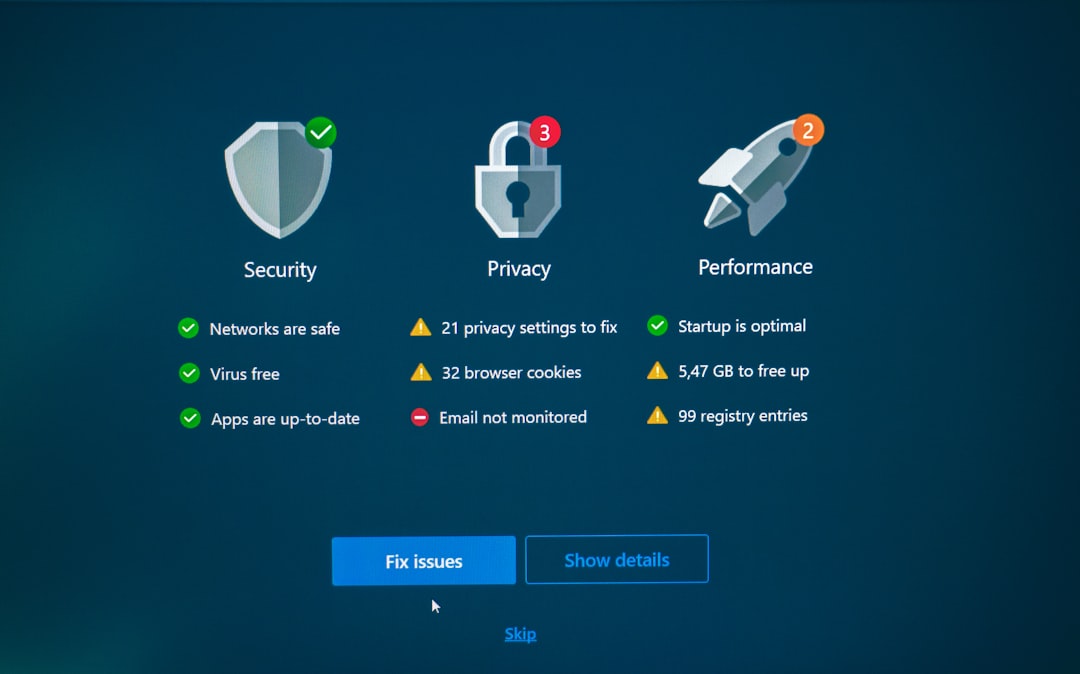
- No Instagram password required: Never enter your Instagram login details into a third-party viewer. A legitimate public viewer does not need them.
- Public content only: The tool should work only with public profiles and openly available posts or Reels.
- Minimal permissions: Avoid browser extensions or apps that demand broad access to your device, clipboard, camera, contacts, or browsing data.
- Reasonable advertising: Some free tools use ads, but excessive pop-ups, fake download buttons, and forced redirects are red flags.
- Clear interface: Reliable tools usually have a simple search box, profile preview, and content grid. Overly dramatic claims are rarely a good sign.
- No private-account promises: Any service advertising “private profile viewer” access should be avoided.
Tools and Tool Types Worth Trying
The following options are best understood as categories and commonly used services, not permanent guarantees. Instagram changes its systems regularly, and third-party tools can stop working, change ownership, or alter their policies. Before relying on any viewer, test it with a public profile and inspect the site carefully.
1. Browser-Based Public Reel Viewers
Browser-based viewers are usually the simplest and least intrusive option. They do not require installation, and many work by letting you paste a profile name or Reel link into a search field. Examples often discussed in this category include services with names such as Instanavigation, MollyGram, StoriesIG-style viewers, and similar public Instagram viewers.
These tools are often convenient for quickly checking public Reels, Stories, and posts from a desktop computer or mobile browser. Their main advantage is separation: you can view content without opening the Instagram app, switching accounts, or interacting with the Reel directly. Their main weakness is reliability. Some work well one week and become unavailable the next, especially when Instagram changes access rules.
Best for: casual viewing of public profiles, quick checks, trend observation, and avoiding unnecessary app use.
Use with caution if: the site opens multiple pop-ups, asks you to verify through unrelated offers, or pushes suspicious downloads.
2. Public Profile Browsers
Public profile browsers are designed less like single-Reel viewers and more like searchable Instagram profile archives. Tools historically associated with this type include names such as Picuki or other profile browsing services. They may allow users to search usernames, view public grids, open posts, and sometimes inspect captions or hashtags.
For serious research, this type of tool can be useful because it places public content into a cleaner layout than the Instagram app. Marketers, journalists, creators, and analysts may use these viewers to examine posting style, caption structure, engagement patterns, or recurring visual themes. However, users should remember that third-party displays may not always be complete or current. A Reel that appears unavailable in one viewer may still be visible on Instagram, and vice versa.
Best for: brand research, public content review, hashtag observation, and creator benchmarking.
Use with caution if: the tool claims unusually detailed analytics without explaining its source, or if it requires you to connect an account.
3. Reel Link Viewers and Download-Oriented Tools
Some tools focus on individual Reel links rather than full profile browsing. These services may allow you to paste a public Reel URL and watch it in a browser. Some also offer downloading. Examples in this broader category include tools commonly known for Instagram media saving, such as SaveInsta-style or SnapInsta-style services.
This category can be helpful when someone sends you a Reel link and you do not want to open it inside Instagram. It can also be useful for creators who want to save their own public Reels for archiving. However, downloading other people’s content creates additional responsibility. A public Reel is still protected by copyright and platform rules. Viewing for reference is different from reposting, repackaging, or using someone else’s video commercially.
Best for: opening individual public Reel links, saving your own content, and reviewing reference material.
Use with caution if: the site places fake “download” buttons near ads, asks for software installation, or encourages reposting without permission.
4. Privacy-Focused Browsing Without a Third-Party Viewer
Sometimes the best anonymous viewer is not a special Instagram tool at all. For many users, a privacy-focused browser, private browsing window, tracker blocking, and no Instagram login are enough. You can try opening a public Reel link in a browser where you are not signed in. Instagram may limit how much content you can view, and it may eventually show a login prompt, but this method avoids handing a Reel link or username to an unknown third-party website.
This approach is especially sensible for careful users who only need to check a small number of public Reels. It is not as convenient as dedicated viewers, but it reduces the number of outside services involved. If your priority is privacy and not convenience, start here before trying more specialized tools.
Best for: privacy-conscious users, occasional viewing, and minimizing reliance on third-party websites.
Use with caution if: you need consistent access to many profiles, because Instagram may block or limit logged-out browsing.
Practical Safety Rules Before Using Any Viewer
A serious user should treat anonymous viewer tools as convenience services, not as trusted accounts or secure storage platforms. Before using one, consider the following rules:
- Do not enter your Instagram password. If a viewer asks for it, close the page.
- Do not install unknown apps or extensions. A web viewer should not require device-level access.
- Use a separate browser session. If possible, use a private window or a browser where you are not logged into Instagram.
- Check the URL carefully. Copycat sites may imitate popular tools to capture traffic or credentials.
- Avoid private-profile claims. Respect privacy settings and do not use tools that market themselves around bypassing consent.
- Use an ad blocker carefully. It can reduce malicious ad exposure, though some sites may not function with blocking enabled.
- Do not repost without permission. Anonymous viewing does not remove copyright or ethical responsibilities.
When These Tools Are Legitimately Useful
There are many fair and reasonable uses for anonymous Reel viewers. A brand manager might want to review public competitor campaigns without altering the algorithm on a company account. A journalist might need to inspect publicly available visual evidence while keeping research separate from personal social media use. A creator might study editing formats, caption hooks, or posting frequency across public accounts. A parent or educator may want to understand public trends without building a personal Instagram presence.
In all these cases, the key is that the content is public and the purpose is proportionate. Anonymous viewing should not become harassment, stalking, impersonation, or an attempt to bypass someone’s chosen privacy settings. A trustworthy approach includes both technical caution and ethical restraint.
Limitations You Should Expect
Even the best anonymous Instagram Reel viewers have limitations. They may fail to load some Reels, show outdated content, miss captions, or display media at lower quality. Audio can be unavailable, especially if the Reel uses licensed music. Some viewers cannot handle region-restricted content or posts that Instagram has limited for age, location, or sensitivity reasons.
You should also expect inconsistency. Instagram actively protects its platform, and third-party tools often depend on access methods that can break without notice. A serious workflow should not rely on one anonymous viewer as the only source of information. If you are doing professional research, compare results with direct public access, screenshots, dates, and multiple sources where appropriate.
Final Recommendation
The anonymous Instagram Reel viewer tools worth trying are the ones that stay within clear boundaries: public content, no login requirement, no private-account claims, and no aggressive permissions. Browser-based public viewers, profile browsers, Reel link viewers, and privacy-focused logged-out browsing can all be useful depending on your needs.
For most people, the best starting point is simple: try a private browser session first, then test a reputable public viewer if Instagram blocks access or if you need a cleaner interface. If a tool feels deceptive, overloaded with pop-ups, or too eager to obtain your credentials, leave immediately. Anonymous viewing can be practical and legitimate, but only when it is done with security, legality, and respect for privacy in mind.