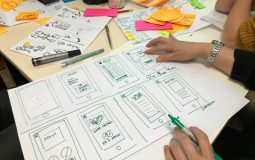



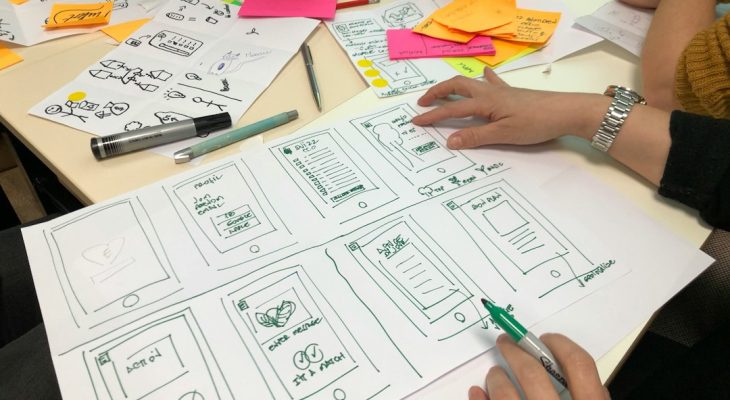
Pick Balsamiq for quick messy ideas, and pick Figma when the design needs to become real, polished, and shared. Balsamiq keeps wireframes simple on purpose. Figma works in the browser, supports team design, and has a free Starter plan for small teams [source: Figma].
TLDR: Use Balsamiq when you need a fast sketch of an app, site, or dashboard. Use Figma when you need clickable screens, comments, design systems, and handoff to developers. For example, a 5-person startup could sketch 12 rough screens in Balsamiq in one afternoon, then rebuild the best 5 in Figma for testing. That can cut review time by about 30%, because people stop arguing about abstract ideas and react to screens.
Why wireframing tools matter
A wireframe is a rough plan for a screen. Think of it as a map for a website or app. No fancy paint yet. No shiny buttons. Just structure.
Wireframes help teams answer simple questions:
- Where does the button go?
- What happens after a user clicks?
- Is the page too crowded?
- Did we forget the search bar?
Without wireframes, teams often jump into design too soon. Then someone says, “Wait, this checkout flow makes no sense.” Pain. Rework. More coffee.
Balsamiq: the friendly napkin sketch
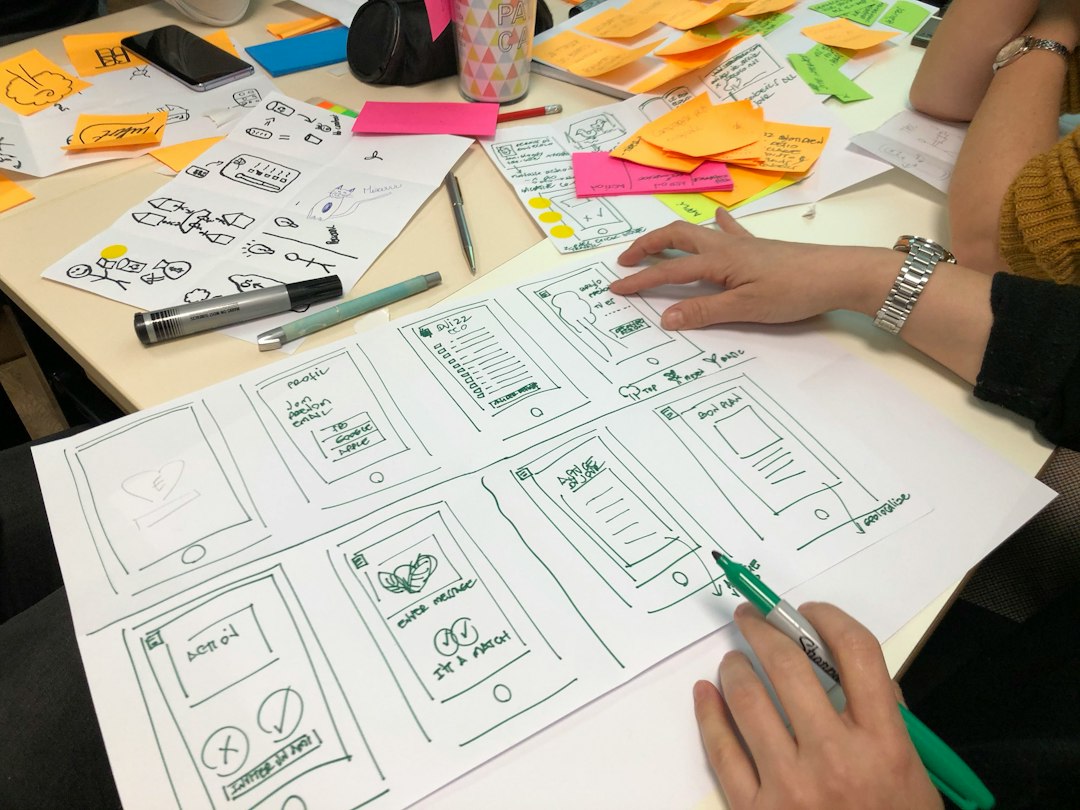
Balsamiq feels like drawing on a whiteboard. That is the point. Its style is rough and hand drawn. It stops people from obsessing over colors, fonts, and pixel-perfect spacing.
This is great during early planning. You can build a login screen, pricing page, or mobile menu in minutes. Drag a box. Add a button. Drop in fake text. Done.
Best for:
- Early ideas
- Workshops
- Client calls
- Product managers
- Non-designers
Why people like it: It is simple. It is fast. It does not try to be everything.
What gets annoying: Honestly, it feels like you hit the ceiling fast. Once your idea needs rich interactions or sleek visuals, Balsamiq starts to feel too plain. That is fine. It is a sketch tool, not a movie studio.
Figma: the team design playground
Figma is where wireframes can grow up. You can start with gray boxes. Then add real content. Then build clickable prototypes. Then invite teammates to comment right on the screen.
It runs in the browser, which is handy. No “Which file is latest final final v7?” nonsense. Everyone sees the same file. That alone can save a team from many tiny headaches.
Best for:
- Clickable prototypes
- UI design
- Team comments
- Design systems
- Developer handoff
What gets annoying: Figma can feel too open at first. There are frames, components, variants, auto layout, styles, and plugins. Expect to waste time on setup if nobody on the team owns the file rules.
Balsamiq vs Figma in plain English
Here is the easy split.
- Balsamiq is for thinking. It helps you shape the idea.
- Figma is for building the design. It helps you test and refine it.
Use Balsamiq when the team is still saying, “Maybe the signup flow should be shorter.” Use Figma when the team is saying, “Can this button be aligned with the card grid?”
If you are choosing for a team, check how support and fit differ across products. This guide on support reviews for wireframing tools gives a useful team-focused view of Figma, Balsamiq, and UXPin.
Other design platforms worth a peek
Balsamiq and Figma are not the only options. A few others can fit better in certain cases.
- UXPin: Good for advanced prototypes and realistic form behavior.
- Miro: Great for workshops, mind maps, and messy team planning.
- Sketch: Popular with Mac users who want strong UI design tools.
- Adobe XD: Still used by some teams, though its future feels less clear.
- Whimsical: Nice for quick flows, diagrams, and simple wireframes.
Do not pick a tool because it looks cool in a demo. Pick it because your team will actually use it on a boring Tuesday.
A tiny use case
Say you run a small online booking app. Users keep dropping off at checkout. Your team has three ideas:
- Shorten the form.
- Move the price summary higher.
- Add a guest checkout option.
Start in Balsamiq. Sketch three checkout versions. Keep them ugly. That is good. Ugly means people focus on the flow.
Then choose the best one. Move it into Figma. Make a clickable prototype. Ask 8 users to test it. If 6 out of 8 finish faster, you have a clear signal.
Image not found in postmeta
How to pick the right tool
Ask these questions before paying for anything:
- Is the idea still rough? Choose Balsamiq.
- Do you need comments and sharing? Choose Figma.
- Do developers need specs? Choose Figma.
- Do non-designers need to join in? Balsamiq may be easier.
- Do you need realistic interactions? Try Figma or UXPin.
The best workflow is often not one tool. It is two. Start loose in Balsamiq. Then polish in Figma. That keeps early work fast and later work clean.
Final tip: Do not worship tools. A good wireframe is not about perfect boxes. It is about better decisions. If the tool helps your team spot problems sooner, it is doing its job.