


An unfinalized disc is a disc that has been recorded but not properly closed for normal playback. If it is a DVD or CD, it may contain real data, yet still fail in a car stereo, DVD player, game console, or another computer. The safest move is simple: finalize it in the same recorder or software that created it, if that device is still available.
TLDR: An unfinalized CD or DVD often will not play because the disc’s table of contents, session information, or file structure is incomplete. For example, a wedding video burned to DVD-R may work in the camcorder that recorded it but show “No Disc” in a living room DVD player. In support cases, compatibility problems are often tied to finalization; even one missing closing step can make a disc unreadable on 50% or more of older standalone players. If the data matters, stop using the disc and try to finalize or recover it before attempting more burns.
What “Unfinalized” Means
Finalization is the process of writing the closing information that tells players and drives how to read a disc. Without it, the disc may look incomplete, blank, damaged, or unsupported.
On a CD, finalization usually closes the session and writes a usable table of contents. On a DVD, it may also write lead-out data, complete the file system, and mark the disc as ready for playback in standard devices.
This matters because optical discs are not read like USB drives. A player needs a map. If the map is missing, some devices refuse to guess. They simply reject the disc.
Why Unfinalized Discs May Not Play
The data on an unfinalized disc may be present, but access depends on the device. A computer drive with recording software may read it. A home DVD player may not. A car CD player may skip it entirely.
The main reasons are practical:
- Missing table of contents: Audio CD players rely on this to find tracks.
- Open session: The disc may still be marked as recordable, not finished.
- Incomplete file system: DVD players need a proper structure, such as VIDEO_TS for DVD-Video.
- Recorder-specific format: Some camcorders and set-top DVD recorders use formats that only they can read before finalization.
- Packet writing software: Older drag-and-drop tools often created discs that required special software to read.
The catch is that the disc can seem fine on the machine that made it. Then it fails everywhere else. That makes people think the disc is defective, when the real issue is often that it was never closed.
How Finalization Affects DVD Compatibility
DVD compatibility depends on both the disc format and the finalization state. A finalized DVD-R is usually one of the most compatible recordable DVD types. Many older players were built with DVD-R in mind.
DVD+R can also be very compatible, especially when the burner supports bitsetting or book type changes. Some burned DVD+R discs can be marked to appear as DVD-ROM, which helps older players accept them.
DVD-RW and DVD+RW are rewritable formats. They are useful, but less dependable for playback in older standalone players. DVD+RW often does not require finalization in the same way DVD-R does, but some devices still expect a complete, standard structure.
For DVD-Video, finalization is especially serious. A standard video DVD normally needs:
- A valid VIDEO_TS folder
- Proper .IFO, .BUP, and .VOB files
- A closed disc session
- Readable lead-in and lead-out areas
If any of these pieces are missing, playback may fail. Some players show an error. Others spin for 20 or 30 seconds and then give up. It drives me crazy that some recorders display “Complete” after recording, even though the disc still needs a separate finalization step.
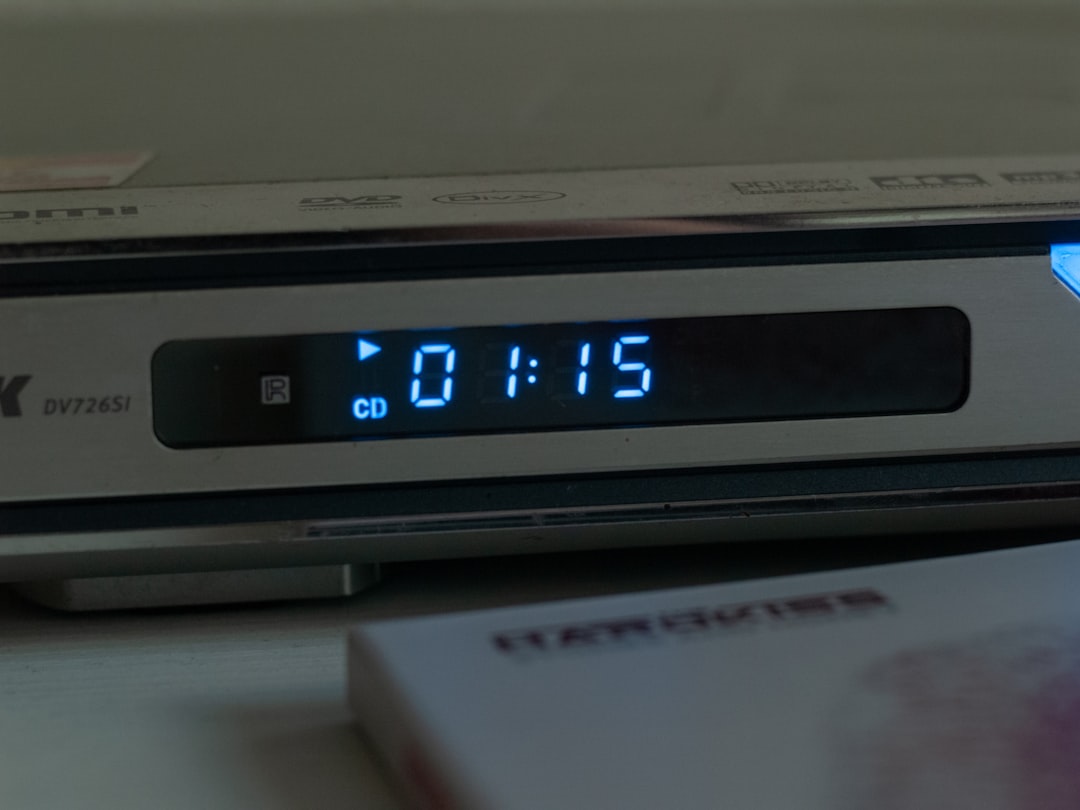
How Finalization Affects CD Compatibility
Audio CDs are strict. A normal CD player expects a closed audio session with a clear track list. If the CD-R is not finalized, the player may not see any tracks at all.
Computers are more forgiving. They may detect open sessions and show the files. But car stereos, boom boxes, and older CD decks often require a finalized disc.
For data CDs, the issue is similar. A finalized disc has a completed file system, often ISO 9660, Joliet, or UDF. An unfinalized data CD may still be readable in the same software that created it, but fail on another system.
Multisession CDs add another layer. These discs allow more files to be added later. That sounds useful, but compatibility can get messy. Some older systems only read the first session. Others read the last session. A few read none if the session structure is unusual.
Common Real-World Situations
Unfinalized discs often appear in predictable cases. The most common are older camcorders, TV DVD recorders, and rushed computer burns.
- MiniDVD camcorder discs: These often must be finalized in the camcorder before use elsewhere.
- TV recordings: Set-top DVD recorders may save video in a temporary format until finalization.
- Audio CD projects: Burning software may leave the disc open if “allow more files later” is selected.
- Interrupted burns: Power loss, software crashes, or ejected discs can leave sessions open.
- Rewritable media: RW discs may work in one drive but not another due to format handling.
A typical case: someone records eight family tapes to DVD using a standalone recorder. Seven discs play in the DVD player. One does not. The failed disc may not be physically worse. It may simply be the one that was not finalized before removal.
Can an Unfinalized Disc Be Fixed?
Often, yes. But the best method depends on how the disc was made.
Try these steps, in this order:
- Use the original recorder. This gives the highest chance of proper finalization.
- Use the same burning software. If the disc was made on a computer, open the original program and check for “Finalize,” “Close Disc,” or “Close Session.”
- Do not add more data first. Extra writing can make recovery harder.
- Create a disc image if possible. A sector-by-sector image protects the current state before repair attempts.
- Use recovery software only when needed. It may extract files even if normal playback fails.
If the original recorder is gone, recovery becomes less certain. Some unfinalized DVD video discs can still be rebuilt by extracting VOB data. Some cannot, especially if the recording was interrupted before key file structures were written.
Finalized Does Not Always Mean Compatible
Finalization helps, but it is not a magic repair. A finalized disc can still fail if the media is poor, the burn speed was too high, the player is old, or the format is unsupported.
For better results, use these habits:
- Use good quality CD-R or DVD-R media for long-term playback.
- Burn at a moderate speed, not always the maximum listed speed.
- Choose standard formats, such as Audio CD for music and DVD-Video for movie discs.
- Finalize the disc before testing it in another device.
- Keep a backup on a hard drive or cloud storage. Optical discs age.
What To Do Before Throwing the Disc Away
If a disc says “blank,” “unsupported,” or “no disc,” do not assume the contents are gone. Check it in a computer drive. Try the original recorder. Look for finalization options. If the disc contains important video or photos, avoid repeated random attempts in many players. Each attempt is usually safe, but scratches and handling add risk.
The key point is this: unfinalized means unfinished, not always empty. Finalization writes the information that lets ordinary players understand the disc. Without that closing step, your data may be trapped in a format only the original recorder can understand.
For archival material, make at least two copies after recovery. Store one as files, not only as a playable disc. A finalized DVD is useful. A verified digital backup is safer.