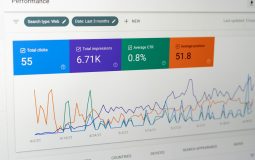




Xmart is like a busy control room for modern work. It brings tools, data, people, and daily tasks into one friendly space. Instead of jumping between many apps, teams can use Xmart to see what is happening, make choices, and move faster. Think of it as a smart desk for a business.
TLDR: Xmart is a digital platform that helps teams manage work, data, customers, products, and tasks in one place. It is built to make daily operations simpler and clearer. It can help businesses save time, reduce confusion, and make better decisions. In short, Xmart turns messy work into neat, trackable action.
What Is the Xmart Platform?
The Xmart Platform is a central system for running business activities. It can support many parts of a company. These may include sales, inventory, orders, customer service, reporting, team workflows, and user access. The main idea is simple. Put the important stuff in one place. Then make it easy to use.
Xmart is not just a screen with buttons. It is a workspace. It is where teams can check updates, assign tasks, review numbers, and keep projects moving. A manager can see the big picture. A team member can see the next task. A support agent can see customer details. Everyone gets a clearer view.

Why Platforms Like Xmart Matter
Work can get messy fast. One file is in an email. A customer note is in a chat. A sales report is in a spreadsheet. A product update is in another tool. Soon, nobody knows which version is correct. That is when mistakes happen.
Xmart helps by becoming a single source of truth. This means teams can trust the information they see. They do not need to chase people for updates. They do not need to dig through old messages. The platform keeps key data organized and ready.
This is very useful for growing businesses. Small teams can sometimes manage with simple tools. But as more people, products, and customers join, the work becomes harder. Xmart gives structure. It helps growth feel less scary.
The Main Goal: Simple Workflows
A workflow is the path a task follows. For example, an order may move from “new” to “paid” to “packed” to “shipped.” A support ticket may move from “open” to “in review” to “solved.” Xmart helps define these steps. Then it tracks them.
This keeps work from getting stuck. It also shows who is responsible. If a task is late, the platform can make that visible. If a step is complete, the next person knows what to do. No magic wand is needed. Just clear steps and good timing.
Simple workflows are a big deal. They reduce guesswork. They reduce repeated questions. They help teams build good habits.
Key Features You May Find in Xmart
Every setup can be different. But a strong platform like Xmart often includes core features that help teams work better. Here are the big ones:
- Dashboard views: See important updates, charts, and tasks at a glance.
- User roles: Give people access based on their job.
- Task management: Create, assign, and track work.
- Customer records: Store customer details and history.
- Product or service data: Manage items, pricing, and availability.
- Order tracking: Follow orders from start to finish.
- Reports: Turn data into useful insights.
- Notifications: Remind people when action is needed.
- Integrations: Connect with other tools when needed.
These features are not just “nice extras.” They are there to help people do real work with less friction. Less friction means fewer headaches. Fewer headaches means happier teams.
The Dashboard: Your Business Cockpit
The dashboard is often the first thing users see. It is like a cockpit for your business. It shows key numbers and alerts. It may show open orders, pending tasks, revenue, support tickets, stock levels, or team activity.
A good dashboard is not crowded. It should not feel like a spaceship manual. It should show what matters most. The best dashboards answer simple questions fast.
- What needs attention today?
- What is going well?
- What is late?
- Where are the risks?
- Who needs help?
That is powerful. It lets leaders act early. It lets teams stay focused. It makes Monday mornings less mysterious.
Data Without the Drama
Data sounds serious. Sometimes it sounds boring. But data is just information. It tells a story. Xmart helps collect that story and show it in a clean way.
For example, a sales team can see which products sell best. A warehouse team can see which items are running low. A support team can see common problems. A finance team can check patterns. These details help people make smarter choices.
The fun part is this. When data is easy to read, it becomes useful. A chart can say, “Hey, this product is hot.” A report can say, “This process is slow.” A number can say, “We need more stock.” Data becomes a helpful friend, not a scary monster.

Team Collaboration Made Easier
Xmart can help teams work together without stepping on each other’s toes. People can comment on tasks. They can update statuses. They can share notes. They can see what others are doing.
This matters because teamwork is often where problems hide. One person thinks a task is done. Another person is still waiting. A third person never got the message. Suddenly, the whole process slows down.
With Xmart, work is more visible. Everyone can see the trail. This makes communication cleaner. It also makes accountability easier. Not in a scary way. More like, “Great, we know where things stand.”
Customer Management
Customers are the heart of most businesses. Xmart can help teams keep customer information in one place. This may include contact details, order history, messages, preferences, issues, and follow ups.
This helps support teams give faster answers. It helps sales teams understand customer needs. It helps managers spot trends. It also makes the customer feel known. Nobody likes repeating the same story five times. Xmart can reduce that pain.
Better customer records can lead to better service. Better service can lead to trust. Trust can lead to repeat business. That is a lovely chain reaction.
Inventory and Product Control
If a business sells products, inventory matters a lot. Too much stock can waste money. Too little stock can upset customers. Xmart can help track product data, stock levels, movement, and updates.
This gives teams a clearer view of what is available. It can also help with planning. If an item sells quickly, the team can restock earlier. If something is not moving, the team can review pricing or promotion.
Good inventory control is like keeping a neat pantry. You know what you have. You know what you need. You do not accidentally buy twenty jars of peanut butter. Unless you really love peanut butter.
Automation: The Tiny Robot Helper
Automation is one of the most exciting parts of a platform like Xmart. It means the system can do small repeated actions for you. This may include sending reminders, updating statuses, creating tasks, or sending alerts.
Automation saves time. It also reduces human error. People are great at creative thinking. People are less great at doing the same tiny action 400 times. Let the platform handle the boring bits. Let the team focus on the work that needs a brain and a heart.
For example, when a new order arrives, Xmart might create a packing task. When a support ticket is inactive, it might send a reminder. When stock falls below a set level, it might alert the inventory team. Simple. Handy. Very nice.
Security and User Access
Not every person needs to see every piece of information. Xmart can support user roles and permissions. This helps protect sensitive data. It also keeps screens cleaner for users.
A warehouse worker may need order and stock details. A finance manager may need payment reports. A support agent may need customer history. A system admin may need deeper settings. Each role gets the tools it needs.
This is good for safety. It is also good for focus. When users only see relevant options, the platform feels easier. Less clutter. Less confusion. More doing.
Connected Tools and Integrations
No platform lives on an island. Businesses often use many tools. Xmart may connect with payment systems, shipping tools, email services, accounting software, or marketing apps. These connections are called integrations.
Good integrations help data flow between systems. This cuts down on manual copying. It also lowers the chance of mistakes. If an order is paid in one system, Xmart can reflect that update. If a shipment is created, the status can change.

Who Can Use Xmart?
Xmart can fit many kinds of teams. It may help retail businesses, service companies, online sellers, operations teams, support centers, and growing startups. The best fit depends on how the platform is set up.
Here are some simple examples:
- A shop owner can track orders, stock, and customer requests.
- A support team can manage tickets and response times.
- A sales team can follow leads and customer activity.
- An operations manager can watch tasks and bottlenecks.
- A finance team can review activity and reports.
The platform is most useful when people use it often. A tool only works if it becomes part of the daily routine. Xmart should feel like a helpful habit, not extra homework.
Getting Started With Xmart
Starting with any platform can feel big. The trick is to begin small. Do not try to build the whole universe on day one. Pick one process. Improve it. Then add more.
A simple launch plan may look like this:
- Map your current process. Write down how work happens now.
- Find the pain points. Look for delays, confusion, and repeated work.
- Set clear goals. Decide what success looks like.
- Configure the platform. Build workflows, roles, fields, and views.
- Train the team. Keep training short and practical.
- Review and improve. Adjust the setup as people use it.
Small wins matter. If the first workflow saves time, people will trust the platform more. Then adoption becomes easier.
Common Benefits
Xmart can bring many benefits when used well. The biggest benefit is clarity. People know what is happening. They know what needs to happen next. They can act with confidence.
Other benefits include:
- Less manual work through automation.
- Faster decisions through real time data.
- Better teamwork through shared visibility.
- Fewer mistakes through structured workflows.
- Improved customer service through organized records.
- Easier growth through scalable processes.
These benefits may sound simple. That is the point. Simple systems often create the biggest change. They remove the little problems that slow everyone down.
Things to Watch Out For
No platform is perfect by itself. Xmart needs good setup, clear ownership, and regular care. If old messy processes are copied into a new system, the mess may follow. That is not fun.
Teams should avoid adding too many fields, steps, and rules. More is not always better. A clean process is easier to follow. A crowded process becomes a maze. And nobody wants to bring a map to do a simple task.
It is also important to listen to users. They know where the daily friction lives. Their feedback can improve the system. When users feel heard, they are more likely to use the platform well.
Final Thoughts
Xmart is best understood as a practical helper. It organizes work. It connects data. It supports teams. It makes daily operations easier to see and easier to manage.
For a business, that can be a big win. Less chaos. More clarity. Faster action. Happier customers. Better teamwork.
If your work feels scattered, a platform like Xmart can bring order. If your team is growing, it can bring structure. If your data is hiding in too many places, it can bring everything closer together. In simple words, Xmart helps people stop chasing information and start using it.
That is the real magic: not flashy buttons, but smoother days. And smoother days are worth cheering for.