


Image recognition has moved from experimental technology to a practical business capability that helps organizations identify objects, read visual information, detect defects, verify identities, and automate decisions. When implemented thoughtfully, it can reduce manual review, improve accuracy, speed up workflows, and create better customer experiences across industries such as retail, manufacturing, logistics, healthcare, finance, and security.
TLDR: Image recognition can help businesses automate visual tasks, such as product identification, quality inspection, document processing, and customer verification. A successful implementation requires clear goals, quality data, the right model or vendor, integration with existing systems, and ongoing monitoring. Organizations should start with a focused use case, test performance carefully, and scale only after proving measurable value.
Understanding Image Recognition in a Business Context
Image recognition is a branch of artificial intelligence that enables software to analyze images or video frames and identify patterns, objects, text, faces, defects, or other visual elements. In business operations, it is often used to replace or support tasks that previously required human vision and judgment.
For example, a retailer may use image recognition to detect whether shelves are fully stocked. A manufacturer may use it to find cracks, scratches, or incorrect components on a production line. A logistics company may use it to scan package labels, confirm vehicle loading, or monitor warehouse safety. The value comes from turning visual information into structured, actionable data.
The goal is not simply to adopt artificial intelligence for its own sake. The goal is to improve operational performance, reduce bottlenecks, and create more consistent decisions at scale.

Step 1: Identify the Right Business Use Case
The first step is to choose a business problem where image recognition can deliver measurable value. Many organizations make the mistake of starting with the technology rather than the operational need. A better approach is to identify repetitive visual tasks that are slow, costly, error-prone, or difficult to scale.
Common business use cases include:
- Quality control: Detecting defects, missing parts, damaged packaging, or production inconsistencies.
- Inventory management: Recognizing products, counting stock, and monitoring shelf availability.
- Document processing: Extracting text from invoices, receipts, forms, shipping labels, and identity documents.
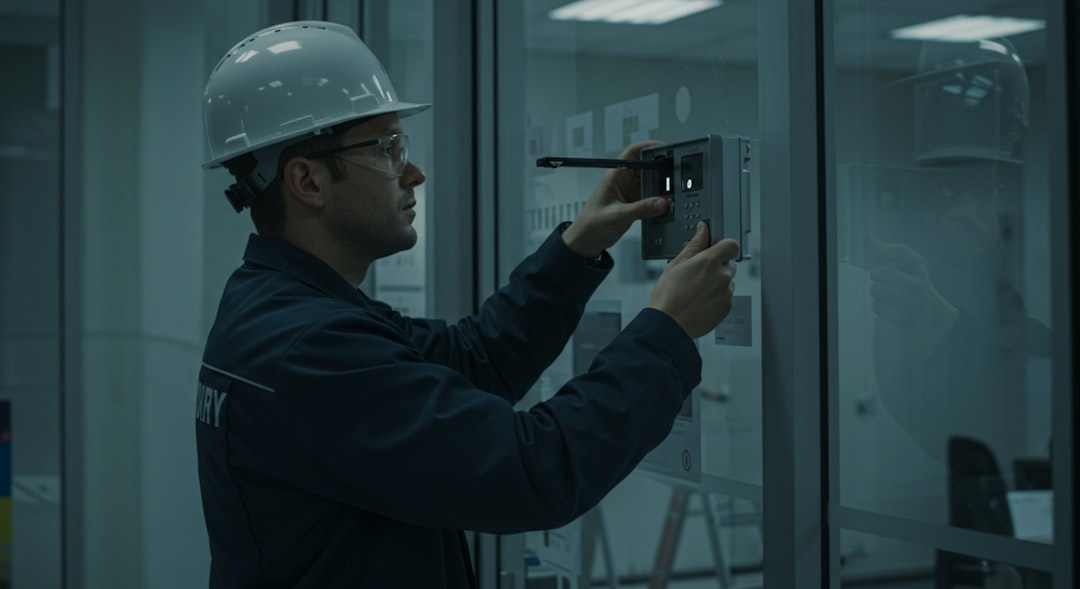
- Security and access control: Verifying identities, detecting unauthorized entry, or recognizing license plates.
- Customer experience: Enabling visual search, product recommendations, virtual try-ons, or faster support.
- Safety monitoring: Identifying hazards, missing protective equipment, blocked exits, or unsafe behavior.
A strong use case should have a clear input, such as images from cameras, scanners, phones, or existing databases. It should also have a clear output, such as “approved,” “defective,” “match found,” “item counted,” or “manual review required.” If the desired decision is vague, the implementation will likely struggle.
Step 2: Define Success Metrics
Before selecting tools or building a model, the organization should define how success will be measured. This ensures the project remains tied to business performance instead of technical novelty.
Important metrics may include:
- Accuracy: How often the system correctly identifies the image content.
- Precision: How many positive detections are actually correct.
- Recall: How many relevant items the system successfully finds.
- Processing speed: How quickly images are analyzed.
- Manual review reduction: How much human effort is saved.
- Cost savings: How much the business saves through automation or error reduction.
- Operational impact: Improvements in throughput, compliance, safety, or customer satisfaction.
For example, in a manufacturing inspection process, 95% accuracy may not be enough if missed defects create safety risks. In a product recommendation system, slightly lower accuracy may be acceptable if it improves engagement and sales. The acceptable performance level depends on the business environment and the consequences of mistakes.
Step 3: Collect and Prepare Image Data
Image recognition systems depend heavily on data quality. If the images are blurry, poorly labeled, inconsistent, or unrepresentative, the system will produce unreliable results. Data preparation is often one of the most important and time-consuming parts of implementation.
Businesses should gather images that reflect real operating conditions. This may include different lighting, camera angles, backgrounds, product variations, environments, seasons, and levels of image quality. A model trained only on perfect images may fail when used in a busy warehouse, retail store, hospital, or factory.
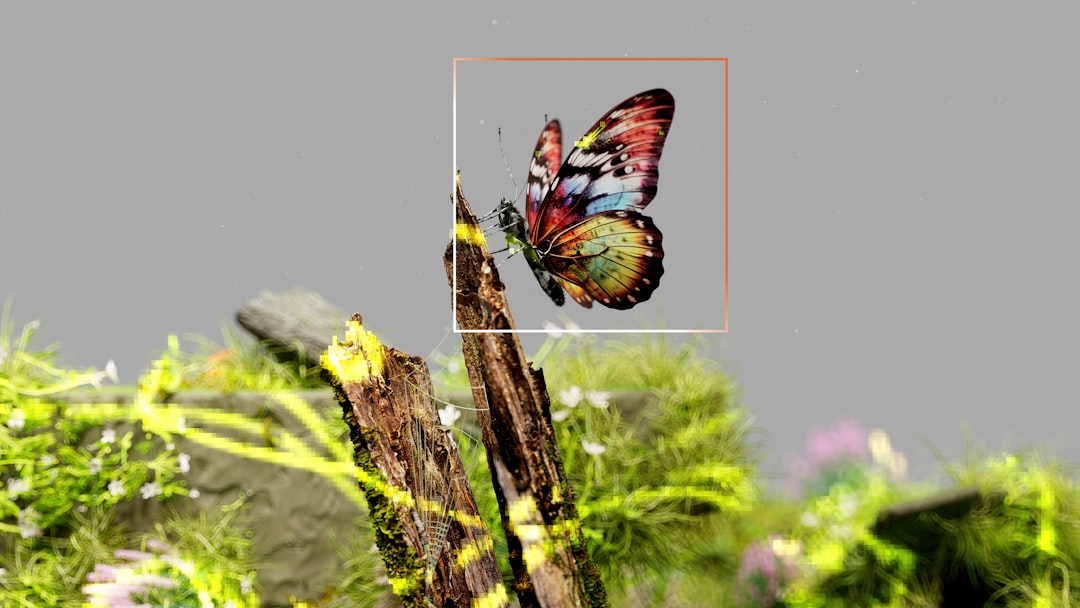
The data may need to be labeled. Labeling means identifying what appears in each image, such as “defective part,” “correct label,” “empty shelf,” “helmet present,” or “invoice total.” Depending on the use case, labels may involve simple categories, bounding boxes around objects, segmentation masks, or text annotations.
Data privacy and compliance must also be considered. If images contain faces, license plates, medical records, customer addresses, or other sensitive information, the organization should apply proper consent, security, retention, and anonymization practices.
Step 4: Choose the Right Technology Approach
There are several ways to implement image recognition. The best option depends on budget, timeline, technical resources, accuracy requirements, and the complexity of the task.
- Prebuilt image recognition APIs: These services can identify common objects, read text, detect faces, or classify images with minimal development. They are useful for standard tasks and quick pilots.
- Custom trained models: These are trained on a company’s own data and are better for specialized use cases, such as identifying unique product defects or industry-specific components.
- Edge AI solutions: These run models directly on cameras, devices, or local servers. They are useful when low latency, offline operation, or data privacy is important.
- Vendor platforms: These provide industry-specific tools for inspection, surveillance, medical imaging, retail analytics, or logistics automation.
A company with limited internal AI expertise may start with a vendor or cloud-based API. A company with mature data science capabilities may build custom models to gain greater control and competitive advantage. In many cases, a hybrid approach works best: prebuilt capabilities are used for general tasks, while custom models handle specialized business needs.
Step 5: Build a Pilot Project
A pilot project allows the organization to test image recognition on a limited scale before investing in a full rollout. The pilot should focus on one specific workflow, location, product line, or process. It should be large enough to generate meaningful results but small enough to manage risk.
During the pilot, the team should evaluate both technical and operational performance. A model may perform well in a test environment but struggle in real conditions because of camera placement, lighting, employee behavior, network latency, or inconsistent image capture.
A practical pilot should answer several questions:
- Does the system make reliable decisions under real operating conditions?
- How often does it require human review?
- What types of errors occur most frequently?
- Does it integrate smoothly with current software and processes?
- Do employees understand how to use and trust the system?
- Does the business benefit justify further investment?
The pilot should not be treated as a one-time demonstration. It should be a learning phase in which the organization improves data quality, refines model settings, adjusts workflows, and identifies deployment challenges.
Step 6: Integrate Image Recognition into Existing Operations
Image recognition becomes valuable only when it is connected to everyday workflows. A model that produces results in isolation will have limited impact. The output should flow into business systems such as enterprise resource planning software, warehouse management systems, customer service platforms, manufacturing execution systems, compliance tools, or dashboards.
For example, if a system detects a defective product, it may automatically trigger a rework request, stop a conveyor belt, create a quality report, or alert a supervisor. If a retail system detects low shelf stock, it may notify store staff or update an inventory platform. If a document processing system reads invoice data, it may send extracted fields into an accounting system for approval.
Human oversight is often essential, especially at the beginning. Many businesses use a “human in the loop” approach, where the AI handles straightforward cases and sends uncertain cases to employees for review. This improves trust, reduces risk, and creates new training data for future model improvements.
Step 7: Train Employees and Redesign Workflows
Successful implementation is not only a technical project. It also requires operational change management. Employees should understand what the system does, how decisions are made, when manual review is needed, and how to report errors.
Managers should communicate that image recognition is intended to improve workflows rather than simply replace workers. In many cases, it shifts employees away from repetitive visual checking and toward higher-value tasks such as exception handling, customer service, maintenance, analysis, or process improvement.
Workflow design should also be updated. If the system identifies a defect instantly but the approval process still depends on slow manual reporting, the business will not receive the full benefit. The organization should review the entire process around the technology, not just the image recognition step.
Step 8: Monitor, Maintain, and Improve the System
Image recognition models can lose accuracy over time. This is often called model drift. It may happen when products change, packaging is redesigned, lighting conditions shift, new equipment is introduced, or customer behavior evolves.
To maintain performance, organizations should monitor system outputs, error rates, review queues, and business metrics. They should also collect examples of incorrect predictions and use them to retrain or fine-tune the model.
Regular maintenance may include:
- Adding new image data to reflect changing conditions.
- Updating labels and categories.
- Testing the model against new product types or environments.
- Reviewing false positives and false negatives.
- Auditing privacy, security, and compliance practices.
- Improving cameras, scanners, lighting, or device placement.
Continuous improvement helps the organization preserve accuracy and expand the system to additional use cases over time.
Common Challenges and How Businesses Can Address Them
Although image recognition can be powerful, implementation may involve challenges. Poor image quality is one of the most common barriers. This can often be improved with better lighting, stable camera placement, higher resolution equipment, or standardized image capture procedures.
Another challenge is lack of labeled data. Businesses may need to create a labeling process, use expert reviewers, or start with smaller datasets and expand gradually. For specialized industries, subject matter experts may be required to ensure labels are accurate.
Integration complexity can also slow progress. The project team should involve IT, operations, security, and end users early. This helps ensure the solution fits existing systems and does not create isolated data silos.
Finally, ethical and legal concerns must be handled carefully. When image recognition involves people, organizations should be transparent, limit unnecessary data collection, protect stored images, and comply with relevant regulations. Responsible deployment builds trust and reduces long-term risk.
Best Practices for Successful Implementation
- Start with a narrow use case: A focused implementation is easier to measure and improve.
- Use real-world images: Training and testing data should reflect actual operating conditions.
- Define acceptable error levels: Different business tasks have different risk thresholds.
- Keep humans involved where needed: Human review is valuable for uncertain or high-risk decisions.
- Plan for integration early: The system should connect to business workflows and software.
- Monitor performance continuously: Accuracy should be tracked after deployment, not only during testing.
- Address privacy from the start: Sensitive visual data should be protected by design.
Conclusion
Image recognition can transform business operations by automating visual tasks, improving consistency, and turning images into useful data. However, its success depends on more than selecting an AI tool. The organization must identify the right use case, prepare reliable data, define success metrics, integrate the technology into workflows, train employees, and monitor performance over time.
When implemented strategically, image recognition becomes a practical operational asset. It helps businesses see more clearly, respond more quickly, and make better decisions in environments where visual information plays a critical role.
FAQ
What is image recognition in business operations?
Image recognition in business operations is the use of AI software to analyze images or video and identify objects, text, defects, people, products, or patterns that support business decisions and automation.
Which industries benefit most from image recognition?
Industries such as manufacturing, retail, logistics, healthcare, insurance, agriculture, finance, and security often benefit because they rely heavily on visual inspection, verification, monitoring, or document processing.
Does a business need a custom AI model?
Not always. Standard tasks such as text extraction or common object detection may work well with prebuilt tools. Specialized tasks, such as detecting unique product defects, usually require a custom trained model.
How much data is needed to implement image recognition?
The amount depends on the complexity of the task, the required accuracy, and the variety of real-world conditions. A simple classification task may need fewer images, while complex inspection or detection systems may require thousands of labeled examples.
Can image recognition work in real time?
Yes. Real-time image recognition is possible, especially with optimized models, edge devices, and properly designed infrastructure. It is commonly used in production lines, security systems, warehouse monitoring, and traffic analysis.
What are the main risks of image recognition?
The main risks include inaccurate predictions, poor data quality, privacy concerns, integration problems, model drift, and overreliance on automation. These risks can be reduced through testing, monitoring, human oversight, and responsible data governance.
How should a company start?
A company should begin with a specific business problem, define measurable goals, collect representative image data, run a small pilot, and evaluate results before scaling the solution across broader operations.