




Marketing teams rely heavily on dashboards to transform scattered data into clear, actionable insights. While Google Looker Studio has long been a popular choice for building free, customizable reports, many organizations outgrow its limitations in scalability, data modeling, governance, and advanced visualization. As marketing operations become more complex—spanning paid media, CRM systems, automation platforms, and ecommerce analytics—businesses are actively evaluating more robust alternatives that can deliver faster performance, deeper insights, and stronger collaboration capabilities.
TLDR: Looker Studio is useful for lightweight reporting, but many marketing teams need more advanced features, scalability, and governance. Several powerful alternatives—such as Tableau, Power BI, Databox, Domo, and Klipfolio—offer stronger data modeling, automation, and visualization capabilities. The right tool depends on your data complexity, team size, technical resources, and long-term growth plans. Choosing strategically can significantly improve reporting accuracy, decision-making speed, and marketing ROI.
Below is a structured overview of leading Looker Studio alternatives for marketing dashboards, along with practical evaluation criteria and a comparison chart to help guide your decision.
Why Consider Alternatives to Looker Studio?
Although Looker Studio remains attractive because it is free and integrates well with Google products, marketing teams often encounter limitations such as:
- Limited data transformation and modeling capabilities
- Performance issues with large datasets
- Restricted governance and role management
- Complex third-party connector dependencies
- Limited enterprise-level support
Organizations that manage multi-channel campaigns, combine offline and online data, or require advanced attribution modeling often find that these constraints hinder growth.

Key Criteria for Evaluating Marketing Dashboard Tools
Before choosing an alternative, marketing leaders should evaluate solutions against several critical dimensions:
- Data Integration: Native connectors for ad platforms, CRM systems, ecommerce tools, and data warehouses.
- Data Modeling: Ability to transform, clean, and structure raw data efficiently.
- Visualization Flexibility: Advanced customization and interactivity.
- Automation: Scheduled refreshes, alerts, and anomaly detection.
- Scalability: Performance with increasing data volume.
- Security & Governance: Role-based access and enterprise-grade compliance.
- Total Cost of Ownership: Licensing, implementation, and maintenance costs.
With those criteria in mind, the following platforms consistently rank among the strongest alternatives.
1. Tableau
Best for: Advanced data visualization and enterprise analytics.
Tableau is widely recognized as a leader in business intelligence. It provides powerful visualization capabilities and robust data modeling tools that far exceed Looker Studio’s native functionality.
Advantages:
- Highly interactive dashboards
- Strong data blending and modeling capabilities
- Enterprise-grade scalability
- Large user community and support ecosystem
Considerations: Tableau can be costly and may require dedicated expertise for full implementation.
2. Microsoft Power BI
Best for: Cost-effective enterprise analytics, especially within Microsoft ecosystems.
Power BI combines affordability with powerful modeling features through its DAX language and deep integration with Excel, Azure, and Dynamics.
Advantages:
- Strong data transformation via Power Query
- Competitive pricing structure
- Comprehensive reporting automation
- Tight Microsoft integration
Considerations: The interface has a learning curve, and performance tuning may require technical knowledge.

3. Databox
Best for: Marketing-focused performance monitoring and quick setup.
Databox is purpose-built for marketing teams. It provides pre-built dashboard templates for platforms like HubSpot, Facebook Ads, Google Ads, and Shopify.
Advantages:
- Quick deployment
- Pre-configured marketing KPI templates
- Goal tracking and performance alerts
- User-friendly interface
Considerations: Less flexible for complex custom data modeling.
4. Domo
Best for: Real-time enterprise data integration and automation.
Domo positions itself as a cloud-native business intelligence platform designed for large-scale operations. It excels at connecting numerous data sources and automating workflows.
Advantages:
- Extensive connector library
- Real-time data syncing
- Strong collaboration tools
- Built-in data transformation layer
Considerations: Premium pricing may not suit smaller teams.
5. Klipfolio
Best for: Custom real-time marketing dashboards.
Klipfolio is a flexible dashboard platform designed to visualize live business metrics. It allows advanced customization while remaining more approachable than enterprise-heavy tools.
Advantages:
- Strong live-data handling
- Custom metric calculations
- API-friendly architecture
Considerations: Setup can require technical familiarity with APIs.
6. Qlik Sense
Best for: Associative data exploration and advanced analytics.
Qlik Sense differentiates itself with its associative data engine, allowing users to explore relationships between datasets dynamically.
Advantages:
- Powerful in-memory processing
- Smart data discovery features
- Strong governance controls
Considerations: Higher complexity and learning curve.
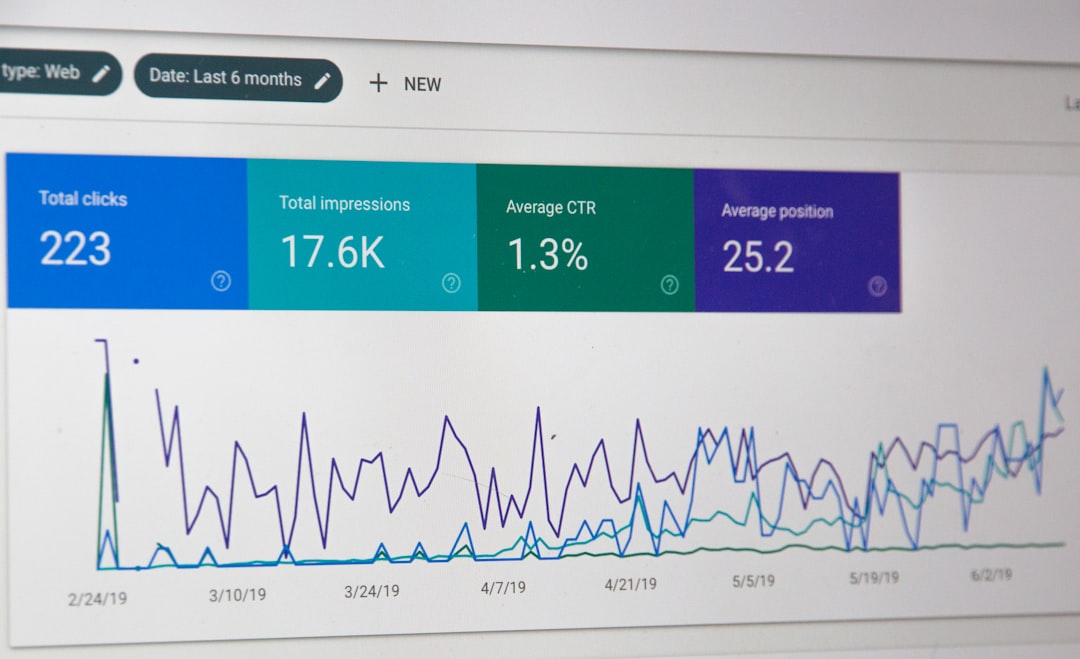
Comparison Chart
| Platform | Best For | Data Modeling | Ease of Use | Scalability | Pricing Level |
|---|---|---|---|---|---|
| Tableau | Enterprise visualization | Advanced | Moderate | High | High |
| Power BI | Microsoft ecosystems | Advanced | Moderate | High | Moderate |
| Databox | Marketing KPI tracking | Basic | Easy | Moderate | Low to Moderate |
| Domo | Enterprise data integration | Advanced | Moderate | High | High |
| Klipfolio | Custom real-time dashboards | Moderate | Moderate | Moderate | Moderate |
| Qlik Sense | Advanced analytics | Advanced | Challenging | High | High |
Selecting the Right Platform for Your Organization
Choosing a Looker Studio alternative should not be based solely on feature lists. Instead, organizations should consider:
- The technical skill level of the marketing team
- The volume and complexity of marketing data
- Long-term growth objectives
- Data governance and compliance requirements
- Integration with existing technology stacks
For small to mid-sized marketing teams prioritizing speed and simplicity, Databox or Klipfolio may provide an efficient solution. For enterprises managing multi-source pipelines and requiring strict governance, Tableau, Power BI, or Domo are typically more appropriate. Organizations investing in predictive analytics or advanced modeling may benefit from Qlik Sense.
Final Considerations
Marketing dashboards are no longer simple reporting tools. They are strategic decision-making platforms that influence budget allocation, campaign optimization, and executive reporting. As marketing ecosystems become increasingly data-driven, the limitations of lightweight tools like Looker Studio can become operational bottlenecks.
By carefully evaluating alternatives based on scalability, modeling power, automation, and governance, organizations can invest in a solution that grows alongside their marketing maturity. The right platform does more than visualize performance—it drives measurable competitive advantage through clarity, speed, and informed action.
Ultimately, the goal is not to replace Looker Studio for the sake of change, but to ensure that your marketing intelligence infrastructure supports sustainable growth, accurate attribution, and confident decision-making.