

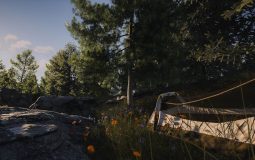

DayZ is known for its brutal online survival experience. But what if you want to explore Chernarus without other players shooting you on sight? Good news. You can play DayZ offline. It is easier than most people think. And it is perfect for learning the game, testing mods, or just enjoying a quiet survival session.
TLDR: You can play DayZ offline by hosting a local server on your own PC. Download the DayZ Server tool from Steam, configure it, and launch it locally. Then connect to your own server through the DayZ launcher. It takes a few setup steps, but once done, you can play solo anytime without other players.
Why Play DayZ Offline?
DayZ is intense. Online servers can be chaotic. Sometimes you just want peace. Playing offline gives you:
- No PvP stress
- Full control over settings
- A safe place to learn the mechanics
- Freedom to test mods
- Better performance with no network lag
It is also perfect for beginners. You can learn crafting. Practice shooting. Explore the map. And die as many times as you want without embarrassment.
What You Need Before Starting
Before setting up offline mode, make sure you have:
- A PC copy of DayZ (Steam version)
- Enough free disk space (at least 10 GB extra recommended)
- Basic file editing knowledge
- Steam installed and updated
You cannot do this on console. Offline play requires the PC version.
How Offline Mode Works
Technically, DayZ has no true “offline button.” Instead, you create your own local server. Your computer becomes both the server and the player.
This means:
- No internet required after setup
- No other players can join (unless you allow it)
- You control all server settings
Think of it as hosting a private world just for yourself.
Step 1: Download the DayZ Server Tool
Open Steam. Follow these steps:
- Go to your Library.
- Click the dropdown that says “Games.”
- Enable Tools.
- Search for DayZ Server.
- Click Install.
This will download the official server files to your PC.
Image not found in postmetaOnce installed, you are halfway there.
Step 2: Locate the Server Folder
After installation:
- Right-click DayZ Server in Steam.
- Select Manage.
- Click Browse local files.
This folder is where all server files live. You will edit a few of them.
Step 3: Configure the Server
Now the fun part. Configuration.
Find the file called:
serverDZ.cfg
Open it with Notepad.
You can adjust:
- Server name
- Maximum players
- Password
- Time acceleration
- Difficulty
For pure offline play, set:
- maxPlayers = 1;
This ensures you are alone.
You can also tweak time. For example:
- Faster daytime
- Shorter nights
- Permanent daylight
If you hate dark nights, this is your moment.
Step 4: Launch the Server
Inside the server folder, find:
DayZServer_x64.exe
Double click it.
A command window will open. This means your server is running.
If it closes immediately, something is wrong in your config file. Double-check for typos.
Step 5: Connect to Your Local Server
Now launch the normal DayZ game.
- Open the DayZ Launcher.
- Go to the Servers tab.
- Click LAN.
Your server should appear in the list.
Click join.
That’s it. You are now playing DayZ offline.
Image not found in postmetaOptional: Add Mods to Your Offline Server
One huge advantage of offline mode is mod testing.
Want more guns? Different zombies? Custom maps? Go for it.
How to Add Mods
- Download mods from the Steam Workshop.
- Enable them in the DayZ Launcher.
- Add mod names to your server startup parameters.
You must ensure:
- The server loads the mod.
- Your game client loads the same mod.
If both match, it works perfectly.
Best Mods for Offline Play
Here is a simple comparison chart of popular mod types:
| Mod Type | What It Does | Beginner Friendly | Best For |
|---|---|---|---|
| Weapon Packs | Adds more guns and attachments | Yes | Combat practice |
| Zombie Mods | Changes zombie behavior and difficulty | Medium | Hardcore survival |
| Base Building Mods | Expands construction options | Yes | Creative building |
| Map Mods | Adds new maps or locations | Advanced | Exploration |
Start simple. Weapon mods are usually the easiest.
Troubleshooting Common Problems
Server Not Showing in LAN
- Make sure server is running.
- Disable firewall temporarily.
- Confirm maxPlayers is not set to 0.
Game Version Mismatch
- Update both DayZ and DayZ Server in Steam.
- Verify game files.
Server Closes Instantly
- Check config for syntax errors.
- Remove recently added mods.
Most problems come from small typos. Stay calm. Read carefully.
How to Customize Your Offline Experience
This is where offline shines.
Change Loot Spawns
You can edit loot tables to:
- Increase weapon spawns
- Add more food
- Make survival harder
Control the Weather
Inside configuration files, you can:
- Reduce rain
- Force clear skies
- Increase storms
No more endless fog if you hate it.
Adjust Zombie Count
Want a peaceful hiking simulator? Lower infected counts.
Want chaos? Increase them.
Is Offline Mode Good for Practice?
Yes. Extremely good.
You can practice:
- Sniping
- Driving vehicles
- Base defense
- Navigation without map markers
You can even simulate PvP by spawning gear and practicing recoil control.
Performance Tips for Smooth Gameplay
Since your PC runs both server and game, performance matters.
- Close background apps.
- Lower graphics settings slightly.
- Use wired internet (even if offline).
- Add more RAM if possible.
An SSD helps a lot with loading times.
Can Friends Join Your Offline Server?
Technically yes. But then it becomes a private online server.
You would need to:
- Port forward your router.
- Share your IP address.
If you want 100% solo play, skip this.
Pros and Cons of Playing Offline
Pros
- Total control
- No griefers
- Mod freedom
- Practice safely
Cons
- No real player interaction
- Less unpredictability
- Setup takes time
For many players, the pros outweigh the cons.
Final Thoughts
Playing DayZ offline is like having your own survival sandbox. You control everything. The pace. The danger. The rules.
The setup may look technical at first. But it is just:
- Install server tool.
- Edit config.
- Run server.
- Join via LAN.
After that, it becomes easy.
You can explore every town. Learn every mechanic. Build the perfect base. Or create a zombie nightmare world just for yourself.
DayZ does not have a big “Offline Mode” button. But with a local server, you basically create one.
Now grab your backpack. Load your rifle. And survive Chernarus your way.



)