



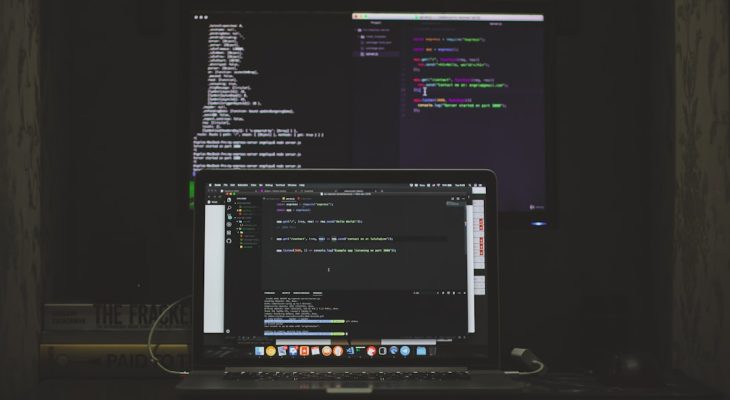
The rise of solo YouTubers has revolutionized the content creation world, with creators often taking on multiple roles like director, editor, and promoter all at once. When you’re working solo, time is everything—especially in post-production. Thankfully, for Mac users, there’s a broad range of powerful video editing apps that help streamline workflows and speed up the editing process without compromising on quality.
TLDR: If you’re a solo YouTuber using a Mac, having the right video editing app can literally save you hours. Apps like Final Cut Pro and Adobe Premiere Pro dominate, but other lightweight tools like ScreenFlow and iMovie also come in handy for quicker edits. Many creators combine multiple apps to suit different parts of their workflow, from editing to audio cleanup to quick exports. Whether you’re managing your YouTube channel as a side hustle or a full-time job, the right tools can make all the difference.
1. Final Cut Pro – Apple’s Pro-Grade Powerhouse
For Mac users, Final Cut Pro is often the go-to. Developed by Apple, this industry-standard editor is optimized beautifully for macOS and runs incredibly fast thanks to Apple’s Metal engine and M1/M2 chip support.
- Magnetic Timeline: Makes dragging, dropping, and rearranging clips seamless.
- Multicam Editing: Great for creators who shoot with multiple angles.
- Library Organization: Keeps all assets neatly grouped, which is essential for large projects.
Final Cut Pro might have a higher learning curve, but once mastered, it’s one of the most efficient editors out there for solo creators who need precision and speed.
2. Adobe Premiere Pro – Industry Favorite with Endless Features
Adobe Premiere Pro isn’t exclusive to Mac users, but it’s a favorite among YouTubers due to its flexibility and ecosystem. As part of Adobe Creative Cloud, it integrates smoothly with other Adobe apps like After Effects and Audition.
- Dynamic Link: Edit compositions in After Effects without rendering them.
- Lumetri Color: Built-in color grading tools for a professional look.
- Audio Cleanup: Integrated tools for eliminating background noise and balancing sound.
It works exceptionally well on newer Macs and supports GPU acceleration for smoother previews and faster exports, crucial when you’re working solo and need rapid turnaround.
3. iMovie – Simple Yet Surprisingly Capable
If you’re just starting your YouTube journey, iMovie is your friend. It’s free, comes pre-installed on all Macs, and has a very user-friendly interface. While it lacks the complexity of Final Cut Pro and Premiere Pro, it covers all the basics with surprising finesse.
- Drag-and-Drop Timeline: Easy and intuitive for beginners.
- Transitions and Themes: Pre-made assets for quick video enhancements.
- Direct Upload: Export and upload straight to YouTube in just a few clicks.
Solo YouTubers producing simple content like vlogs or tutorials will find that iMovie can handle the essentials without bogging them down with overly technical features.
4. DaVinci Resolve – Color Grading Meets Editing Mastery
DaVinci Resolve is another favorite, particularly for creators obsessed with visuals. While known primarily for its advanced color grading tools, the app also offers a full-fledged non-linear editing suite.
- Fusion Visual Effects: High-end motion graphics.
- Fairlight Audio: Powerful sound design and mixing tools.
- Color Wheels & Curves: Precision tools for intermediate to advanced users.
The free version is quite robust, but if you upgrade to Studio, you’ll unlock even more features including neural engine AI tools. It’s ideal for solo creators who want their content to look cinematically polished.
5. ScreenFlow – Perfect for Tutorial and Screencast Channels
ScreenFlow is an excellent choice for solo YouTubers focusing on tutorials, demos, and how-to content. It combines screen recording and video editing in one streamlined interface, saving tons of time and hassle.
- Integrated Screen Recording: No need for separate apps like OBS or QuickTime.
- Annotation Tools: Ideal for pointing out details during screen tutorials.
- Multi-Channel Editing: Edit audio, webcam video, and screen footage in layers.
ScreenFlow is especially popular among tech reviewers, educators, and anyone routinely showing their desktop. It’s fast, light, and purpose-built for this genre.
Image not found in postmeta6. Camtasia – The All-In-One for Educational Content Creators
Similar to ScreenFlow, Camtasia is another screen recording-friendly editing tool that works well on Macs. Though commonly used in academic circles, many YouTubers use it for educational content, walkthroughs, and software reviews.
- Record + Edit in One App: Great for creating courses or structured YouTube series.
- Drag-and-Drop Assets: Easily add images, arrows, and text callouts.
- Instant Upload Options: Connects with YouTube and Vimeo directly.
Camtasia stands out for its simplicity and consistency, making it well-suited for creators who prefer not to fuss with dozens of customization tools but still want clean, engaging videos.
7. LumaFusion – Pro Editing on the Go
Although primarily known as a powerful iOS video editor, LumaFusion also runs on M1 and M2 Macs. It’s a fan favorite among YouTubers who travel often and prefer editing wherever they are.
- Multilayer Editing: Up to 6 video and 6 audio tracks.
- Effects, Speed Control, and Color Correction: All the tools you need for pro editing.
- Cloud Integration: Easily pull media from Dropbox or Google Drive.
It’s a great addition to any solo creator’s toolkit, especially if you use both an iPad and a Mac. It bridges the mobility of mobile workflows with desktop-level performance.
Tips for Choosing the Right App for Your Workflow
Selecting the right video editing app isn’t about finding the most powerful—it’s about finding what fits:
- Match Your Skill Level: Beginners may prefer iMovie or ScreenFlow, while advanced users might lean toward Final Cut Pro or DaVinci Resolve.
- Workflow Readiness: If you rely on scripting, effects, and multi-angle edits, apps like Premiere Pro and Final Cut are more suitable.
- Budget: Consider whether a one-time purchase (Final Cut Pro or LumaFusion) or a subscription (Premiere Pro) suits your financial plans.
Don’t be afraid to try a few. Most of these apps offer free trials or freemium versions so you can get a feel for their interfaces and capabilities before committing.
Conclusion: Workflow is Everything for Solo Creators
When you’re working solo, your time is split across ideation, filming, editing, and promotion. The right Mac video editing app can be your greatest asset in producing high-quality content while still sticking to a posting schedule.
Whether you go with the raw horsepower of Final Cut Pro, the ecosystem of Adobe Premiere, or the mobility of LumaFusion, there’s a tool for every solo YouTuber on a Mac. Experiment, iterate, and find what works best for your unique creative flow.