


With the growing awareness of ergonomic health, professionals and home users alike are seeking alternatives to traditional computer mice that offer more comfort and precision. Among the top contenders for workspace comfort are trackball mice—innovative devices that allow the cursor to move without moving your arm, reducing wrist strain and hands-on fatigue. They’re especially popular among graphic designers, editors, programmers, and users dealing with repetitive stress injuries.
TLDR: Best Trackball Mouse – Ergonomic Picks
If you’re looking for an ergonomic alternative to traditional mice, trackball mice are a top choice for reducing wrist strain and improving precision. The best models combine comfort, customizable features, and high responsiveness. Logitech and Kensington dominate the market with designs that suit both casual users and professionals. Whether you prefer finger-controlled or thumb-controlled devices, there’s an ergonomic trackball out there for your needs.
What Is a Trackball Mouse?
A trackball mouse is a stationary pointing device with a large ball mounted on top or side, used to navigate the cursor by rotating it with your fingers or thumb. Unlike a standard mouse, which requires moving the entire device around a surface, trackballs stay fixed in place—offering tremendous ergonomic benefits and consuming less desk space.
There are two main types of trackball designs:
- Thumb-operated: The trackball is located on the side of the mouse and is moved using the thumb.
- Finger-operated: The trackball sits on top, typically in the center, and is manipulated using the index and middle fingers.
Top Ergonomic Trackball Mouse Picks in 2024
Let’s take a look at some of the best-rated trackball mice that excel in ergonomics, customizability, and performance.
1. Logitech MX Ergo
The Logitech MX Ergo continues to be a favorite among users who prioritize comfort during long hours of computer use. This wireless thumb-controlled trackball is built with an adjustable hinge, allowing users to change the angle from 0 to 20 degrees to reduce muscle strain.
- Wireless connection: Bluetooth or USB dongle
- Customizable buttons: 8 programmable buttons
- Battery life: Up to 4 months per charge
- Ergonomic highlights: Tilt adjustment and sculpted shape
If you’re transitioning from a traditional mouse, the MX Ergo provides a gentle learning curve combined with premium performance.
2. Kensington Expert Mouse Wireless Trackball
Despite its name, the Kensington Expert Mouse is suitable for both beginners and advanced users. This is a finger-operated model, revered for its large ball and ring scroll mechanism that improves productivity.
- Connection: USB or Bluetooth dual-mode
- Features: TrackballWorks customization software, detachable wrist rest
- Ball size: Larger than average for greater control
Ideal for precision tasks like video editing and CAD applications, this model provides one of the smoothest cursor controls available.
3. Logitech Ergo M575
A budget-friendly version of the MX Ergo, the Logitech Ergo M575 features a streamlined shape and improved thumb control ergonomics. It’s perfect for users who want to enjoy the benefits of a trackball without breaking the bank.
- Thumb-controlled: Yes
- Battery life: Up to 2 years on a single AA battery
- Connection: Bluetooth and USB dongle
This model is particularly popular in office settings and among remote workers thanks to its affordability and easy setup.
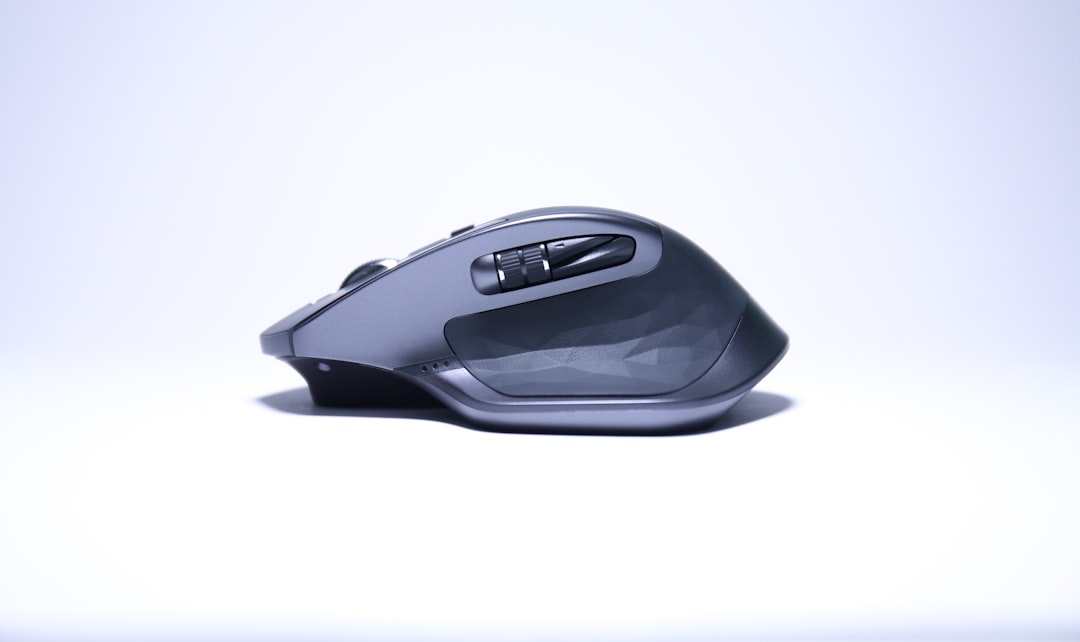
4. Kensington SlimBlade Trackball
With an emphasis on aesthetics and simplicity, the Kensington SlimBlade is a unique finger-operated model that integrates both navigation and media control in a minimalist design. Its low-profile body appeals to users who prefer a cleaner, flatter peripheral arrangement.
- Best for: Home offices with style-conscious setups
- Features: Twist scrolling, multimedia controls
- Connection: Wired USB
Though it lacks the wrist support of other models, the SlimBlade excels in functional elegance and precise cursor control. It’s ideal for shorter work sessions or environments where space matters.
Why Choose a Trackball Mouse?
Beyond just being a cool piece of tech, trackball mice bring several functional benefits that can enhance one’s computing experience:
- Reduced wrist strain: Since your hand stays in one place, there’s less repetitive movement and twist.
- Space-saving design: Perfect for small desks and mobile workstations.
- Customizability: Most models come with programmable buttons and tilt options.
- Precision: Excellent for users in digital design, photo editing, and data manipulation.
How to Choose the Right Trackball Mouse
Selecting the best ergonomic trackball depends on a few key considerations:
- Personal comfort: Thumb-controlled vs. finger-controlled varies between users.
- Usage environment: Office, gaming, design studio, etc.
- Wireless vs. Wired: Wireless offers flexibility, wired offers zero latency.
- Software support: Look for models with companion customization software.
In general, beginners might find thumb-operated models easier to transition into, while pros may prefer the precision of finger-controlled trackballs.
Conclusion
Trackball mice are more than just an ergonomic gimmick—they are a proven tool for increasing comfort, reducing strain, and enhancing productivity. From the premium Logitech MX Ergo to the stylish Kensington SlimBlade, there’s a perfect match for every use case and budget. Whether you’re battling wrist pain or just want better control, making the switch to a trackball could be the most productive move you make this year.
FAQs
-
Q: Are trackball mice better for carpal tunnel syndrome?
A: Yes, trackball mice reduce repeated wrist movement and tension, which can alleviate symptoms associated with carpal tunnel. -
Q: How long does it take to get used to using a trackball?
A: Most people adjust within a few days to a week. There is a short learning curve, but it varies by user. -
Q: Can you game with a trackball mouse?
A: While not commonly used for gaming, some users do prefer trackballs for strategy or simulation games due to their precision and comfort. -
Q: What’s the best trackball mouse for Mac users?
A: Logitech devices like the MX Ergo and M575 are Mac-compatible and provide software support for customization. -
Q: Can I clean the trackball easily?
A: Yes, most trackballs can be easily removed and cleaned with a soft, damp cloth to maintain smooth operation.