
AES is the safer WPA2 encryption choice, while TKIP should be treated as a legacy fallback only. WPA2 networks that use AES with CCMP provide stronger protection, better speed, and broader support for modern Wi-Fi features. TKIP exists mostly because old devices once needed a bridge away from broken WEP security.
TLDR: For WPA2, AES is the option that should be selected whenever possible. TKIP is older, weaker, and can slow a network down by blocking faster Wi-Fi modes. For example, a small office with 20 devices may see a WPA2 network fall from 300 Mbps link rates to 54 Mbps when TKIP is enabled on older routers. If a printer or handheld scanner still needs TKIP, that device should be isolated or replaced rather than weakening the main network.
What WPA2 Encryption Actually Does
WPA2 protects data as it moves between a device and a wireless access point. Without encryption, nearby attackers could capture traffic with cheap hardware and free tools. With proper encryption, captured traffic is scrambled and difficult to use.
WPA2 supports two main encryption methods often seen in router settings:
- AES: The modern and recommended encryption method for WPA2.
- TKIP: An older method designed as a short-term repair for WEP-era hardware.
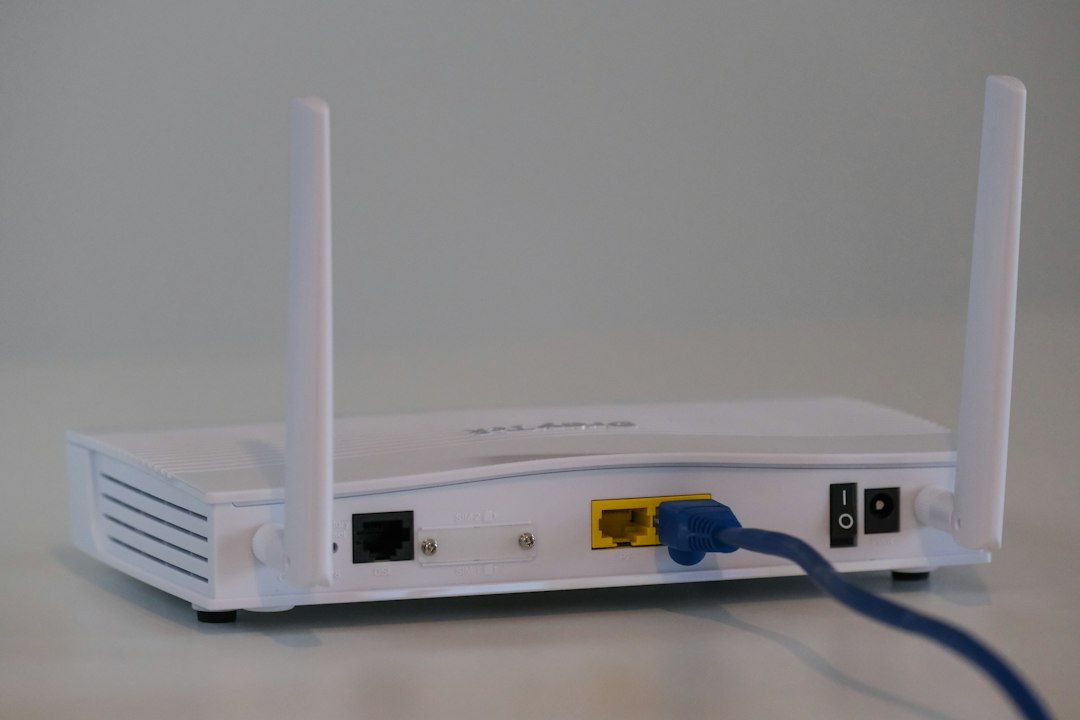
The confusing part is that many routers still show both options. It drives many admins crazy that a weak compatibility setting can sit next to the secure setting as if both are equally fine. They are not.
What Is AES in WPA2?
AES stands for Advanced Encryption Standard. In WPA2 networks, AES is used with a security protocol called CCMP, which handles encryption and message integrity. This pairing is often written as AES-CCMP.
AES is a block cipher trusted across banking, government, healthcare, and business systems. In Wi-Fi, it protects each wireless frame so attackers cannot easily read or alter the data. It is much stronger than the older RC4-based methods used by WEP and TKIP.
AES also supports modern Wi-Fi performance. Networks using WPA2-AES can use faster standards such as 802.11n, 802.11ac, and 802.11ax, depending on the router and client hardware. That matters because security settings can affect speed, not just privacy.
What Is TKIP in WPA2?
TKIP stands for Temporal Key Integrity Protocol. It was created during the move away from WEP, which had major security flaws. TKIP reused some older hardware designs so existing Wi-Fi cards could receive firmware updates instead of being thrown out.
That was useful at the time. It gave homes and businesses a better option than WEP without forcing an immediate hardware refresh. The catch is that TKIP was never meant to be a long-term answer.
TKIP uses RC4, the same stream cipher family used by WEP. It adds per-packet key mixing, sequence counters, and a message integrity check called MIC. These changes made it stronger than WEP, but they did not make it equal to AES.
AES vs TKIP: Key Differences
| Feature | AES | TKIP |
|---|---|---|
| Security level | Strong | Weak by modern standards |
| Algorithm base | AES block cipher | RC4 stream cipher |
| WPA2 status | Recommended | Legacy compatibility |
| Speed impact | Supports high-speed Wi-Fi | May cap speeds at 54 Mbps |
| Best use | Main home and business networks | Only for old devices, if unavoidable |
The most practical difference is simple. AES keeps a WPA2 network secure and fast. TKIP can make it weaker and slower. That is a bad trade unless an old device has no other option.
Why TKIP Is Considered Weak
TKIP improved WEP, but its design still carries old baggage. Researchers have shown attacks against TKIP that can recover or inject limited traffic in some conditions. These attacks are not always simple, but they prove that TKIP has aged poorly.
Modern routers and operating systems often warn against TKIP. Some refuse to connect to networks that use weak security. Apple, Microsoft, Android, and many router vendors have pushed users toward AES-only settings for years.
Speed is another problem. Many Wi-Fi devices disable high-throughput modes when TKIP is active. That means a network may lose 802.11n or faster rates and fall back to older performance. Honestly, it feels like a needless penalty: one ancient barcode scanner can drag a clean network into slow mode.
Why AES Is the Better Choice
AES is stronger because it was designed for serious cryptographic use. In WPA2, AES-CCMP protects confidentiality and checks whether data has been changed in transit. That makes it harder for attackers to read traffic or tamper with packets.
AES also matches how modern Wi-Fi hardware is built. Current routers, phones, laptops, tablets, cameras, and access points handle AES efficiently. In many cases, AES is accelerated by hardware, so it can be both safer and faster than TKIP.
For most homes, small offices, schools, and retail stores, the right WPA2 setting is:
- Security mode: WPA2-Personal or WPA2-Enterprise
- Encryption: AES or CCMP
- Avoid: TKIP, WPA mixed mode, WEP
What About WPA2 Mixed Mode?
Many routers offer settings such as WPA/WPA2 mixed or TKIP/AES mixed. These settings allow older devices to connect. They also weaken the network profile and may reduce performance.
Mixed mode is tempting when one old device refuses to connect. The better fix is to identify that device and decide whether it belongs on the main Wi-Fi network. A ten-year-old thermostat or printer should not force every laptop and phone onto weaker security.
A safer setup may include a separate guest or IoT network. That secondary network can have limited access to internal systems. If TKIP must remain for a short time, it should be placed there, with a plan to remove it.
Recommended Router Settings
For a clean WPA2 setup, administrators should choose WPA2-AES. If WPA3 is available, WPA3-Personal or WPA2/WPA3 transition mode may be better, depending on device support. Still, pure WPA2-AES remains a solid baseline for many networks.
A secure configuration should also include:
- A strong Wi-Fi password: At least 14 to 16 characters is a good target.
- Router firmware updates: Old firmware may contain known flaws.
- Disabled WPS: Push-button setup can create avoidable risk.
- Separate guest access: Visitors should not share the main network.
- Device review: Old clients that require TKIP should be replaced or isolated.
Business Use: WPA2-Personal vs WPA2-Enterprise
For homes and small shops, WPA2-Personal with AES is usually enough. It uses one shared password. The weakness is that everyone has the same key, so employee turnover can become messy.
For larger businesses, WPA2-Enterprise with AES is stronger. It uses individual credentials through 802.1X authentication, often backed by a RADIUS server. If one employee leaves, that account can be disabled without changing the Wi-Fi password for everyone.
In both cases, AES remains the preferred encryption method. TKIP should not be used for business networks unless there is a short-term legacy need and strict isolation.
Final Recommendation
AES should be used for WPA2 whenever the option exists. It is stronger, faster, and supported by modern devices. TKIP should be kept off unless an old device absolutely requires it, and even then, it should be temporary.
For most networks, the decision is easy: choose WPA2-AES, remove TKIP, update old devices, and avoid mixed mode when possible. That gives the network better protection without sacrificing speed.
FAQ
Is AES better than TKIP for WPA2?
Yes. AES is much better than TKIP for WPA2. It offers stronger encryption and supports faster Wi-Fi standards.
Should TKIP be disabled?
Yes, TKIP should be disabled on modern networks. It should only be used when an old device cannot connect with AES.
Does TKIP slow down Wi-Fi?
Yes, it can. TKIP may force devices into older Wi-Fi modes and can limit speeds to about 54 Mbps on some networks.
Is WPA2-AES still secure?
WPA2-AES is still widely considered secure when paired with a strong password and updated router firmware. WPA3 is newer, but WPA2-AES remains common and reliable.
What router setting should most people choose?
Most networks should use WPA2-Personal with AES, or WPA3 if all devices support it. Avoid WEP, TKIP, and WPA mixed mode.
Why do routers still show TKIP?
Routers show TKIP for compatibility with older devices. The setting remains available in some interfaces, even though it is no longer a good default choice.