



Understanding how users actually experience your website or app is one of the most powerful advantages a digital team can have. Metrics like page views and bounce rates tell part of the story—but they rarely explain why people behave the way they do. That’s where session replay tools like FullStory come in. By allowing you to watch real user journeys, these platforms reveal friction, confusion, intent, and opportunities for improvement that traditional analytics might miss.
TLDR: Session replay tools like FullStory let you watch real user interactions on your website or app, helping you understand behavior beyond basic analytics. They capture clicks, scrolls, taps, and navigation paths to uncover friction and usability problems. When combined with heatmaps and event tracking, they provide deep insights into user journeys. Used ethically and strategically, they can dramatically improve UX, conversions, and product decisions.
What Are Session Replay Tools?
Session replay tools are platforms that record and reconstruct user interactions on a website or web application. Instead of just showing charts and numbers, they allow you to watch anonymized recordings of real sessions as if you were looking over the user’s shoulder.
These tools typically capture:
- Mouse movements
- Clicks and taps
- Scrolling behavior
- Form interactions
- Navigation paths
- JavaScript errors
FullStory, one of the most well-known session replay platforms, is often used by product teams, UX designers, marketers, developers, and customer support professionals to identify issues and improve digital experiences.

Why Traditional Analytics Isn’t Enough
Tools like Google Analytics provide massive amounts of quantitative data. You can see traffic sources, bounce rates, average session durations, and conversion funnels. However, numbers alone don’t explain behavior. For example:
- Why did users abandon a checkout page?
- Why are visitors clicking a non-clickable element?
- Why are mobile users converting at a lower rate?
Analytics may show that users dropped off at Step 3 in your sign-up process—but it won’t show you the visible frustration when a form resets unexpectedly or loads too slowly.
Session replay fills in that missing context. It helps transform “what happened” into “why it happened.”
How Session Replay Tools Work
At a technical level, session replay tools embed a lightweight script into your website. This script tracks front-end interactions and reconstructs them into playable sessions. Importantly, reputable tools offer configuration options to mask sensitive data, such as passwords, credit card numbers, or personal information.
Key technical features often include:
- Event capturing (clicks, hovers, scroll depth)
- DOM change tracking to recreate layouts accurately
- Error logging for debugging front-end issues
- Performance monitoring to identify load bottlenecks
- Session filtering and segmentation
Sessions can often be filtered by device type, browser, location, traffic source, conversion status, or error occurrence, making it easier to isolate specific behavioral patterns.
The Benefits of Watching User Journeys
Session replay tools are more than just “interesting to watch.” When implemented strategically, they drive measurable business value.
1. Identifying UX Friction
Many UX issues are subtle and hard to detect during testing. Watching real sessions reveals moments like:
- Repeated clicks on broken buttons
- Excessive scrolling in search of hidden content
- Rage clicks (rapid repeated clicking)
- Confused cursor movements
These visual cues highlight points of frustration that may never appear in a survey response.
2. Improving Conversion Rates
By analyzing sessions of users who dropped out of a funnel, you can pinpoint:
- Complicated checkout processes
- Poor mobile layout rendering
- Ambiguous calls to action
- Unexpected validation errors
This insight allows teams to optimize conversion pathways with precision rather than guesswork.
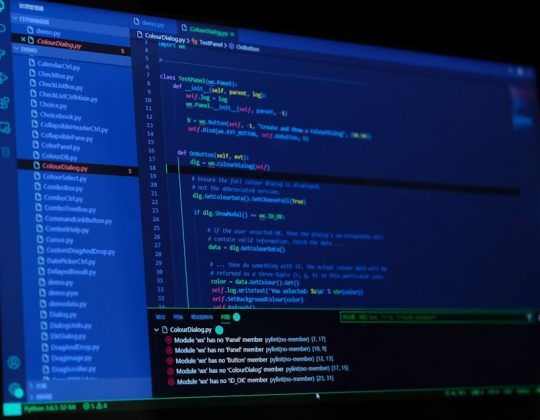
3. Debugging Technical Issues
Session replay tools often integrate with developer workflows. Instead of responding to a vague support message like “the page broke,” teams can:
- Replay the exact user session
- See the browser environment
- Identify JavaScript errors
- Understand the reproduction steps
This dramatically reduces guesswork and speeds up issue resolution.
4. Enhancing Customer Support
Customer support teams benefit immensely from session replays. Instead of relying solely on user explanations, agents can review abandoned or problematic sessions to identify what went wrong.
This leads to:
- Faster resolutions
- More empathetic support responses
- Reduced back-and-forth communication
5. Data-Driven Product Decisions
Product teams often debate changes based on hypotheses. Session replays introduce direct behavioral evidence into those discussions. Instead of saying, “Users probably prefer this layout,” teams can say, “In 37% of sessions, users struggled to locate the sign-up button.”
That level of clarity informs more confident prioritization.
Heatmaps vs. Session Replay
While related, heatmaps and session replays serve different purposes.
- Heatmaps aggregate interactions across many users, showing click density or scroll depth.
- Session replay provides individual user journeys in real time.
Heatmaps show patterns. Session replay shows stories.
Using both together gives a powerful blend of macro and micro insights:
- Heatmaps identify high-interest areas.
- Replays explain why certain patterns exist.

Privacy and Ethical Considerations
With great insight comes responsibility. Session replay tools must be implemented with careful attention to user privacy and regulatory compliance.
Best practices include:
- Masking sensitive data fields
- Obtaining user consent where required
- Complying with GDPR and CCPA regulations
- Anonymizing personal identifiers
- Limiting replay access internally
Transparency builds trust. Organizations should include clear disclosures in their privacy policies and ensure replay functionality does not compromise user security.
Common Use Cases Across Industries
Session replay tools aren’t limited to one sector. They’re used widely across:
E-commerce
- Optimizing checkout flows
- Reducing cart abandonment
- Improving product page layouts
SaaS Platforms
- Enhancing onboarding experiences
- Tracking feature adoption
- Identifying churn risks
Financial Services
- Debugging application forms
- Ensuring smooth transaction flows
- Detecting usability setbacks
Healthcare Portals
- Simplifying appointment booking
- Improving patient portal navigation
- Reducing friction in online forms
Best Practices for Using Session Replay Tools Effectively
Watching random recordings aimlessly won’t deliver maximum value. Structured approaches are key.
1. Define Specific Goals
Are you trying to reduce churn? Improve onboarding? Optimize checkout? Focused reviews are more productive than broad observation.
2. Use Segmentation Smartly
Filter sessions by:
- Users who didn’t convert
- Visitors who encountered errors
- Mobile users only
- High-value customers
3. Combine With Quantitative Data
Session replay is not a replacement for analytics. Pair behavior analysis with funnel metrics, A/B testing results, and traffic reports to validate patterns.
4. Share Insights Cross-Functionally
Marketing, UX, engineering, and support teams should collaborate. A single replay might highlight copy issues, layout flaws, and technical errors simultaneously.
5. Avoid Over-Observation
It’s easy to fall into the trap of watching dozens of sessions without extracting insights. Set review limits and focus on patterns rather than anecdotes.
Limitations to Keep in Mind
Although powerful, session replay tools have limitations:
- They don’t directly reveal user intent.
- Context from surveys or interviews may still be necessary.
- High-traffic sites may face data storage considerations.
- Improper configuration can lead to privacy risks.
They are most effective when integrated into a broader research framework that includes usability testing, surveys, and analytics.
The Future of Session Replay Technology
As AI and machine learning evolve, session replay platforms are becoming more intelligent. Many now feature:
- Automated frustration detection
- Behavioral anomaly alerts
- Predictive churn analysis
- Smart session summaries
These capabilities reduce manual review and allow teams to focus on actionable insights rather than raw observation.
In the future, session replay may become seamlessly integrated with personalization engines, automatically adapting user interfaces based on detected struggles or preferences.
Conclusion
Session replay tools like FullStory represent a major leap forward in understanding digital behavior. By allowing teams to observe real user journeys, they transform abstract metrics into tangible insights. From improving UX and boosting conversions to debugging complex issues, these tools empower organizations to make smarter, evidence-based decisions.
When used responsibly and strategically, session replay doesn’t just show what users do—it helps you build better experiences around how they actually think, move, and interact online. In an increasingly competitive digital landscape, that insight can make all the difference.