


Wireless networks have become a staple of modern life, providing uninterrupted access to the internet across homes, offices, and public spaces. While Wi-Fi login procedures generally require a password to connect, there’s also a feature on most modern routers that offers an alternative method: WPS. But what exactly is WPS on a router, and is it something users should enable or avoid? Understanding this feature can greatly affect the convenience and security of your internet connection.
TL;DR
WPS (Wi-Fi Protected Setup) is a feature that allows you to connect devices to a Wi-Fi network without entering a password, usually by pressing a button on your router. While convenient, it has known security vulnerabilities that may leave your network exposed if not used wisely. It’s best used only when necessary and with caution. If security is a priority, keeping WPS disabled might be the safer option.
What Is WPS?
WPS (Wi-Fi Protected Setup) is a wireless network security standard that makes it easier to connect devices to a router. Introduced by the Wi-Fi Alliance in 2006, its primary goal is to simplify the notoriously cumbersome task of configuring a secure wireless home network.
WPS allows you to connect a device to your Wi-Fi network without manually entering the Wi-Fi password. This is particularly useful for devices with limited input interfaces, such as smart TVs, printers, or IoT devices.
There are several methods by which WPS can be used:
- Push Button Method: The most common way to use WPS is by pressing the WPS button on the router and then pressing the WPS button (or activating WPS mode) on your device.
- PIN Entry: You enter an eight-digit PIN displayed on the router into the device to connect.
- Device PIN Entry: You enter a PIN from the device into the router’s setup interface.
- NFC and USB methods: These are less common and are typically used in enterprise settings.
How Does WPS Work?
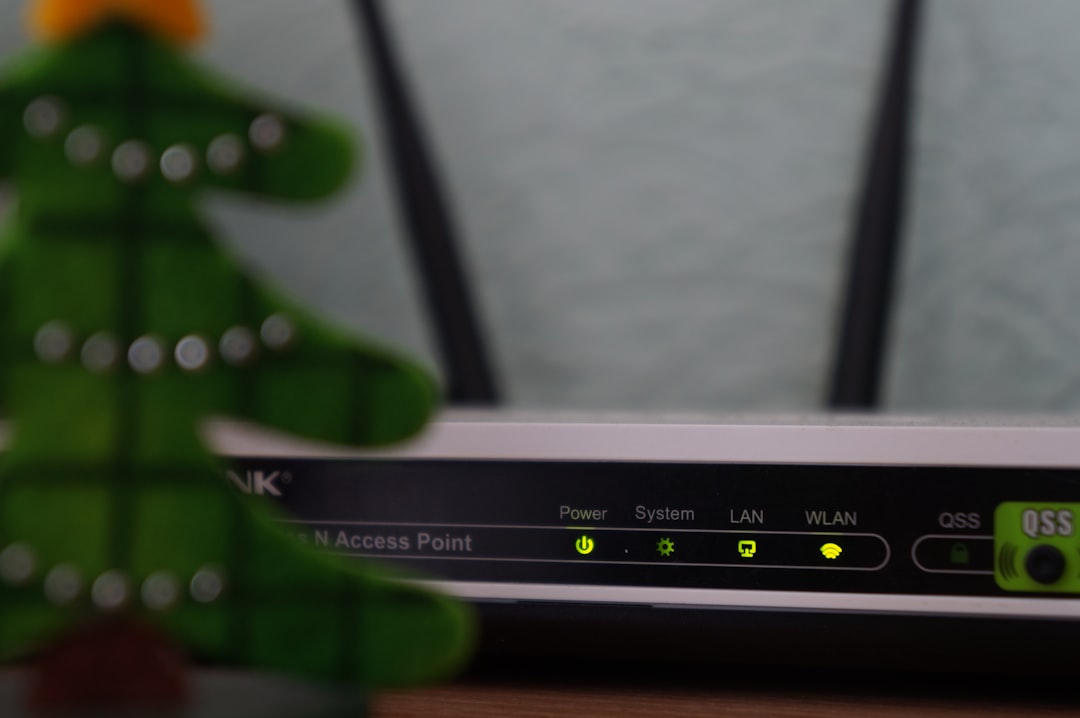
When WPS is enabled, it eliminates the need to manually input the Wi-Fi password. Instead, the router and the device engage in a brief exchange to automatically exchange the credentials and establish a secure connection. This happens within a limited time frame — typically two minutes — after the WPS button is pressed.
It works primarily with WPA/WPA2 Personal security protocols, which encrypt the transferred credentials. However, WPS does not support more secure enterprise-level protocols (like WPA3 Enterprise), which is one of its limiting factors.
Pros of Using WPS
Despite security concerns, there are some genuine benefits to using WPS:
- Ease of Use: New devices can connect to the network without typing long passwords.
- Time-saving: Especially helpful when setting up multiple smart home devices that use the same network.
- No need for UI: Perfect for gadgets without screens or keyboards, such as printers and certain IoT devices.
Why WPS Might Not Be a Great Idea
Unfortunately, the simplicity of WPS comes at a cost — security. One of the biggest criticisms of WPS is that it introduces vulnerabilities that can be exploited by hackers.
- PIN Vulnerability: The eight-digit PIN used in WPS PIN mode can be brute-forced in a matter of hours. The PIN is also verified in two halves, making it easier to crack.
- Physical Access Exploits: If someone has physical access to your router, pressing the WPS button to connect malicious devices becomes a legitimate concern.
- Lack of Logging: Routers often don’t log WPS authentication attempts, which makes it harder to detect unauthorized access.
- WPS Bypass Malware: Some malware exploits the WPS vulnerability to gain unauthorized access to your Wi-Fi network.
Should You Enable or Disable WPS?
Whether WPS should be enabled or disabled depends on the specific needs and setup of your network. For tech-savvy users or security-conscious environments, the general recommendation is:
Disable WPS.
Here’s when and why disabling it makes sense:
- You don’t frequently connect new devices.
- You are concerned about unauthorized access to your network.
- Your router is located in a public or semi-public location.
However, there are situations where enabling it temporarily can be useful. For example, if you’re setting up multiple smart home devices and find that entering long passwords is cumbersome or not feasible, enabling WPS for a short period and then turning it off can strike a balance between utility and security.
How to Check WPS Status and Turn It Off (or On)
Every router is different, but typically users can access WPS settings through the router’s web interface or mobile app:
- Open a web browser and enter the router’s IP address (often 192.168.0.1 or 192.168.1.1).
- Log in using the admin username and password.
- Look for a section called “Wireless,” “Wi-Fi settings,” or “Advanced Settings.”
- Locate the WPS option and toggle it on or off.
- Save changes and restart the router if needed.
Some newer routers also feature a dedicated mobile app that makes finding and toggling WPS a more intuitive process.
Alternatives to Using WPS
If you decide to keep WPS disabled, there are safer and more modern alternatives to connecting devices to your Wi-Fi network:
- QR Codes: Some routers allow you to generate QR codes containing Wi-Fi information. Devices can scan the code to connect automatically.
- Wi-Fi Sharing Features on Smartphones: Both Android and iOS offer Wi-Fi sharing options that connect devices with a few taps.
- Guest Network: Set up a separate network for visitors or IoT devices. This separates them from your main, more secure network.
- Manual Setup: Entering the SSID and password manually is still one of the most secure ways to connect.
Final Thoughts
WPS offers significant convenience, especially for less technical users and situations where inputting passwords is impractical. However, this ease comes with well-documented security drawbacks. Knowing how and when to use WPS — and when NOT to — can help users strike the right balance between usability and security in their wireless networks. Ultimately, many experts recommend disabling WPS if your devices and environment allow it, opting instead for more secure alternatives.
FAQ
- Q: What does WPS stand for?
A: WPS stands for Wi-Fi Protected Setup. - Q: Is WPS secure?
A: Not entirely. It has known vulnerabilities, especially in the PIN authentication method, that could be exploited by attackers. - Q: Can you use WPS with every device?
A: No, only devices that support WPS can use this feature. Many modern smartphones and laptops have phased out WPS compatibility. - Q: Where is the WPS button on my router?
A: Usually on the back or side of the router, often labeled “WPS”. It could be a physical button or a virtual button on the router’s settings page. - Q: What happens if I accidentally press the WPS button?
A: It opens a short window during which compatible devices can connect to your Wi-Fi without entering a password. If no device connects within two minutes, the window closes automatically. - Q: Should I disable WPS permanently?
A: If security is a major concern — yes. If you seldom add new devices and want to reduce attack vectors on your network, it’s best to keep it off.

![[Solved] Logitech Webcam Not Working](https://www.digitalways.org/wp-content/uploads/2025/04/white-usb-cable-plugged-in-white-electric-socket-workflow-automation-apps-connection-ai-assistant-540x420.jpg "[Solved] Logitech Webcam Not Working")