


In the professional world, first impressions count—and a business card often makes the first splash. An elegant, cleanly designed card not only communicates vital contact information but also reflects a professional image and personal brand. Whether for entrepreneurs, freelancers, or large enterprises, selecting a tool that produces sleek and refined card layouts is essential for leaving a lasting mark.
TLDR: Too Long, Didn’t Read
Clean business card layouts can significantly influence a person’s credibility and brand perception. Choosing the right business card maker aids in crafting professional and visually appealing designs without clutter. Top tools like Canva, Vistaprint, and Adobe Express stand out for their user-friendly interfaces, targeted templates, and customizable features. Prioritize a platform that balances design flexibility with simplicity to achieve the perfect card look.
Why Clean Layouts Matter in Business Card Design
Minimalism and clarity are crucial aspects of effective visual communication. A clean card layout ensures that essential contact details don’t get lost in design noise. It enables recipients to quickly identify a person’s name, role, and contact method without distraction. Moreover, it mirrors a professional’s organizational skills and attention to detail—two traits highly valued in nearly every industry.
Top Business Card Makers for Clean Layouts
1. Canva
Canva remains one of the most popular graphic design platforms for both beginners and professionals. Known for its intuitive drag-and-drop interface, Canva offers:
- Modern, minimalist templates specifically tailored for business cards
- Flexible font and color controls to suit individual branding
- Quick editing tools for resizing, spacing, and alignment
- Pre-sized card dimensions for easy print readiness
With hundreds of free and premium templates, users can create clean layouts without starting from scratch. Templates in industries like tech, real estate, and wellness are frequently updated to reflect current design trends.
2. Vistaprint
Vistaprint is a go-to for users who want an all-in-one solution, from design to delivery. It’s renowned for its print-quality focus but offers comprehensive design tools as well. Features include:
- Professional-looking templates with grid-based layouts for cleanliness
- Live preview and editing tools
- Upload option for custom designs
- Inclusive design packages and premium finishes
Vistaprint suits professionals who want to avoid the hassle of DIY card production. Their proofing system ensures that designs are clean, aligned, and print-perfect.
3. Adobe Express (Formerly Adobe Spark)
Adobe Express blends the creative power of Adobe tools with accessibility. Users who want to maintain quality but need a more intuitive interface than Photoshop will appreciate what Express offers:
- Sleek minimalist templates from top-tier designers
- Auto-alignment and snapping tools to clean up layout spacing
- Brand kits for consistency across marketing materials
One of Adobe Express’s standout features is its Branding Tool, which applies your company’s fonts, logos, and color palette across all templates for cohesive layout designs.
4. Lucidpress
Lucidpress offers a cloud-based publishing tool ideal for teams and individuals looking to lock in their brand aesthetic. Its features are crafted for brand consistency and layout cleanliness:
- Drag-and-drop editor with structured columns and grid guides
- Template locking for teams to maintain formatting standards
- Real-time collaboration for design teams
Lucidpress is an excellent choice for businesses needing to standardize business card creation across multiple employees without sacrificing layout quality.
5. Moo
Moo is known for premium business card printing services and unique design offerings. While its editor might be simpler than others, the emphasis is clearly on:
- Design elegance through minimalist templates
- High-quality paper stock and finishing options
- Front-and-back customizable cards with clean text hierarchies
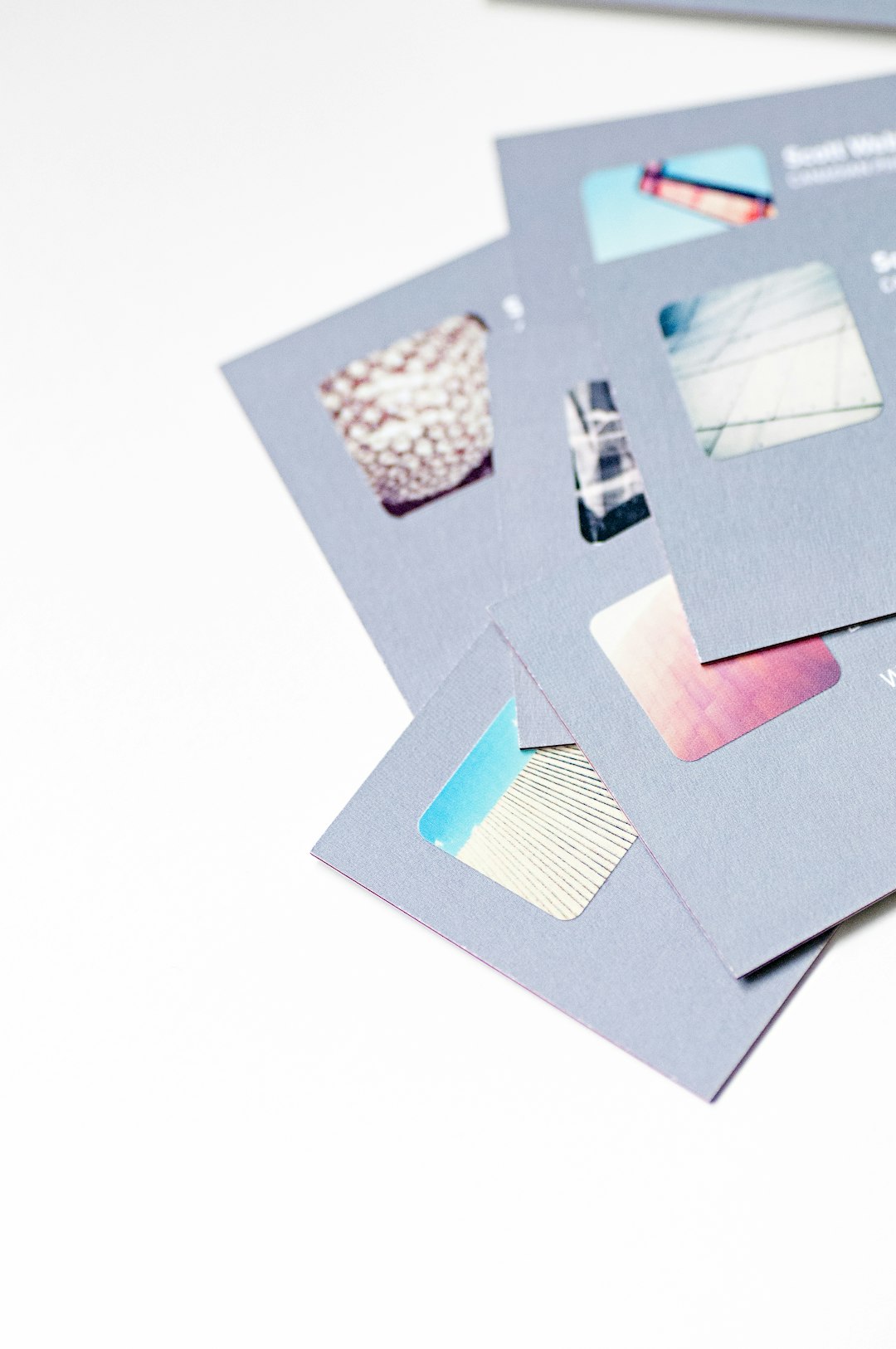
Moo is best suited for professionals invested in presenting a refined, high-end image. Its “Printfinity” feature allows each card in a set to show a different image, ideal for creative professionals.
6. Crello (now VistaCreate)
Owned by Vistaprint, VistaCreate targets users who value a smooth creative process without complex software jargon. Its business card design suite offers:
- Streamlined UI for fast layout work
- Pre-made clean design templates tailored for different sectors
- Layer-based editing for proper visual hierarchy
This platform is ideal for time-sensitive projects where users need a sophisticated layout without a steep learning curve.
What to Look for in a Clean Business Card Layout Tool
When aiming for crisp and professional designs, consider these key factors:
- User Interface: A well-designed UI ensures efficient layout adjustments and design enhancements.
- Template Variety: Pre-built templates with adequate spacing and logical information flow are vital.
- Grid and Alignment Tools: Features like snap-to-grid maintain symmetry and balance.
- Print Compatibility: High-resolution export options for physical printing ensure layout fidelity.
Also, tools offering mock-up previews can significantly aid users in visualizing the final card before going to print.
Final Thoughts
A cleanly laid-out business card is not merely an accessory—it is a branding staple. Business owners and professionals should treat card design as thoughtfully as any marketing investment. Tools like Canva, Adobe Express, and Vistaprint bring together simplicity and design intelligence, allowing users of all skill levels to produce polished, readable, and stylish cards quickly. The right platform is the one that aligns with the user’s workflow, design preferences, and brand identity.
Frequently Asked Questions
- Q: Why should I prioritize a clean layout for my business card?
A clean layout ensures easy readability, enhances visual appeal, and reinforces a professional image. - Q: Which business card maker is best for beginners?
Canva and VistaCreate are excellent for beginners due to their user-friendly interfaces and rich template libraries. - Q: Are these tools free to use?
Most offer free versions with premium upgrades. Canva, for instance, provides free templates and paid features under its Pro plan. - Q: Can I print cards directly through these platforms?
Yes. Platforms like Vistaprint and Moo are equipped to handle design and high-quality printing services in one place. - Q: How do I choose the right paper and finish?
Opt for thicker, matte papers for clean, modern designs. Glossy finishes can enhance images but may deter text readability.